Vigor2120 Series User’s Guide
121
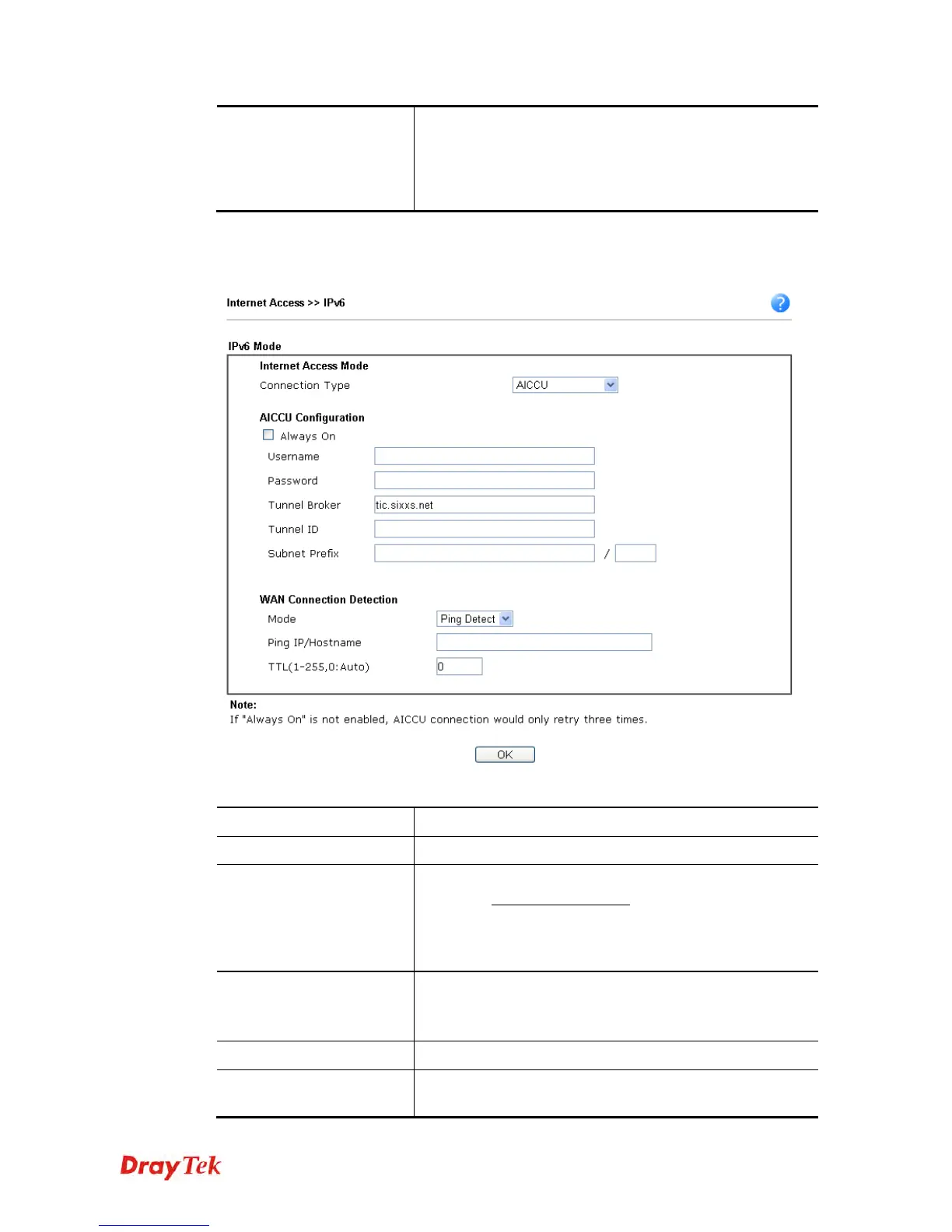
Ping IP/Hostname – If you choose Ping Detect as
detection mode, you have to type IP address in this field
for pinging.
TTL (Time to Live) –If you choose Ping Detect as
detection mode, you have to type TTL value.
After finished the above settings, click OK to save the settings.
4
4
.
.
1
1
.
.
3
3
.
.
9
9
D
D
e
e
t
t
a
a
i
i
l
l
s
s
P
P
a
a
g
g
e
e
f
f
o
o
r
r
I
I
P
P
v
v
6
6
–
–
A
A
I
I
C
C
C
C
U
U
i
i
n
n
W
W
A
A
N
N
1
1
/
/
W
W
A
A
N
N
2
2
Available settings are explained as follows:
Item Description
Always On
Check this box to keep the network connection always.
Username
Type the name obtained from the broker. Please apply new
account at http://www.sixxs.net/
. It is suggested for you to
apply another username and password.
The maximum length of the name you can set is 19
characters.
Password
Type the password assigned with the user name.
The maximum length of the password you can set is 19
characters.
Confirm Password
Type the password again to make the confirmation.
Tunnel Broker
Type the address for the tunnel broker IP, FQDN or an
optional port number.















 To Next Page