Vigor2120 Series User’s Guide
337
4
4
.
.
1
1
5
5
S
S
y
y
s
s
t
t
e
e
m
m
M
M
a
a
i
i
n
n
t
t
e
e
n
n
a
a
n
n
c
c
e
e
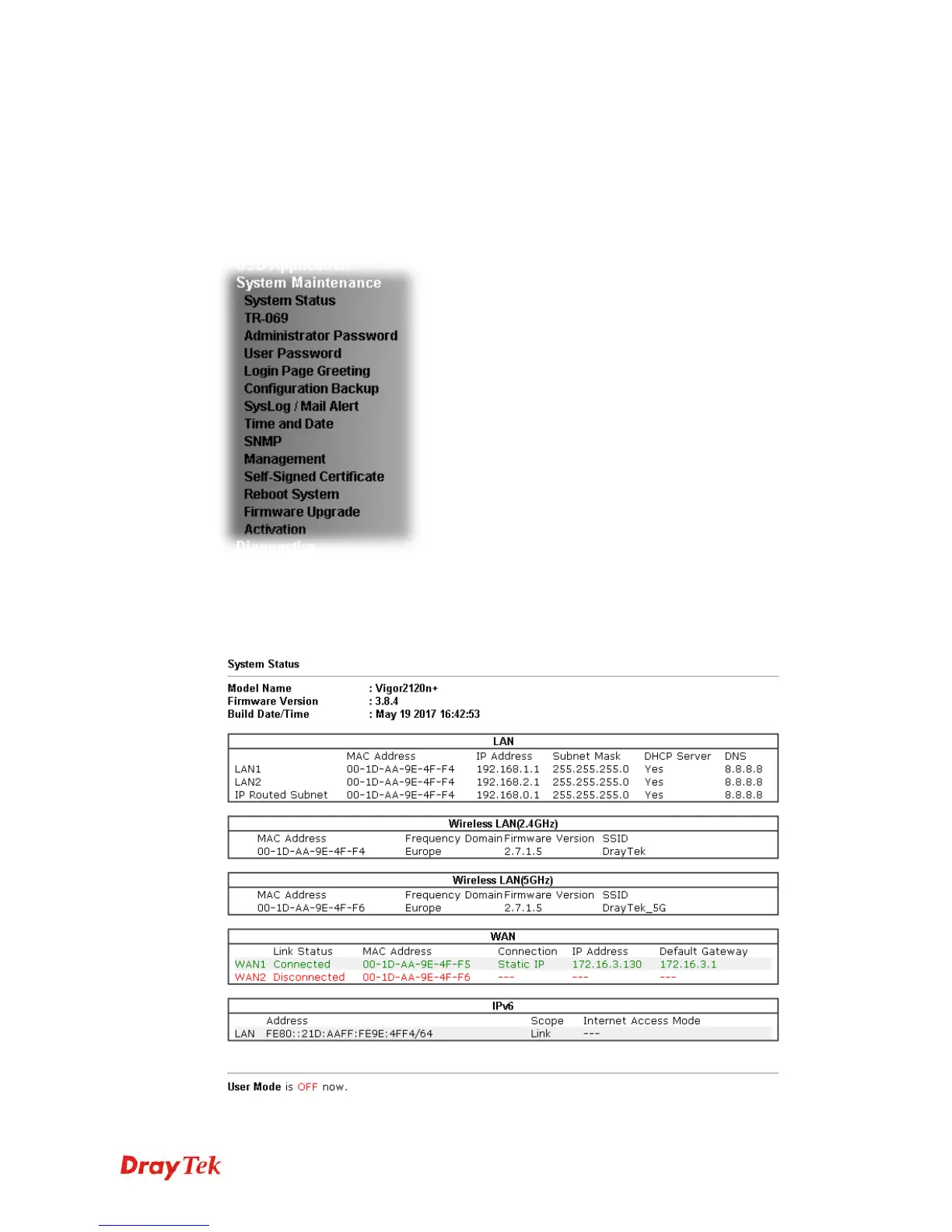
For the system setup, there are several items that you have to know the way of configuration:
System Status, TR-069, Administrator Password, User Password, Login Page Greeting,
Configuration Backup, Syslog /Mail Alert, Time and Date, SNMP, Management, Reboot
System, Firmware Upgrade and Activation.
Below shows the menu items for System Maintenance.
4
4
.
.
1
1
5
5
.
.
1
1
S
S
y
y
s
s
t
t
e
e
m
m
S
S
t
t
a
a
t
t
u
u
s
s
The System Status provides basic network settings of Vigor router. It includes LAN and
WAN interface information. Also, you could get the current running firmware version or
firmware related information from this presentation.















 To Next Page