Vigor2120 Series User’s Guide
19
1
1
.
.
7
7
.
.
1
1
V
V
i
i
r
r
t
t
u
u
a
a
l
l
P
P
a
a
n
n
e
e
l
l
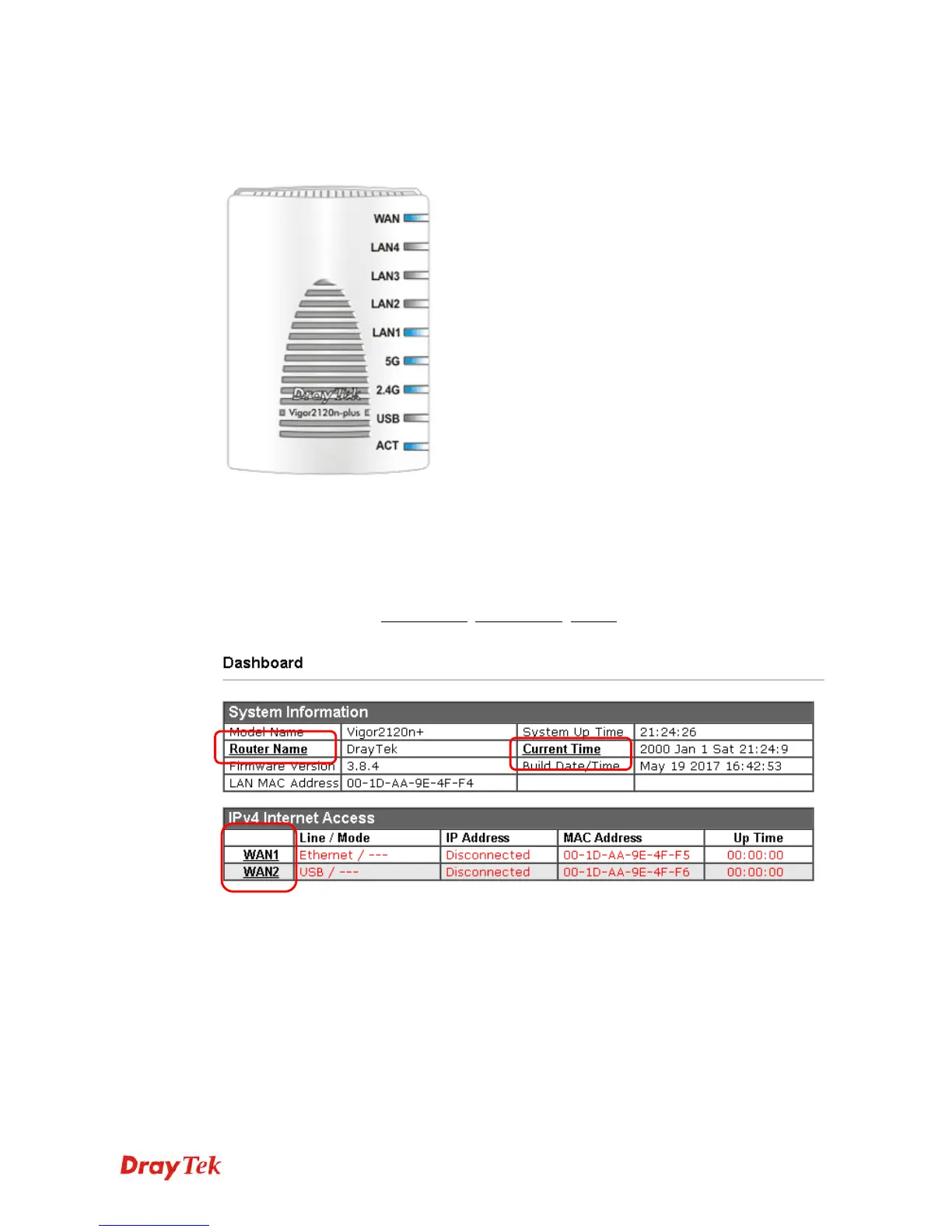
On the top of the Dashboard, a virtual panel (simulating the physical panel of the router)
displays the physical interface connection. It will be refreshed every five seconds.
For detailed information about the LED display, refer to 1.2 LED Indicators and
Connectors.
1
1
.
.
7
7
.
.
2
2
N
N
a
a
m
m
e
e
w
w
i
i
t
t
h
h
a
a
L
L
i
i
n
n
k
k
A name with a link (e.g., Router Name, Current Time, WAN1 and etc.) below means you can
click it to open the configuration page for modification.















 To Next Page