Vigor2120 Series User’s Guide
24
1
1
.
.
8
8
O
O
n
n
l
l
i
i
n
n
e
e
S
S
t
t
a
a
t
t
u
u
s
s
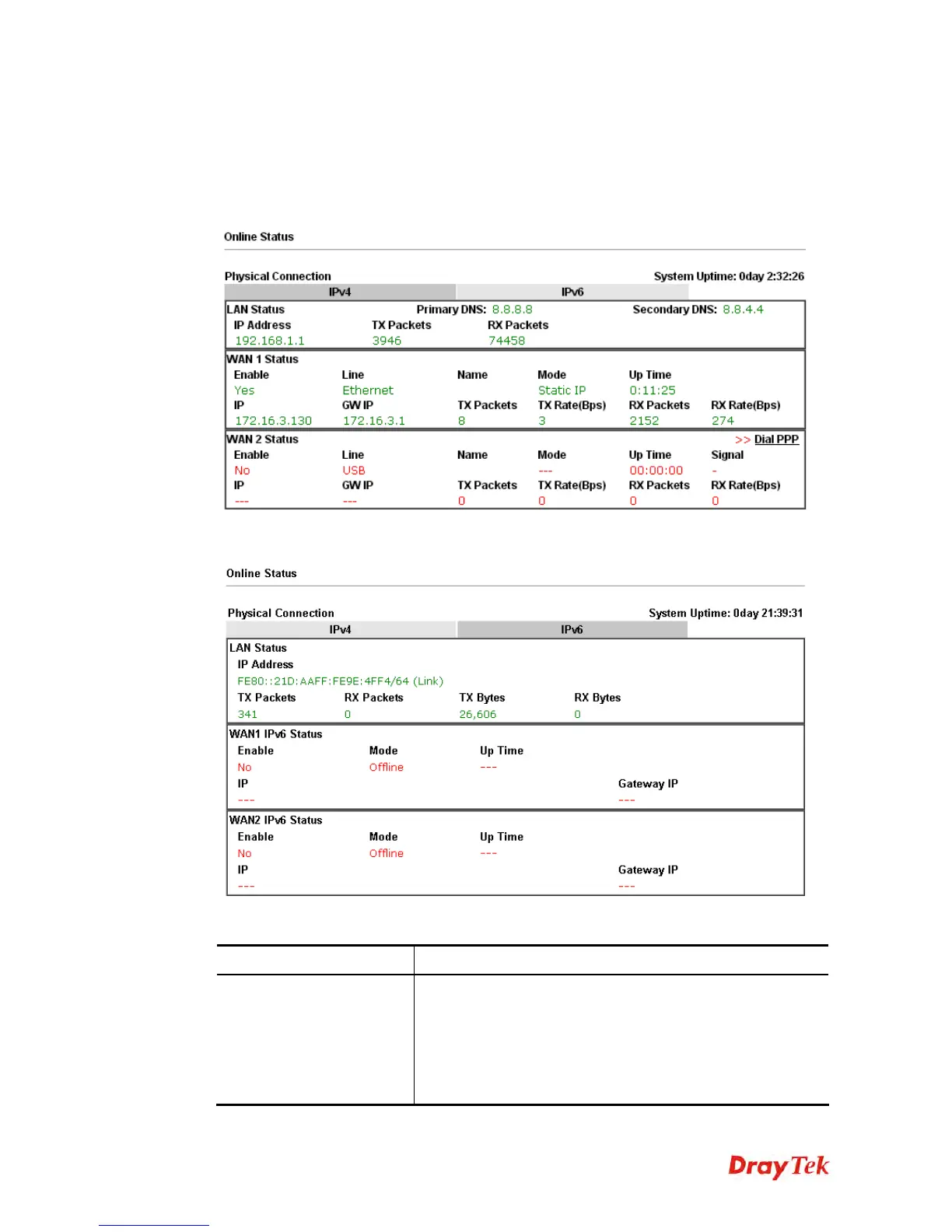
Such page displays the physical connection status such as LAN connection status, WAN
connection status, ADSL information, and so on.
1
1
.
.
8
8
.
.
1
1
P
P
h
h
y
y
s
s
i
i
c
c
a
a
l
l
C
C
o
o
n
n
n
n
e
e
c
c
t
t
i
i
o
o
n
n
f
f
o
o
r
r
I
I
P
P
v
v
4
4
P
P
r
r
o
o
t
t
o
o
c
c
o
o
l
l
1
1
.
.
8
8
.
.
2
2
P
P
h
h
y
y
s
s
i
i
c
c
a
a
l
l
C
C
o
o
n
n
n
n
e
e
c
c
t
t
i
i
o
o
n
n
f
f
o
o
r
r
I
I
P
P
v
v
6
6
P
P
r
r
o
o
t
t
o
o
c
c
o
o
l
l
Detailed explanation (for IPv4) is shown below:
Item Description
LAN Status
Primary DNS-Displays the primary DNS server address for
WAN interface.
Secondary DNS -Displays the secondary DNS server
address for WAN interface.
IP Address-Displays the IP address of the LAN interface.
TX Packets-Displays the total transmitted packets at the















 To Next Page