Vigor2120 Series User’s Guide
291
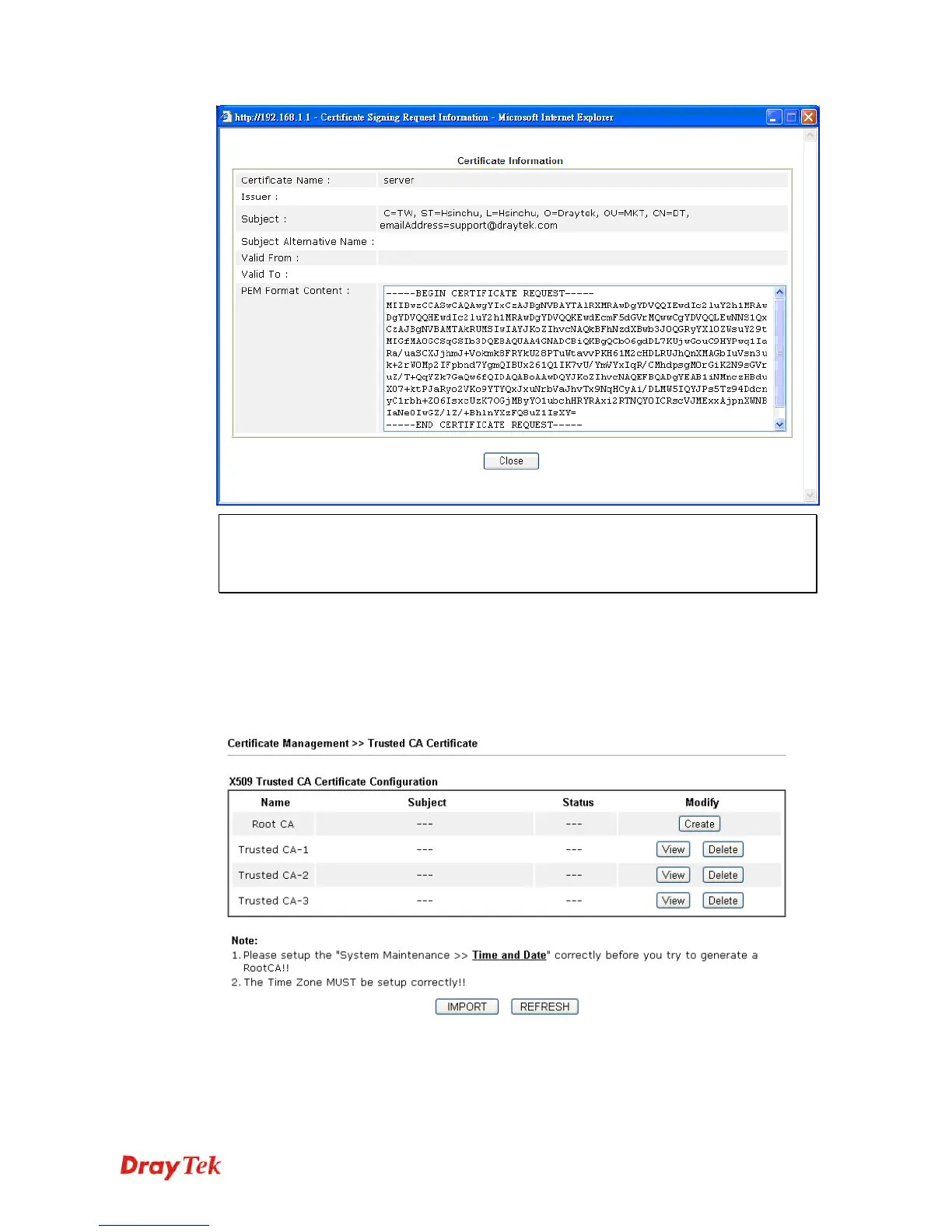
Note: You have to copy the certificate request information from above window. Next,
access your CA server and enter the page of certificate request, copy the information into
it and submit a request. A new certificate will be issued to you by the CA server. You can
save it.
D
D
e
e
l
l
e
e
t
t
e
e
Click this button to remove the selected certificate.
4
4
.
.
1
1
1
1
.
.
2
2
T
T
r
r
u
u
s
s
t
t
e
e
d
d
C
C
A
A
C
C
e
e
r
r
t
t
i
i
f
f
i
i
c
c
a
a
t
t
e
e
Trusted CA certificate lists three sets of trusted CA certificate.
C
C
r
r
e
e
a
a
t
t
i
i
n
n
g
g
a
a
R
R
o
o
o
o
t
t
C
C
A
A















 To Next Page