Vigor2120 Series User’s Guide
309
4
4
.
.
1
1
2
2
.
.
7
7
A
A
d
d
v
v
a
a
n
n
c
c
e
e
d
d
S
S
e
e
t
t
t
t
i
i
n
n
g
g
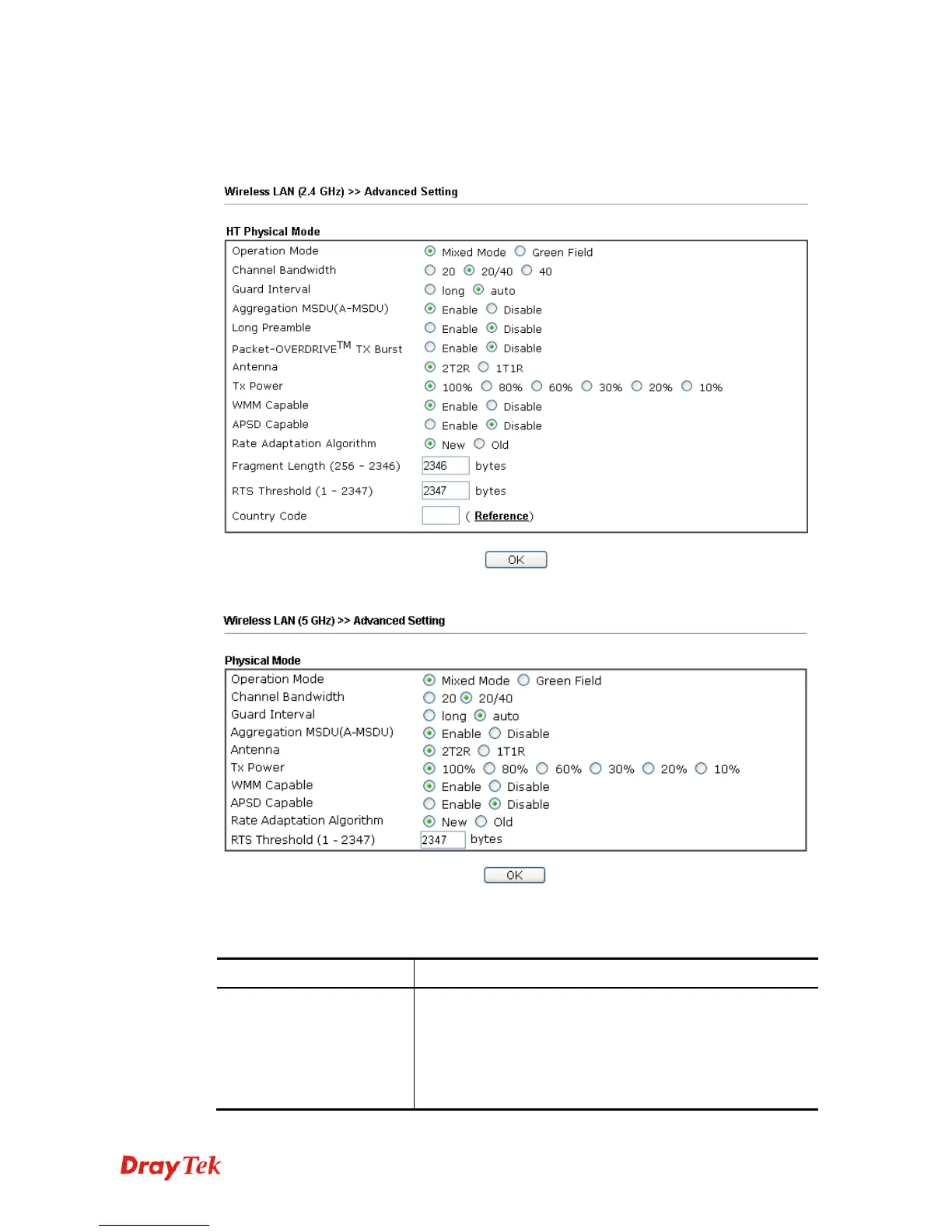
This page allows users to set advanced settings such as operation mode, channel bandwidth,
guard interval, and aggregation MSDU for wireless data transmission.
2.4G
5G
Available settings are explained as follows:
Item Description
Operation Mode
Mixed Mode – the router can transmit data with the ways
supported in both 802.11a/b/g and 802.11n standards.
However, the entire wireless transmission will be slowed
down if 802.11g or 802.11b wireless client is connected.
Green Field – to get the highest throughput, please choose
such mode. Such mode can make the data transmission















 To Next Page