Vigor2120 Series User’s Guide
29
2
2
.
.
1
1
.
.
1
1
F
F
o
o
r
r
W
W
A
A
N
N
1
1
(
(
E
E
t
t
h
h
e
e
r
r
n
n
e
e
t
t
)
)
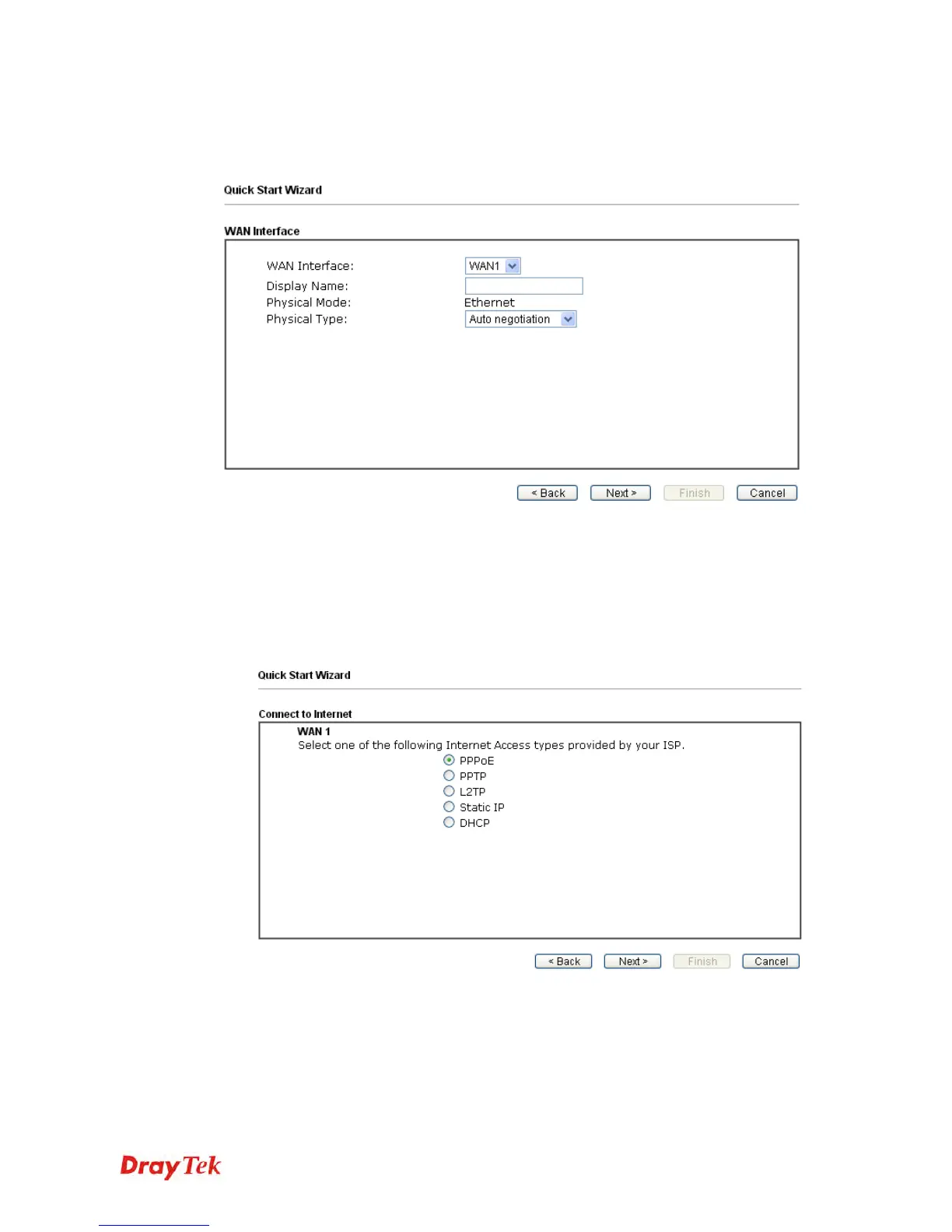
WAN1 is dedicated to physical mode in Ethernet. If you choose WAN1, please specify
physical type. Then, click Next.
2
2
.
.
1
1
.
.
1
1
.
.
1
1
P
P
P
P
P
P
o
o
E
E
1. Open Wizards>>Quick Start Wizard. Finish the password settings and click Next.
2. Choose WAN1 as the WAN Interface and click the Next button.
3. The following page will be open for you to specify Internet Access Type. Click PPPoE
as the Internet Access Type. Then click Next to continue.















 To Next Page