Vigor2120 Series User’s Guide
123
4
4
.
.
1
1
.
.
3
3
.
.
1
1
0
0
D
D
e
e
t
t
a
a
i
i
l
l
s
s
P
P
a
a
g
g
e
e
f
f
o
o
r
r
I
I
P
P
v
v
6
6
–
–
D
D
H
H
C
C
P
P
v
v
6
6
C
C
l
l
i
i
e
e
n
n
t
t
i
i
n
n
W
W
A
A
N
N
1
1
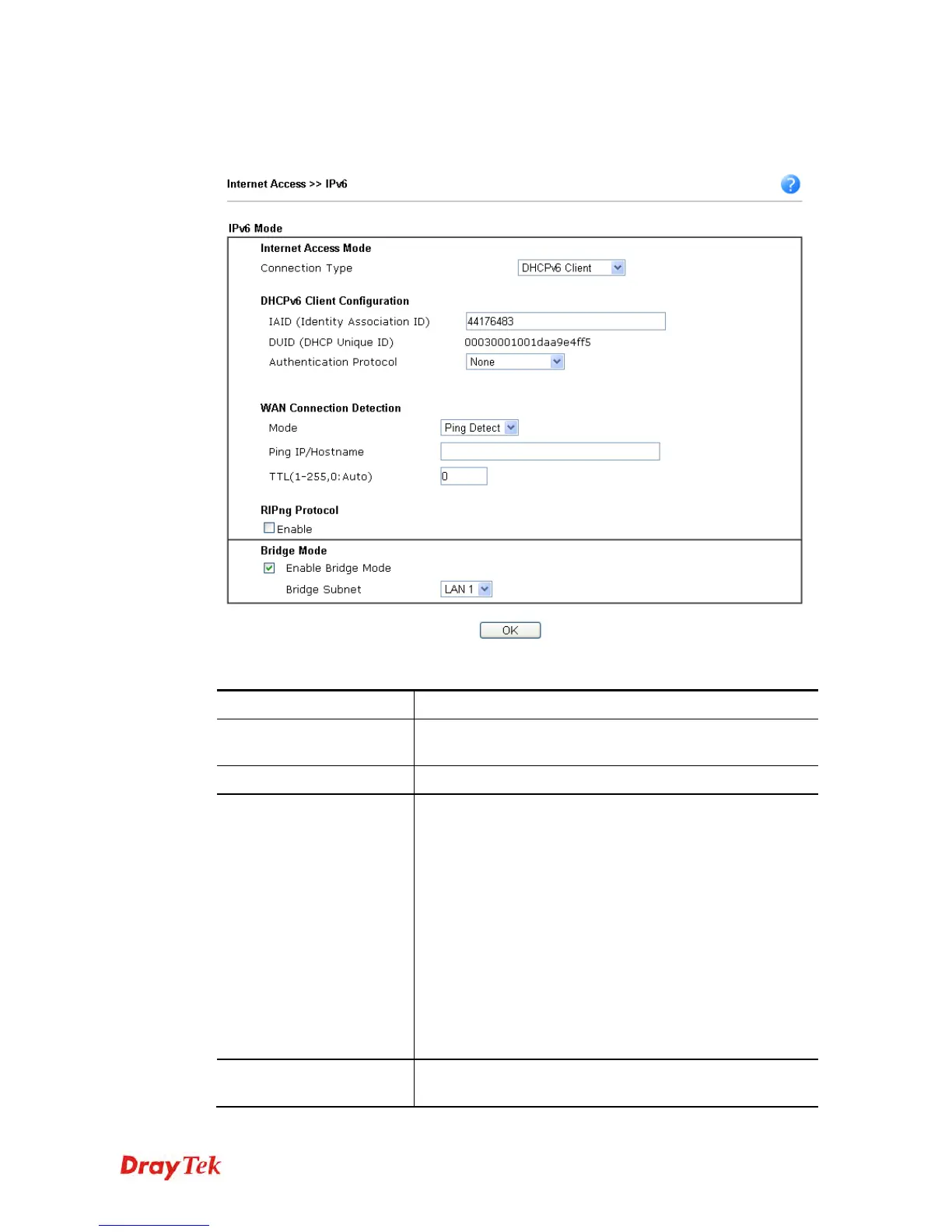
DHCPv6 client mode would use DHCPv6 protocol to obtain IPv6 address from server.
Available settings are explained as follows:
Item Description
Identify Association
Choose Prefix Delegation or Non-temporary Address as
the identify association.
IAID
Type a number as IAID.
WAN Connection
Detection
Such function allows you to verify whether network
connection is alive or not through NS Detect or Ping Detect.
Mode – Choose Always On, Ping Detect or NS Detect for
the system to execute for WAN detection. With NS Detect
mode, the system will check if network connection is
established or not, like IPv4 ARP Detect. Always On
means no detection will be executed. The network
connection will be on always.
Ping IP/Hostname – If you choose Ping Detect as
detection mode, you have to type IP address in this field
for pinging.
TTL (Time to Live) –If you choose Ping Detect as
detection mode, you have to type TTL value.
RIPng Protocol
RIPng (RIP next generation) offers the same functions and
benefits as IPv4 RIP v2.















 To Next Page