Vigor2120 Series User’s Guide
145
Disable Server –Click it to disable DHCPv6 server.
Auto IPv6 range – After check the box, Vigor router will
assign the IPv6 range automatically.
Start IPv6 Address / End IPv6 Address –Type the start
and end address for IPv6 server.
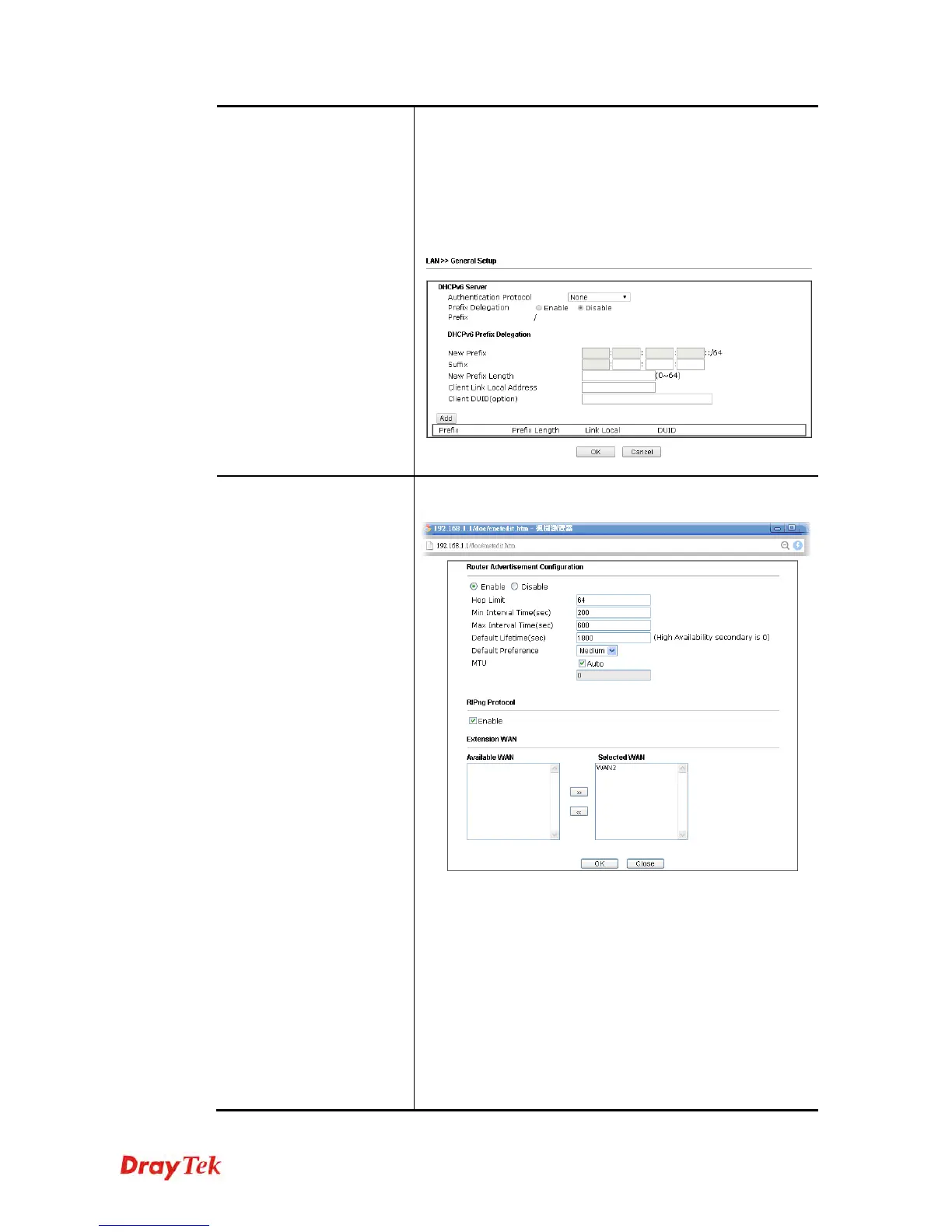
Advance setting – Click the Edit button to configure
advanced IPv6 settings for DHCPv6 server.
Advance setting
More options are offered under the Advance setting. Click
Edit to open the pop-up window.
Router Advertisement Server – Click Enable to enable
router advertisement server. The router advertisement
daemon sends Router Advertisement messages, specified by
RFC 2461, to a local Ethernet LAN periodically and when
requested by a node sending a Router Solicitation message.
These messages are required for IPv6 stateless
auto-configuration.
Disable – Click it to disable router advertisement server.
Hop Limit – The value is required for the device behind the
router when IPv6 is in use.
Min/Max Interval Time (sec) – It defines the interval















 To Next Page