Vigor2120 Series User’s Guide
220
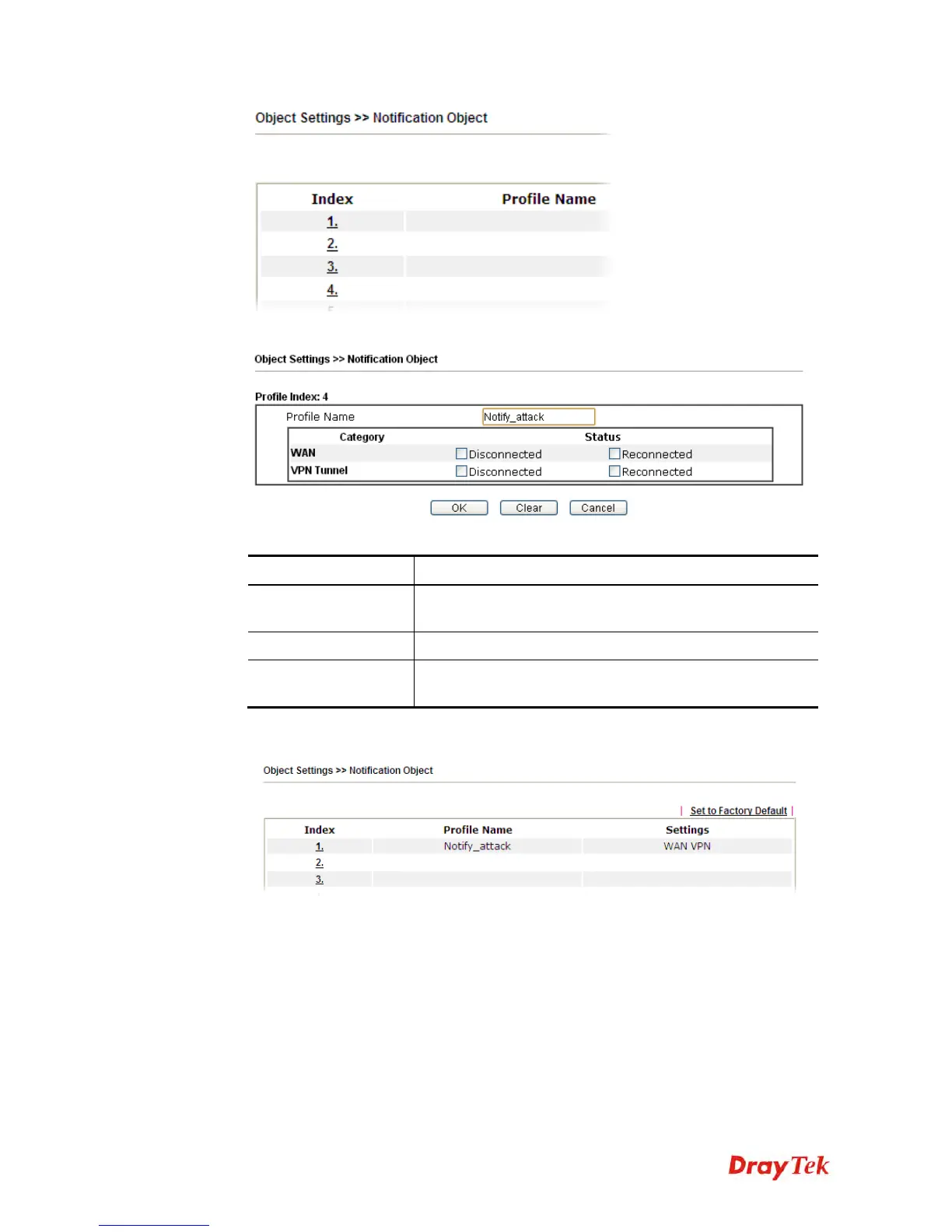
2. The configuration page will be shown as follows:
Available settings are explained as follows:
Item Description
Profile Name
Type a name for such notification profile. The maximum
length of the name you can set is 15 characters.
Category
Display the types that will be monitored.
Status
Display the status for the category. You can check the box
you want to be monitored.
3. After finishing all the settings here, please click OK to save the configuration.















 To Next Page