Vigor2120 Series User’s Guide
14
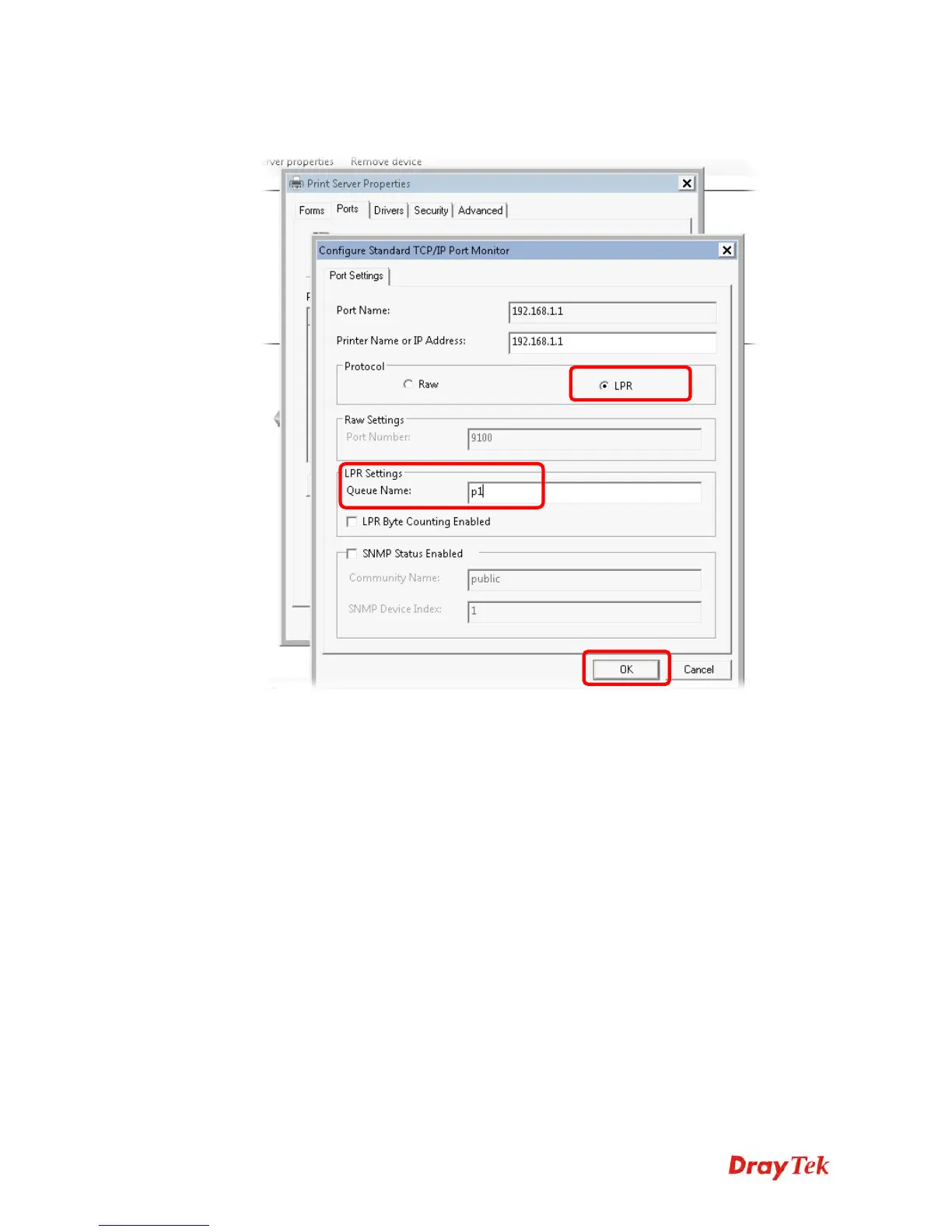
14. Select "LPR" on Protocol, type p1 (number 1) as Queue Name. Then click OK. Next
please refer to the red rectangle for choosing the correct protocol and LPR name.
The printer can be used for printing now. Most of the printers with different manufacturers are
compatible with vigor router.















 To Next Page