Vigor2120 Series User’s Guide
319
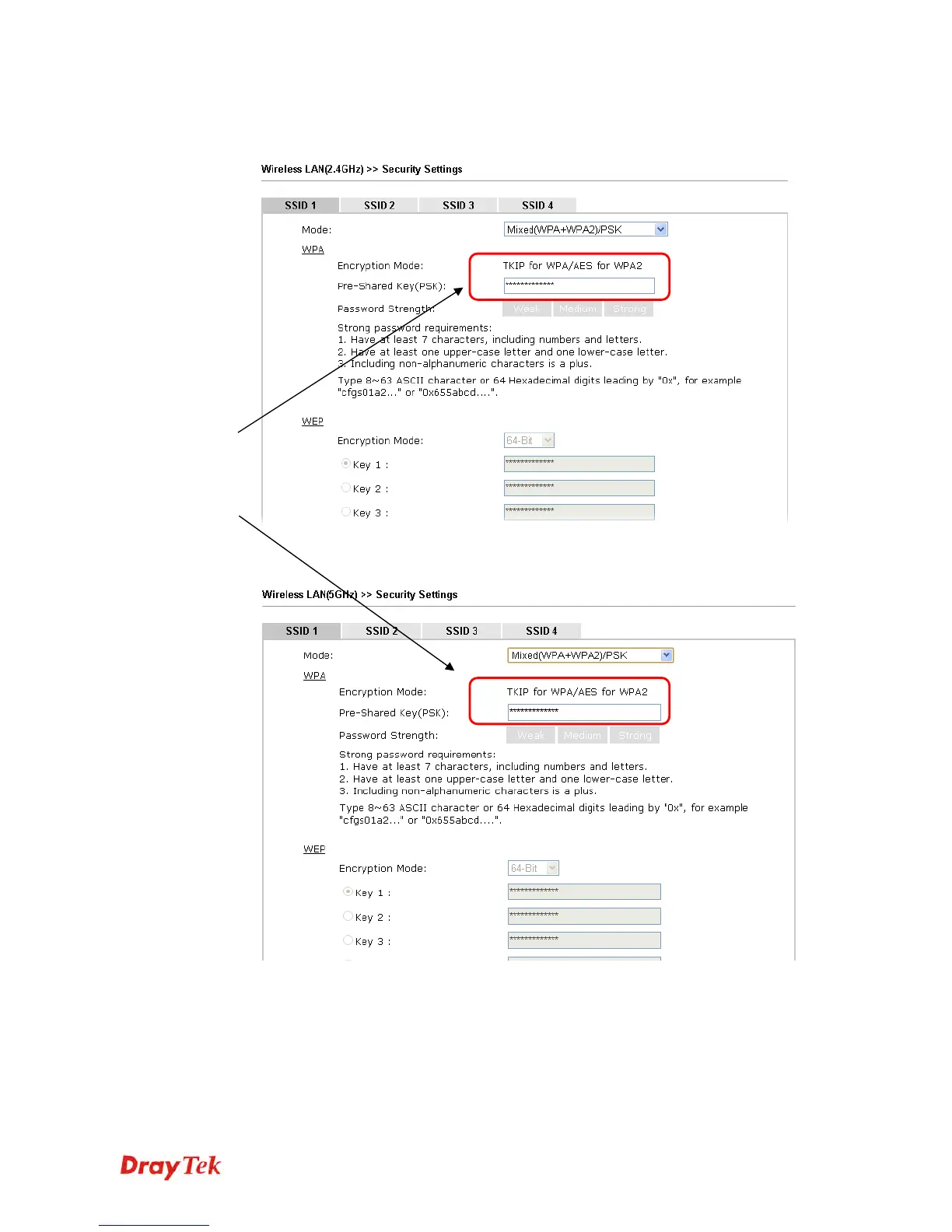
5. Open Wireless LAN (2.4GHz)>>Security and Wireless LAN (5GHz)>>Security.
Configure Security as 12345678 for both pages. Click OK to save the settings.
6. Now, Vigor router will let the wireless clients connect to less congested wireless LAN,
such as 5GHz to prevent from network congestion.
Same value
for 2.4GHz
and 5GHz















 To Next Page