Vigor2120 Series User’s Guide
330
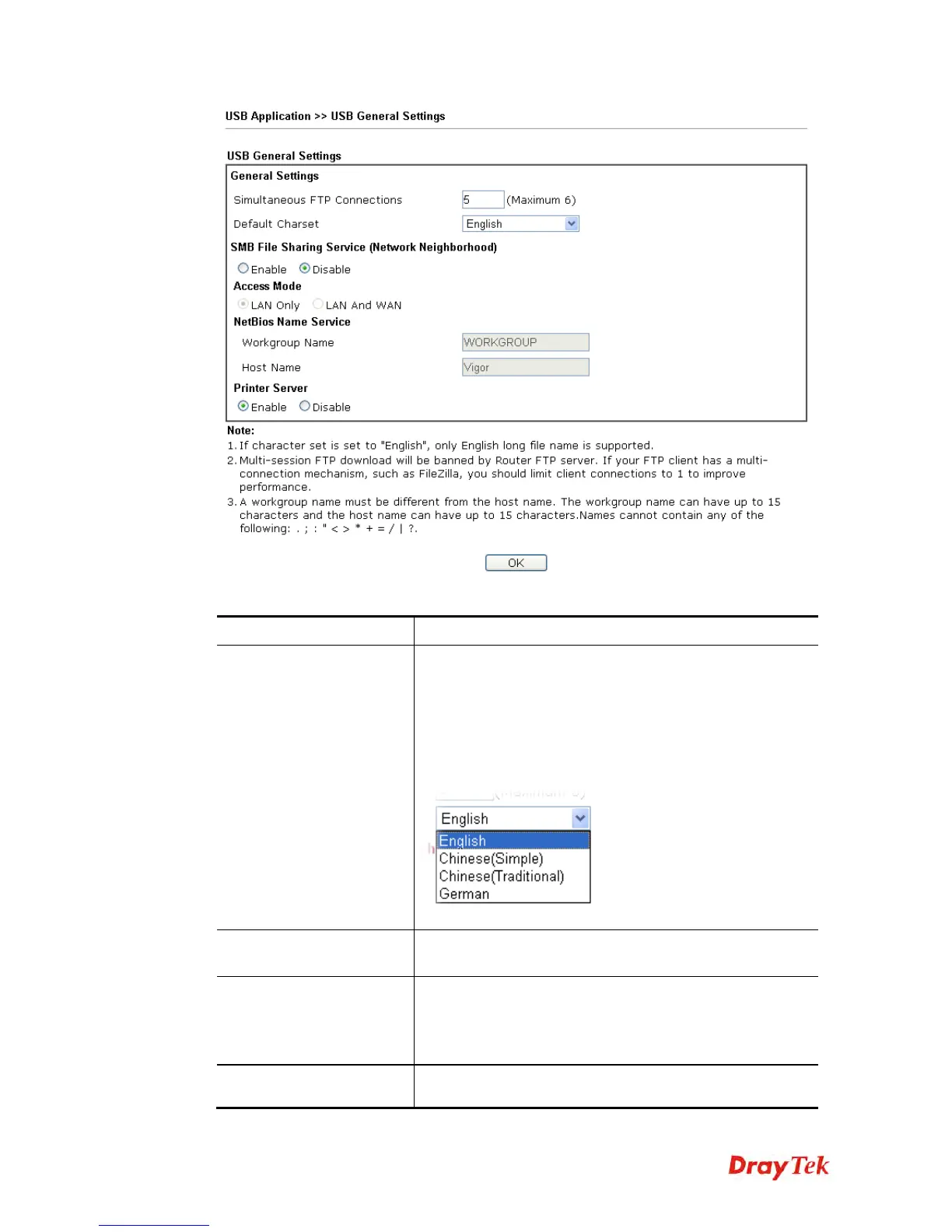
Available settings are explained as follows:
Item Description
General Settings
Simultaneous FTP Connections - This field is used to
specify the quantity of the FTP sessions. The router allows
up to 6 FTP sessions connecting to USB storage disk at one
time.
Default Charset - At present, Vigor router supports four
types of character sets. Default Charset is for English based
file name.
SMB File Sharing Service
Click Enable to invoke SMB file sharing service via the
router.
Access Mode
LAN Only – Users coming from internet cannot connect to
the SMB server of the router.
LAN And WAN - Both LAN and WAN users can
access SMB server of the router.
NetBios Name Service
For the NetBios service of USB storage disk, you have to
specify a workgroup name and a host name. A workgroup















 To Next Page