Vigor2120 Series User’s Guide
372
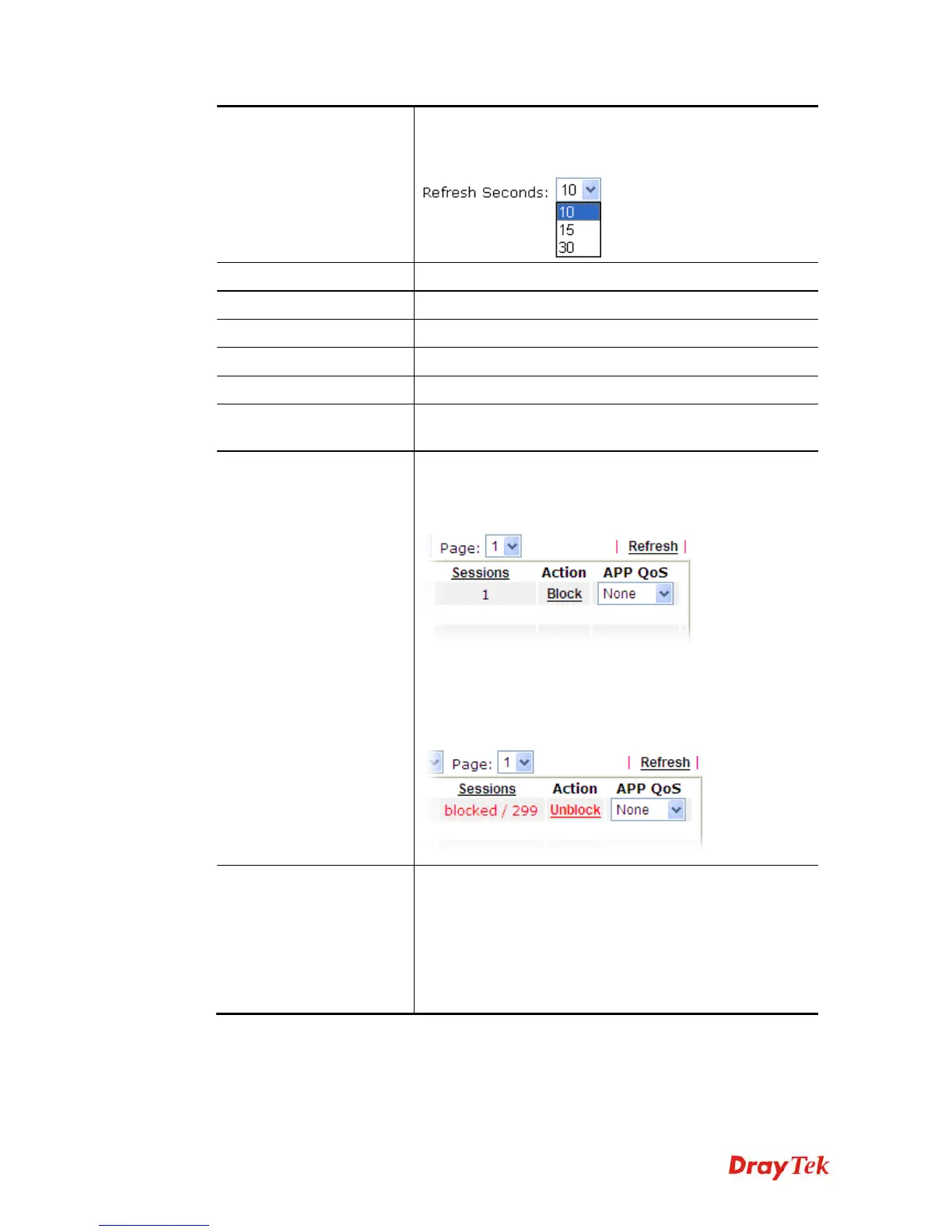
Refresh Seconds
Use the drop down list to choose the time interval of
refreshing data flow that will be done by the system
automatically.
Refresh
Click this link to refresh this page manually.
Index
Display the number of the data flow.
IP Address
Display the IP address of the monitored device.
TX rate (kbps)
Display the transmission speed of the monitored device.
RX rate (kbps)
Display the receiving speed of the monitored device.
Sessions
Display the session number that you specified in Limit
Session web page.
Action
Block - can prevent specified PC accessing into Internet
within 5 minutes.
Unblock –The device with the IP address will be blocked
for five minutes. The remaining time will be shown on the
session column. Click it to cancel the IP address blocking.
Current /Peak/Speed
Current means current transmission rate and receiving rate
for WAN interface.
Peak means the highest peak value detected by the router in
data transmission.
Speed means line speed specified in WAN>>General
Setup. If you do not specify any rate at that page, here will
display Auto for instead.















 To Next Page