Vigor2120 Series User’s Guide
381
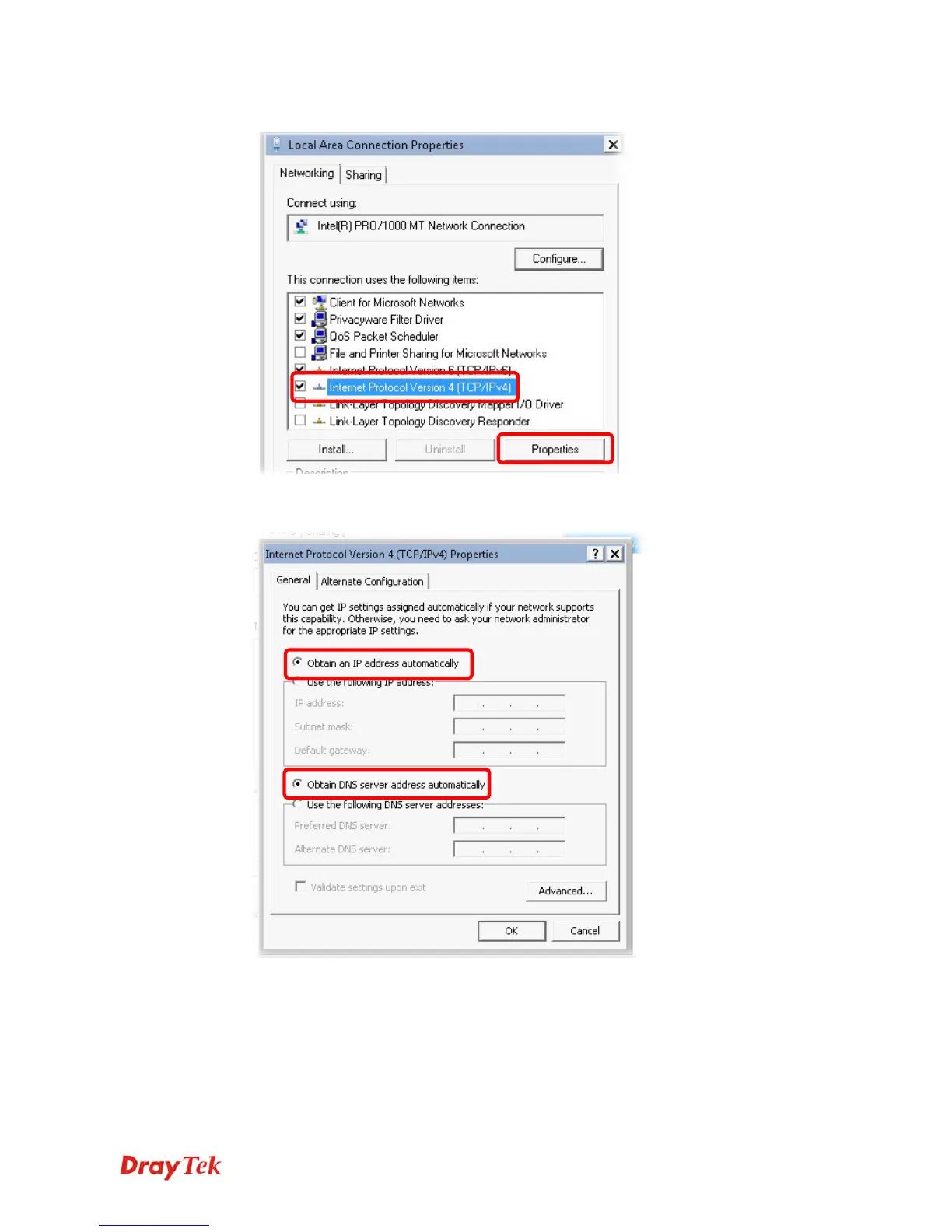
4. Select Internet Protocol Version 4 (TCP/IP) and then click Properties.
5. Select Obtain an IP address automatically and Obtain DNS server address
automatically. Finally, click OK.
F
F
o
o
r
r
M
M
a
a
c
c
O
O
S
S
1. Double click on the current used Mac OS on the desktop.
2. Open the Application folder and get into Network.
3. On the Network screen, select Using DHCP from the drop down list of Configure IPv4.















 To Next Page