Vigor2120 Series User’s Guide
32
2
2
.
.
1
1
.
.
1
1
.
.
2
2
P
P
P
P
T
T
P
P
/
/
L
L
2
2
T
T
P
P
1. Open Wizards>>Quick Start Wizard. Finish the password settings and click Next.
2. Choose WAN1 as the WAN Interface and click the Next button.
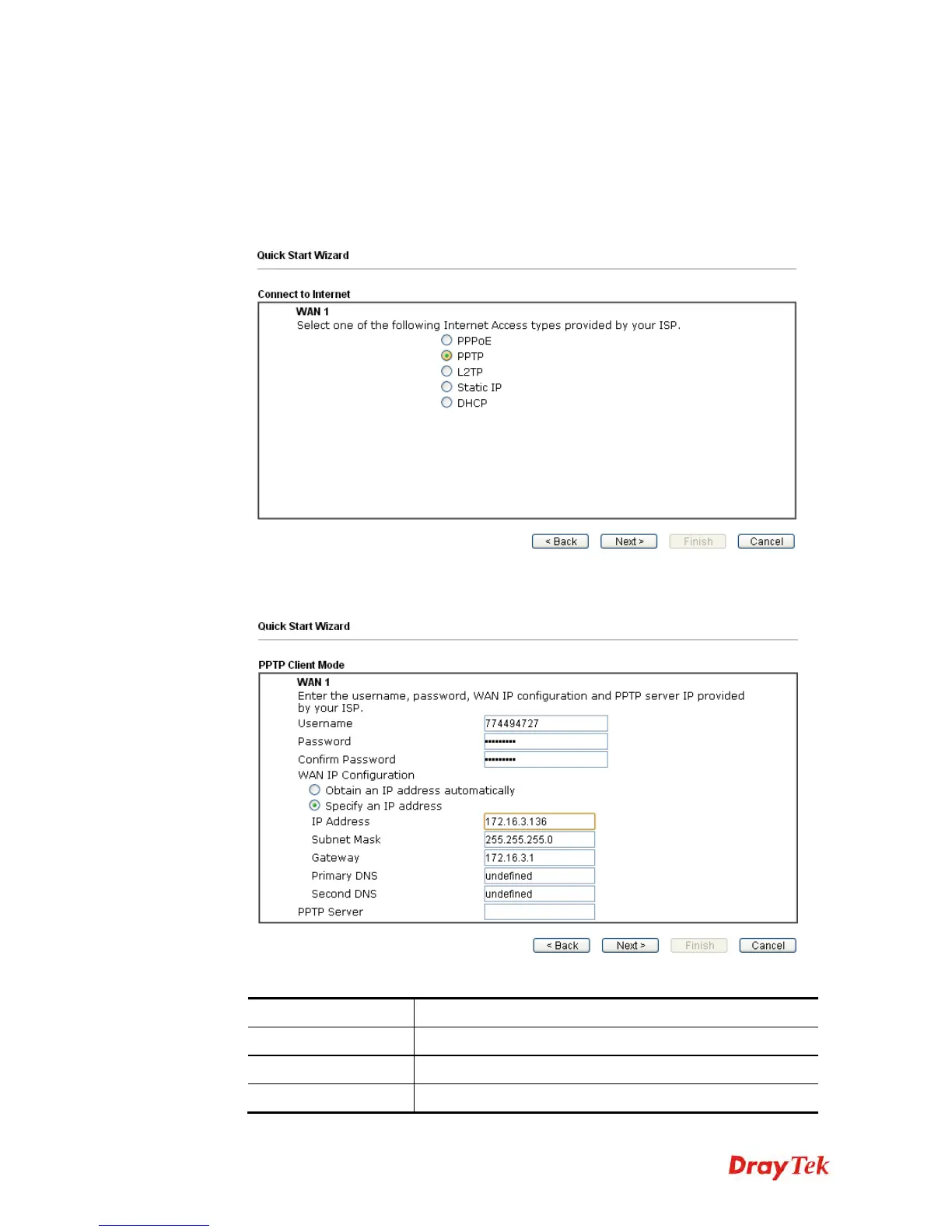
3. The following page will be open for you to specify Internet Access Type. Click
PPTP/L2TP as the Internet Access Type. Then click Next to continue.
4. Please type in the IP address/mask/gateway information originally provided by your ISP.
Then click Next for viewing summary of such connection.
Available settings are explained as follows:
Item Description
User Name
Assign a specific valid user name provided by the ISP.
Password
Assign a valid password provided by the ISP.
Confirm Password
Retype the password.















 To Next Page