Vigor2120 Series User’s Guide
58
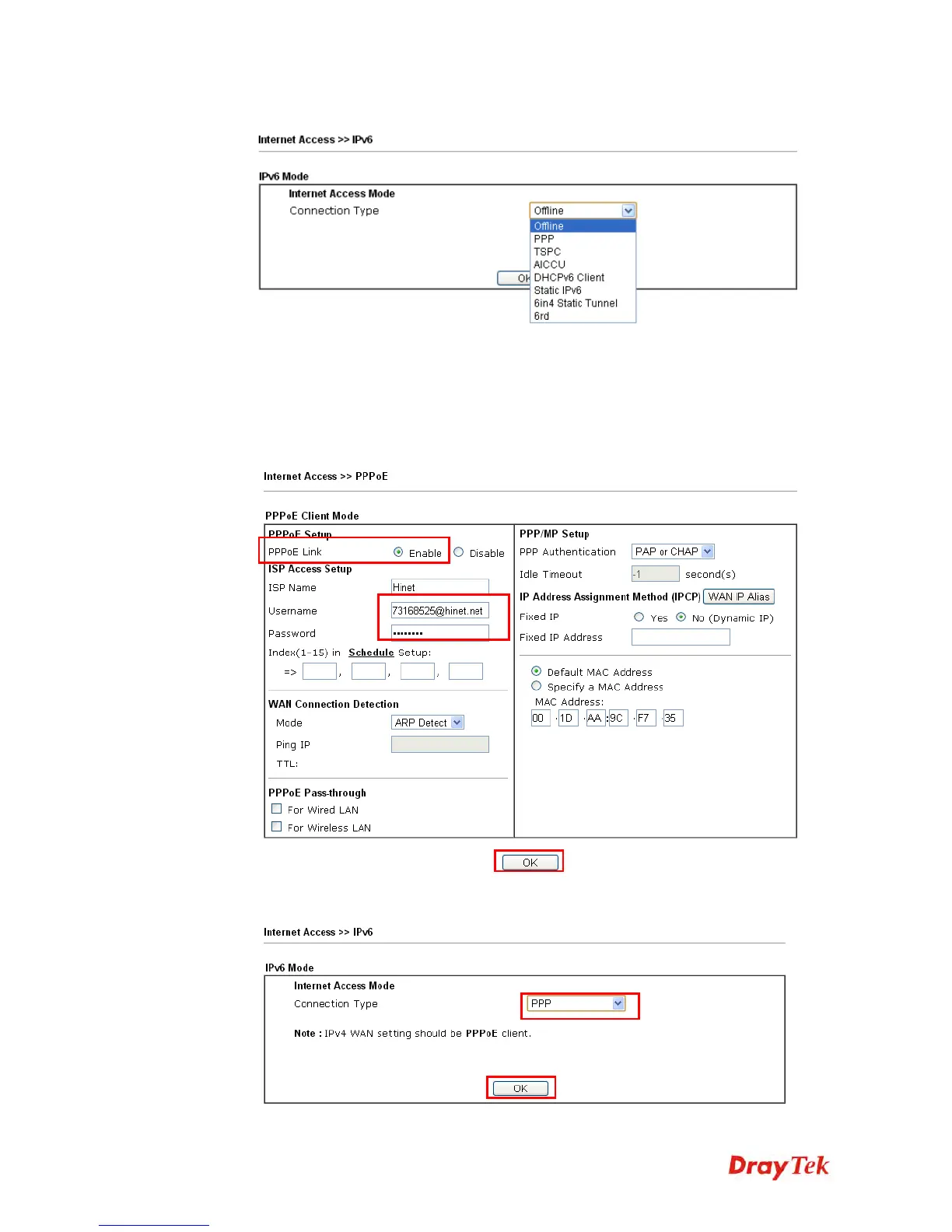
2. In the following figure, use the drop down list to choose a proper connection type.
Different connection types will bring out different configuration page. Refer to the
following:
PPP – Dual Stack application, IPv4 and IPv6 services can be utilized at the same
time
Choose PPP and type the information for PPPoE of IPv4.
Access into the setting page for IPv6 service, it is not necessary for you to configure
anything.















 To Next Page