Vigor2120 Series User’s Guide
68
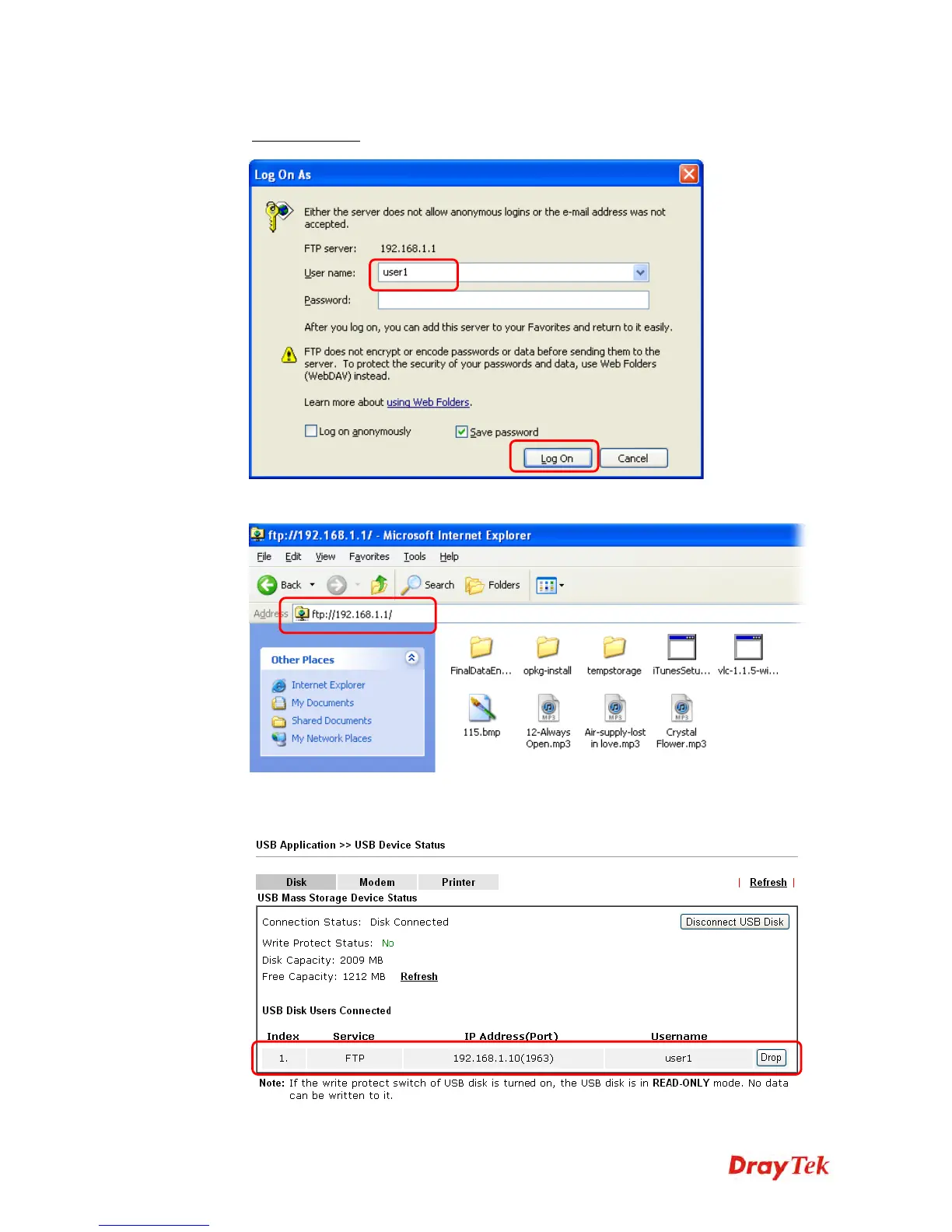
4. Make sure the FTP service is running properly. Please open a browser and type
ftp://192.168.1.1
. Use the account "user1" to login.
5. When the following screen appears, it means the FTP service is running properly.
6. Return to USB Application >> USB Disk Status. The information for FTP server will
be shown as below.















 To Next Page