Vigor2120 Series User’s Guide
77
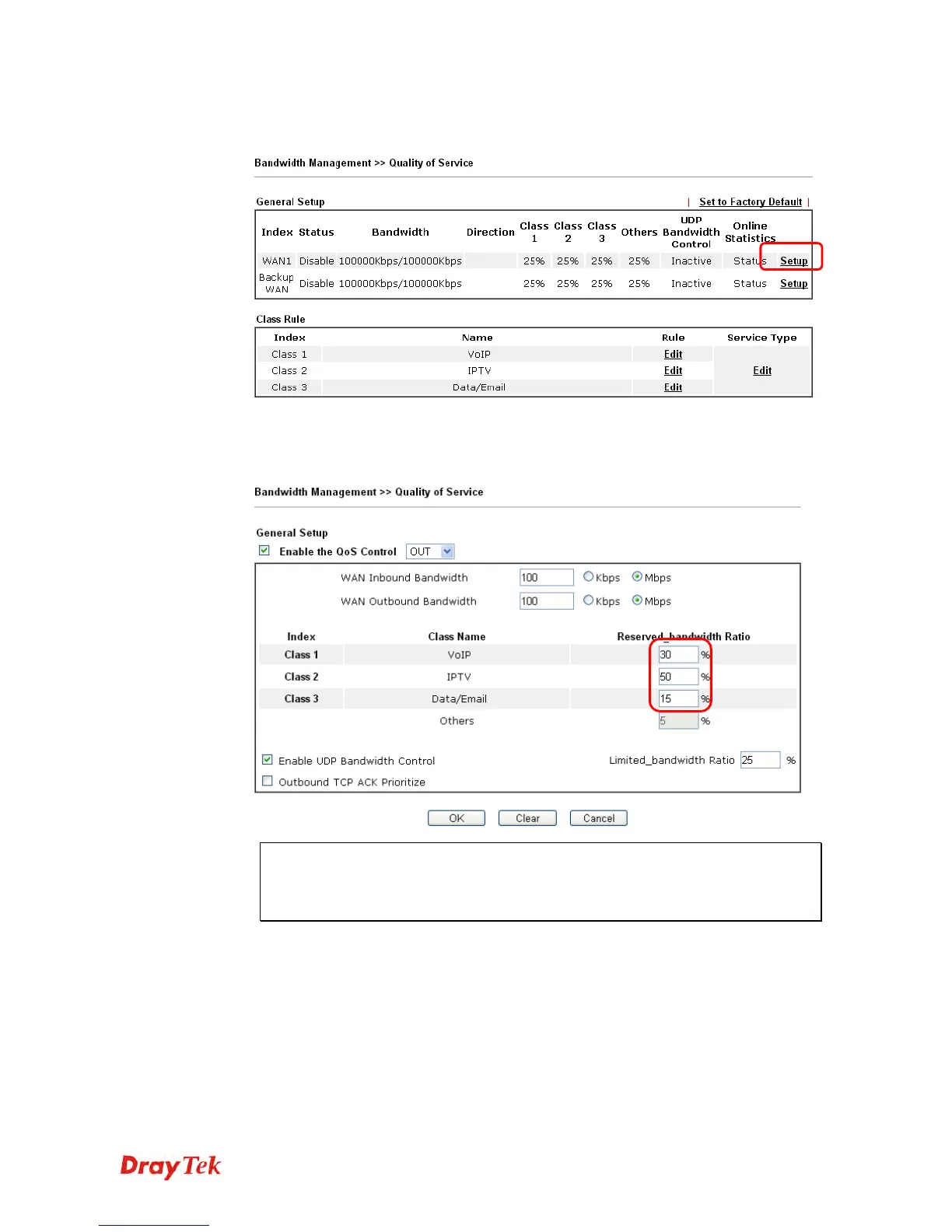
9. Assuming you get 2MB/512Kb Internet line. You can click the Setup link of WAN1 to
set up the bandwidth for different groups among VoIP, IPTV and Data/Email.
10. In the Setup page, check the box of Enable the QoS Control. Type 30, 50 and 15 in the
boxes for VoIP, IPTV and Data/Email respectively. Check the box of Enable UDP
Bandwidth Control.
Note: The rate of outbound/inbound must be smaller than the real bandwidth to
ensure correct calculation of QoS. It is suggested to set the bandwidth value for
inbound/outbound as 80% - 85% of physical network speed provided by ISP to
maximize the QoS performance.















 To Next Page