VigorAP 800 User’s Guide
50
should be setup to the same Phy mode for connecting with each
other.
Security
Select WEP, TKIP or AES as the encryption algorithm. Type the
key number if required.
Peer Mac Address
Type the peer MAC address for the access point that VigorAP
800 connects to.
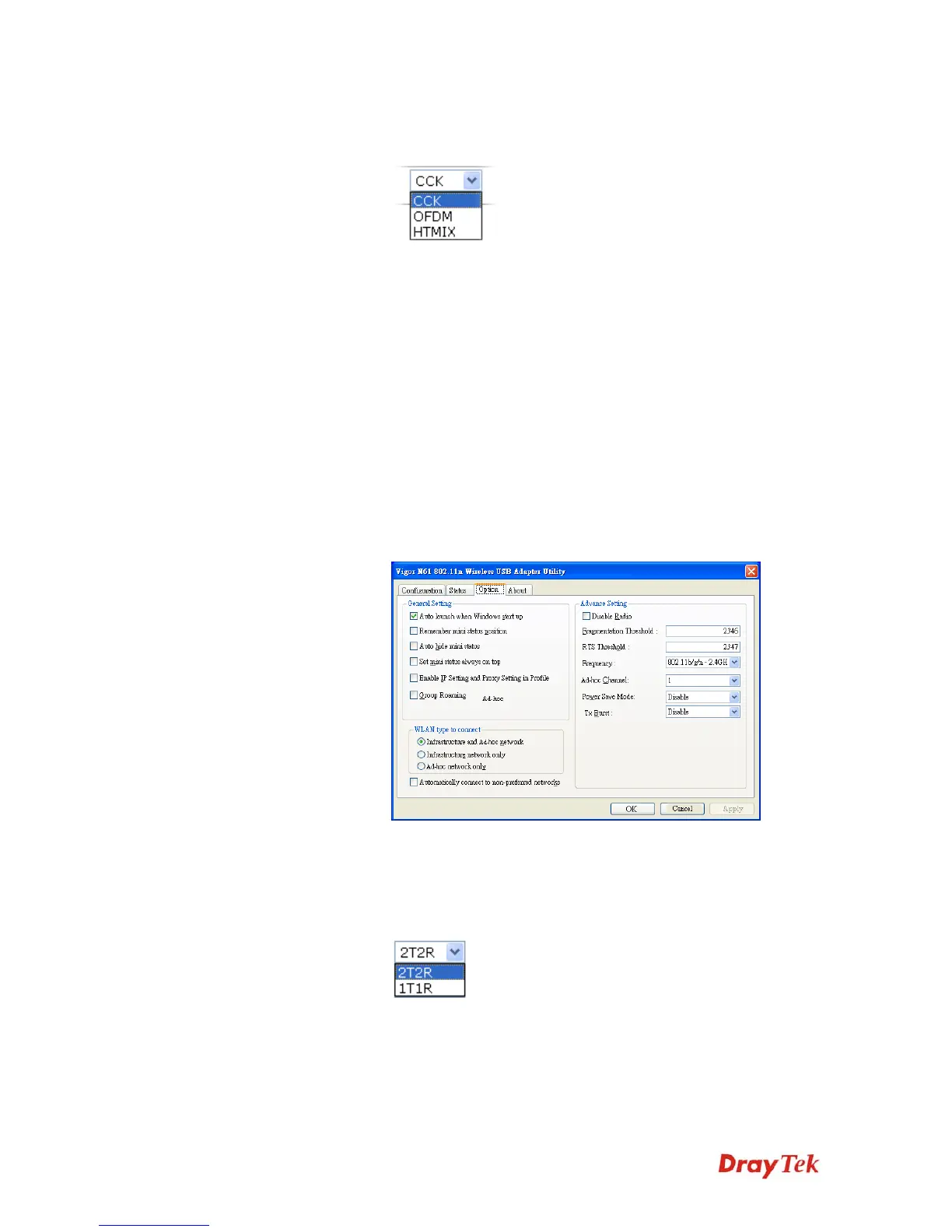
Packet-OVERDRIVE
This feature can enhance the performance in data transmission
about 40%* more (by checking Tx Burst). It is active only when
both sides of Access Point and Station (in wireless client) invoke
this function at the same time. That is, the wireless client must
support this feature and invoke the function, too.
Note: Vigor N61 wireless adapter supports this function.
Therefore, you can use and install it into your PC for matching
with Packet-OVERDRIVE (refer to the following picture of
Vigor N61 wireless utility window, choose Enable for
TxBURST on the tab of Option).
WMM Capable
To apply WMM parameters for wireless data transmission,
please click the Enable radio button.
Antenna
VigorAP 800 can be attached with two antennas to have good
data transmission via wireless connection. However, if you have
only one antenna attached, please choose 1T1R.
Tx Power
The default setting is the maximum (100%). Lower down the
value may degrade range and throughput of wireless.












 To Next Page