VigorAP 902 User’s Guide
246
S
S
e
e
t
t
t
t
i
i
n
n
g
g
O
O
p
p
e
e
r
r
a
a
t
t
i
i
o
o
n
n
M
M
o
o
d
d
e
e
o
o
n
n
A
A
P
P
9
9
0
0
2
2
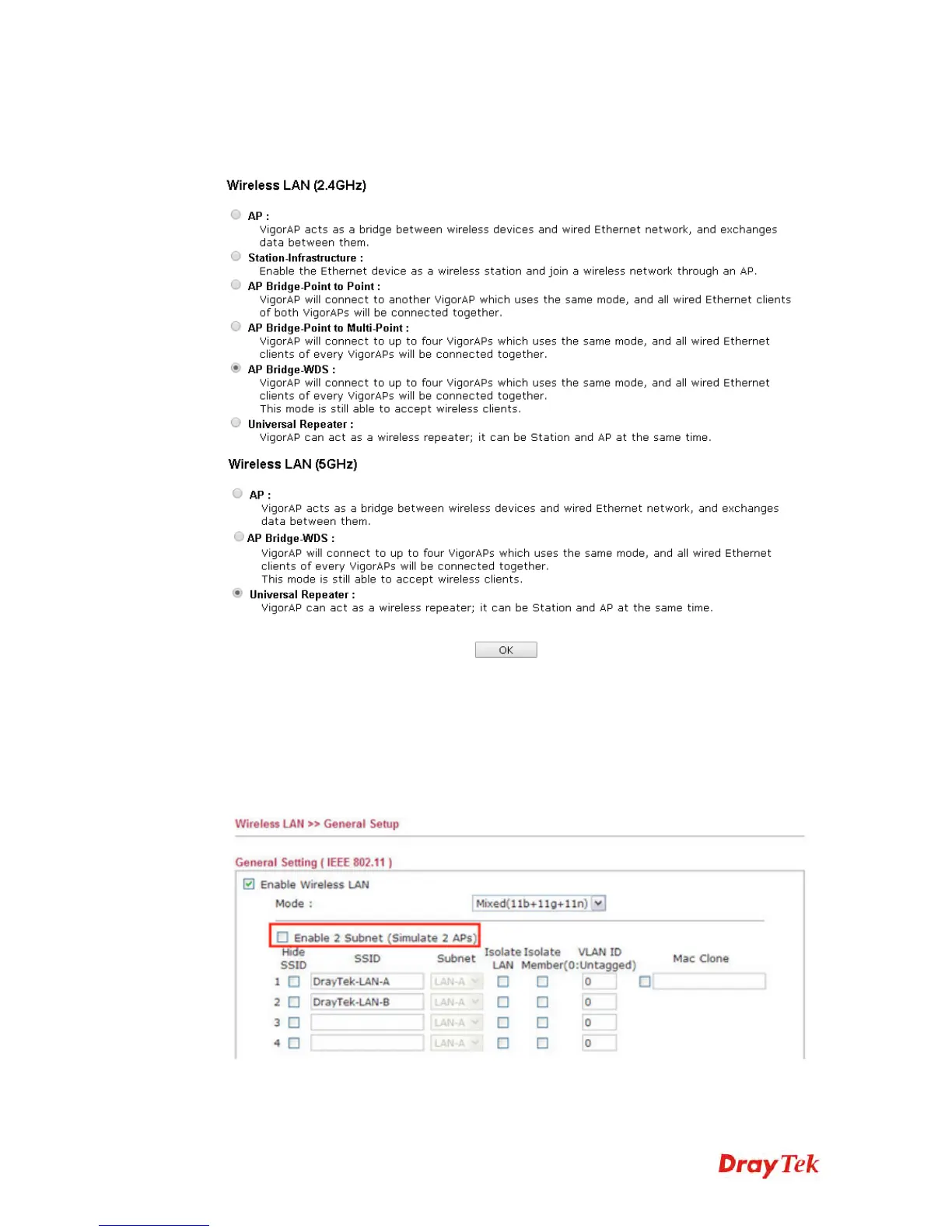
Please go to Operation Mode, and choose Universal Repeater.
S
S
e
e
t
t
t
t
i
i
n
n
g
g
L
L
A
A
N
N
o
o
n
n
A
A
P
P
9
9
0
0
2
2
Here we need to set AP902 using only one network segment, which is correspondent to the
one used by Vigor2830n. Also the DHCP Server should be disabled, so users will be
assigned IP addresses by Vigor2830n.
1. Please go to Wireless LAN >> General Setup, and remove the tick on “Enable 2
Subnet”. Please click OK to save setting.











 To Next Page