35
14 of 35
FLEXIBLE BATCH BROILER
EQUIPMENT
MANUAL
April 1, 2007
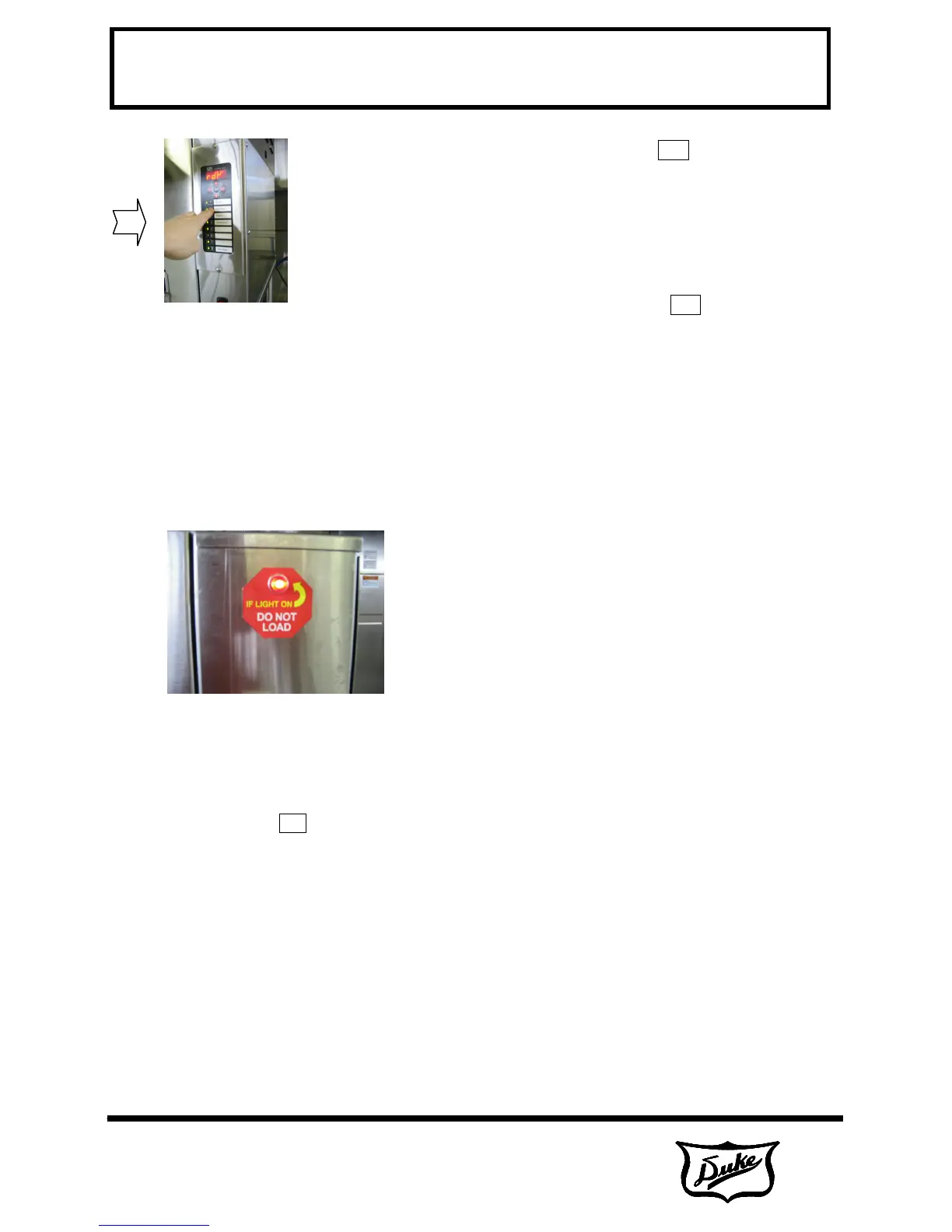
Press appropriate product key.
You will have 15 seconds to press another
product key if a wrong selection is made.
The display will alternately display the time
remaining and the four-character product
identifier.
The LED next to the selected product key will
flash red.
The cook light will be lit.
B-3.0 Cook Cycle Complete
The chain will rotate and discharge the product.
Do not load product into broiler until the cook
light has gone off and rdY is displayed on the
control!
To prevent thawing of product. it is
recommended not to place product onto the
loader until only 30 seconds remain on the timer
from the preceding batch.
B-4.0 Fine Cooking Adjustment
Use this function to add or subtract up to 30
seconds from a product cook cycle recipe. This
should be used in the event product cooking
needs to be optimized outside of the
programming environment. This function works
as follows:
Press and hold the ▲ and ▼ keys for 3
seconds.
The control will display AdJ.
All product LED's for products with a
programmed time will light red.
Select a product key to adjust.
The selected product LED will remain red and
all other product LED's will go blank.
The control will flash AdJ followed by the
product identifier.
The ▲ and ▼ keys are used to set the fine
cooking adjustment.
The first press of the ▲ or ▼ key brings up the
adjustment screen. The control will display the
total product cook time including the previous
fine cooking adjustment.
Subsequent presses of a ▲ or ▼ key adds or
subtracts 1 second from the cook time.
The cook time can be increased or decreased
by up to 30 seconds with this function.
To exit this function and save the setting,
press the ENTER key.
B-5.0 Cancel a Cook Cycle
Pressing and holding a product key for 3
seconds will cancel a cook cycle and discharge
the product.
B-6.0 Checking the Broiler Temperature
Pressing the ▲ key at any time (other than in
programming mode) will display the actual
cavity temperature.
B-7.0 Checking the Set Point
Temperature
Pressing the ▼ key at any time (other than in
programming mode) will display the set-point
cavity temperature.
B-8.0 Shutdown the Broiler
Turn ON/OFF switch to the OFF (O) position.



 To Next Page