35
24 of 35
FLEXIBLE BATCH BROILER
EQUIPMENT
MANUAL
April 1, 2007
D. Programming the Control
D-1.0 Entering Program Mode
There are two levels of control Programming.
Level 1: Recipe related programming.
Level 2: Broiler functionality programming.
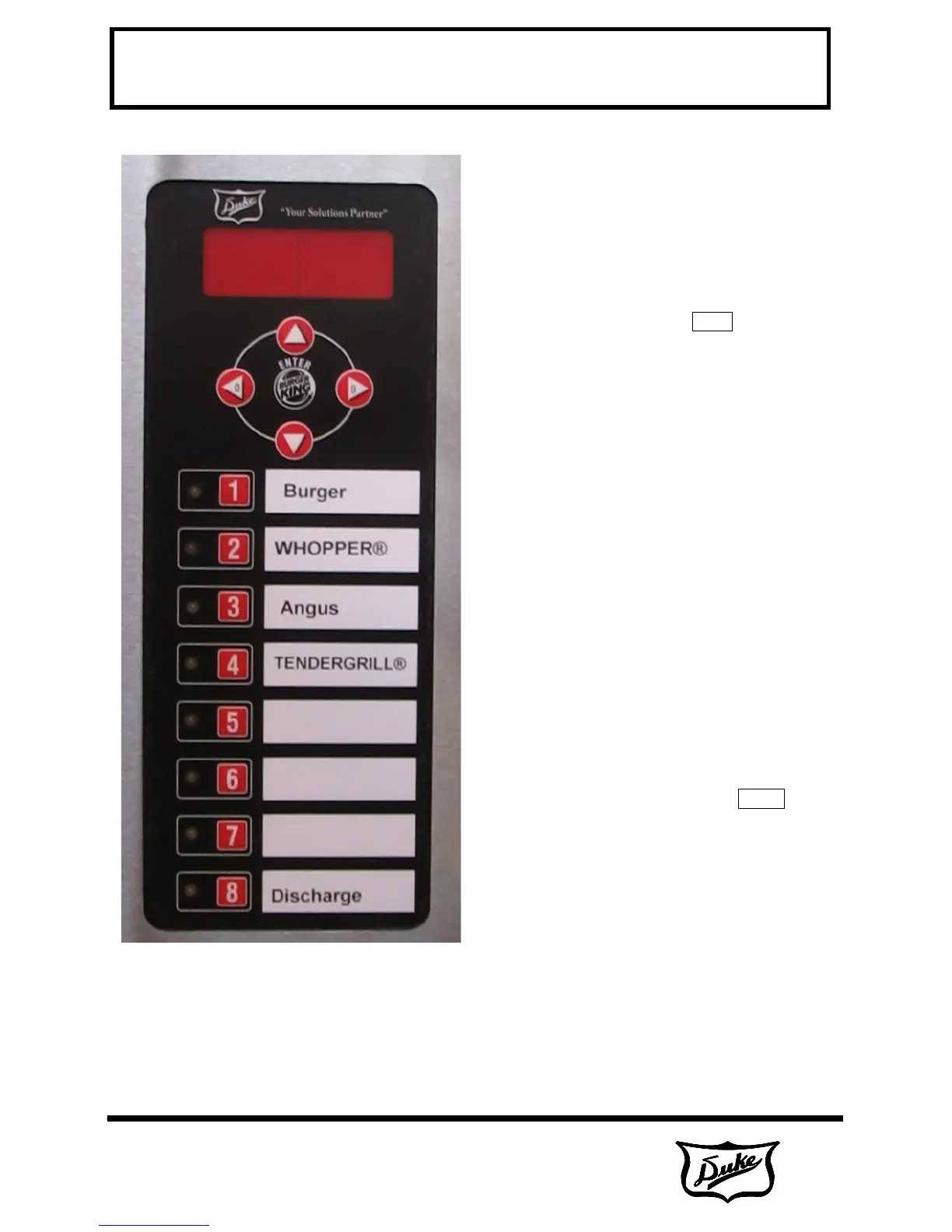
Press and hold the ENTER button for 5 seconds.
The control will then display CodE. Enter a
password that is specific to the level of
programming.
D-2.0 Navigating the Programming
Screens
The ENTER key is used to move forward though
the list of parameters. The first press of the
ENTER key brings up the parameter name and
the next press bring up the editable parameter
setting.
The ▲ and ▼ keys will move backward through
the parameters.
The ◄ and ► keys will scroll through parameter
settings and also function as numbers 0 and 9.
Product keys 1-8 also function as number keys
1-8.
D-3.0 Level 1 Programming
Enter the password 1-8-2-7 and press the
ENTER key.
At this point the control will display PROD and
all Product LED's will turn green.
Select a product key for a product that you wish
to change.
The LED next to the selected product will turn
green. All other product LED will be blank.



 To Next Page