Operating Instructions For TD/TAD4 Dual Fuel Burner
June 13 52 of 165 TD/TAD4 Manual Rev 4
5 Operation & User Interface
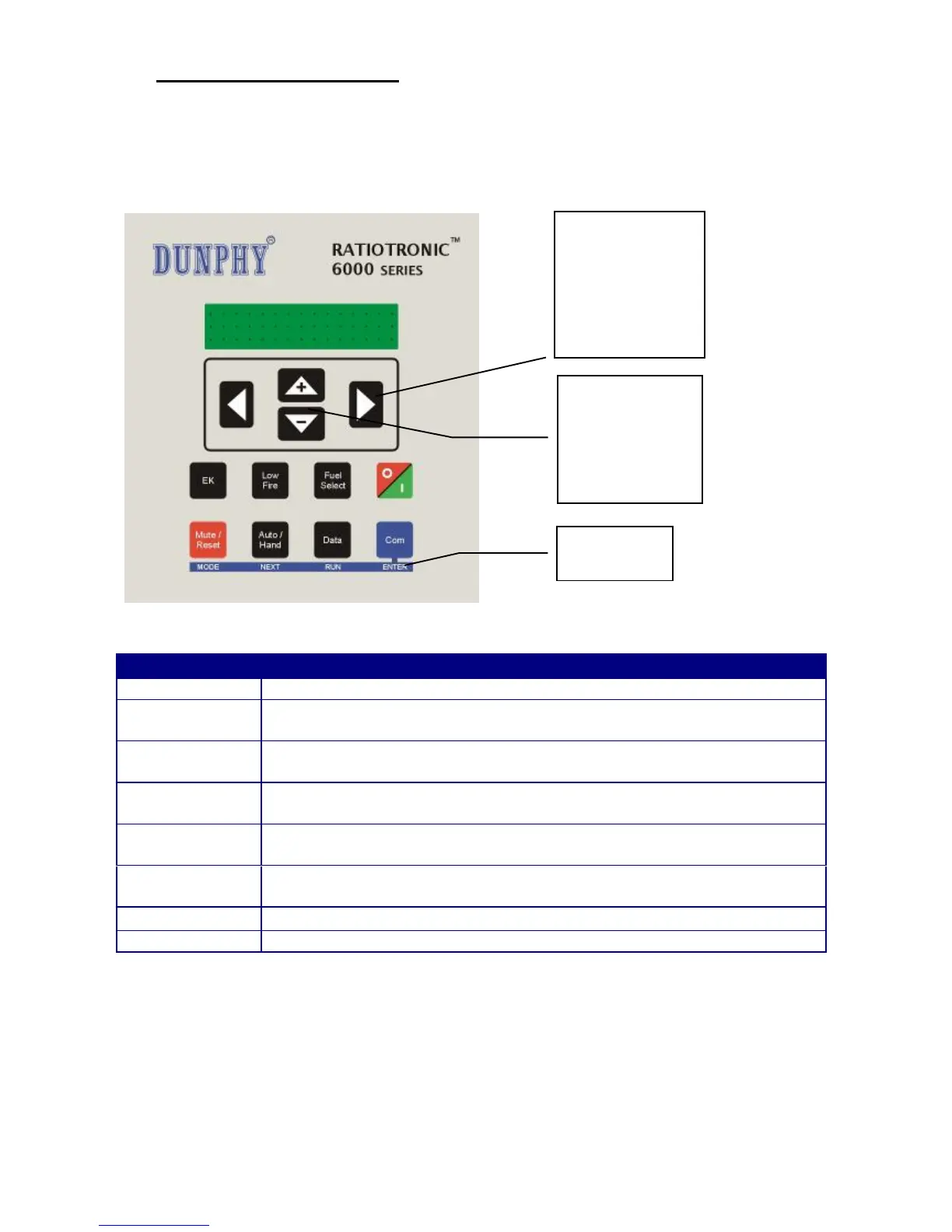
5.1 The Display / Keypad
The display is a 2 line, 20 characters per line, dot matrix vacuum fluorescent type allowing the use
of plain text messages for display parameters. The keypad is a membrane construction with tactile
keys to give a positive feedback of the actuation.
Selects Engineers Key mode.
Pressing this key will force the burner to Low fire until the key is pressed
again to release the burner to modulate.
Changes Fuel/Profile. If the fuel is changed when the burner is firing, the
burner will go off then restart firing the new fuel selection.
Sets the burner On or Off and enables changes between normal and local
operation. Note: Terminal PE9 must be ON for this switch to start the burner.
Press this key to mute (open) the alarm relays, and then hold the key down
for approximately three seconds to reset the cleared faults.
Selects auto or manual burner modulation. In manual mode the UP/DOWN
keys are used to alter the fire rate.
Selects different data types on the display window.
Changes operation to commission mode via a pass-code.
The UP/DOWN keys are
used to adjust the fire rate in
manual modulation mode.
In commission mode, they
are used for data value
selection.
The SCROLL keys are used to
view boiler and burner status
data during normal running
conditions.
In commission mode, these
keys select option parameters,
which are adjusted by the
UP/DOWN keys.
Alternate key functions
when in commission
mode.


 To Next Page