218
c HELP Mode Function and Operation Procedures
chap.7
(2) Adjustment of Pre-stop speed
H-01
(2) , (3) Adjustment / specification settingHELP mode
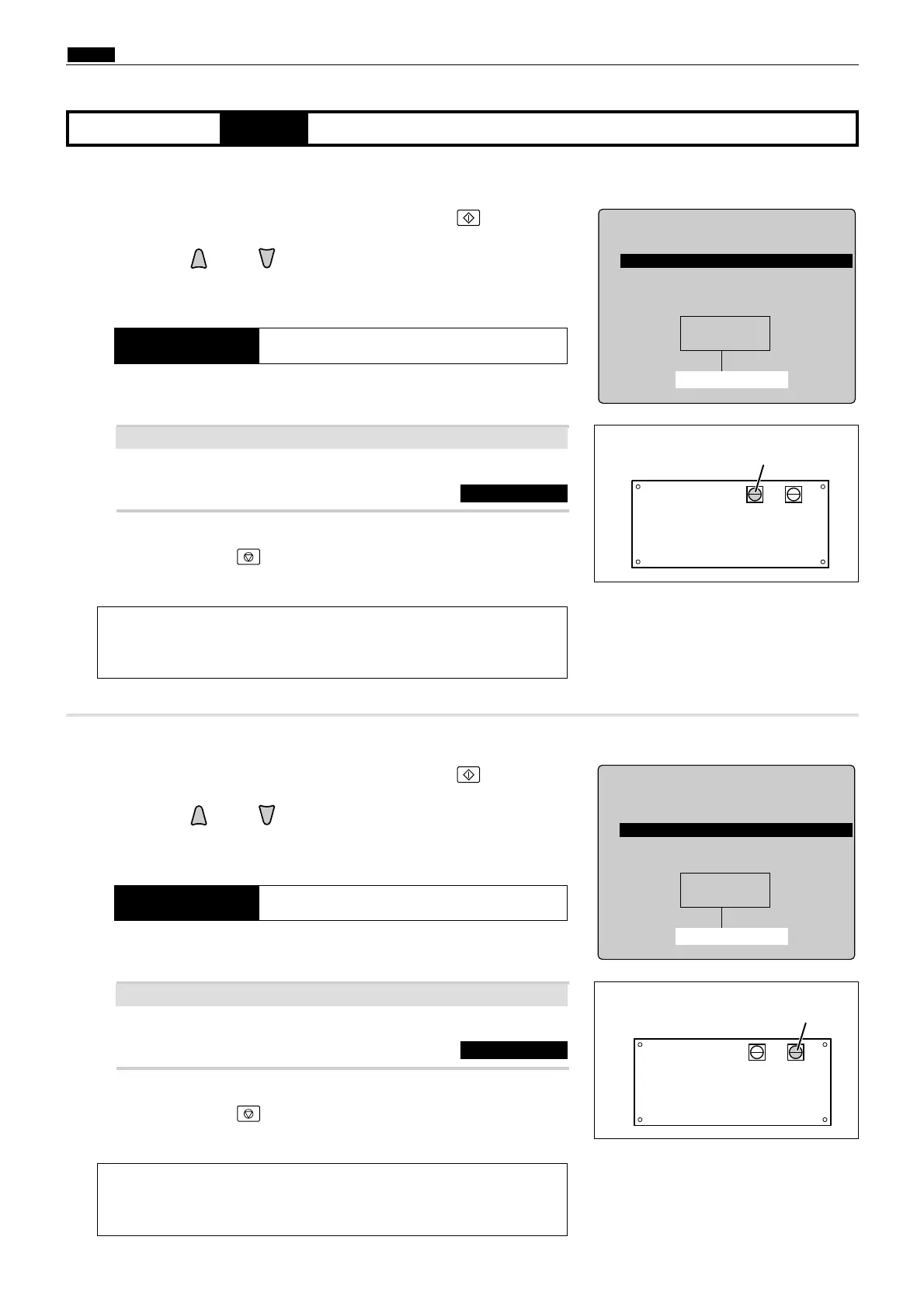
qAccess HELP mode H-01, and press the PRINT key.
wPress the and/or key to select the Pre-stop speed item.
a
To exit the HELP mode
: Turn the power switch OFF.
a
To access another HELP mode
:
Enter the desired mode number
using the numeric keys.
rPress the STOP key.
The HELP mode selection display will reappear.
eCheck the indicated speed level.
Recommendation Pre-stop speed : 4-6pm
HELP-001
Speed check
r p m
1
1. Pre-stop speed
2. JOG speed
3. Print speed
4. Eject fan speed
Speed level (rpm)
2
Adjust it with VR1 on the main motor PCB unit.
a
See page 179
If the indicated value does not accord with the recommended value above ?
¡Main motor PCB unit
440803
¡Main motor PCB unit
440804
(3)Adjustment of JOG speed
q
Access HELP mode H-01, and press the PRINT key.
wPress the and/or key to select the JOG speed item.
a
To exit the HELP mode
: Turn the power switch OFF.
a
To access another HELP mode
:
Enter the desired mode number
using the numeric keys.
rPress the STOP key.
The HELP mode selection display will reappear.
eCheck the indicated speed level.
Recommendation JOG speed : 16rpm
HELP-001
Speed check
r p m11
1. Pre-stop speed
2. JOG speed
3. Print speed
4. Eject fan speed
Speed level (rpm)
2
Adjust it with VR2 on the main motor PCB unit.
a
See page 179
If the indicated value does not accord with the recommended value above ?










 To Next Page