DP-440/430 DP-340/330
Speed 1 : 50rpm Speed 1 : 50rpm
Speed 2 : 72rpm Speed 2 : 72rpm
Speed 3 : 85rpm Speed 3 : 85rpm
Speed 4 : 105rpm Speed 4 : 105rpm
Speed 5 : 125rpm Speed 5 : 135rpm
219
c HELP Mode Function and Operation Procedures
chap.7
H-01
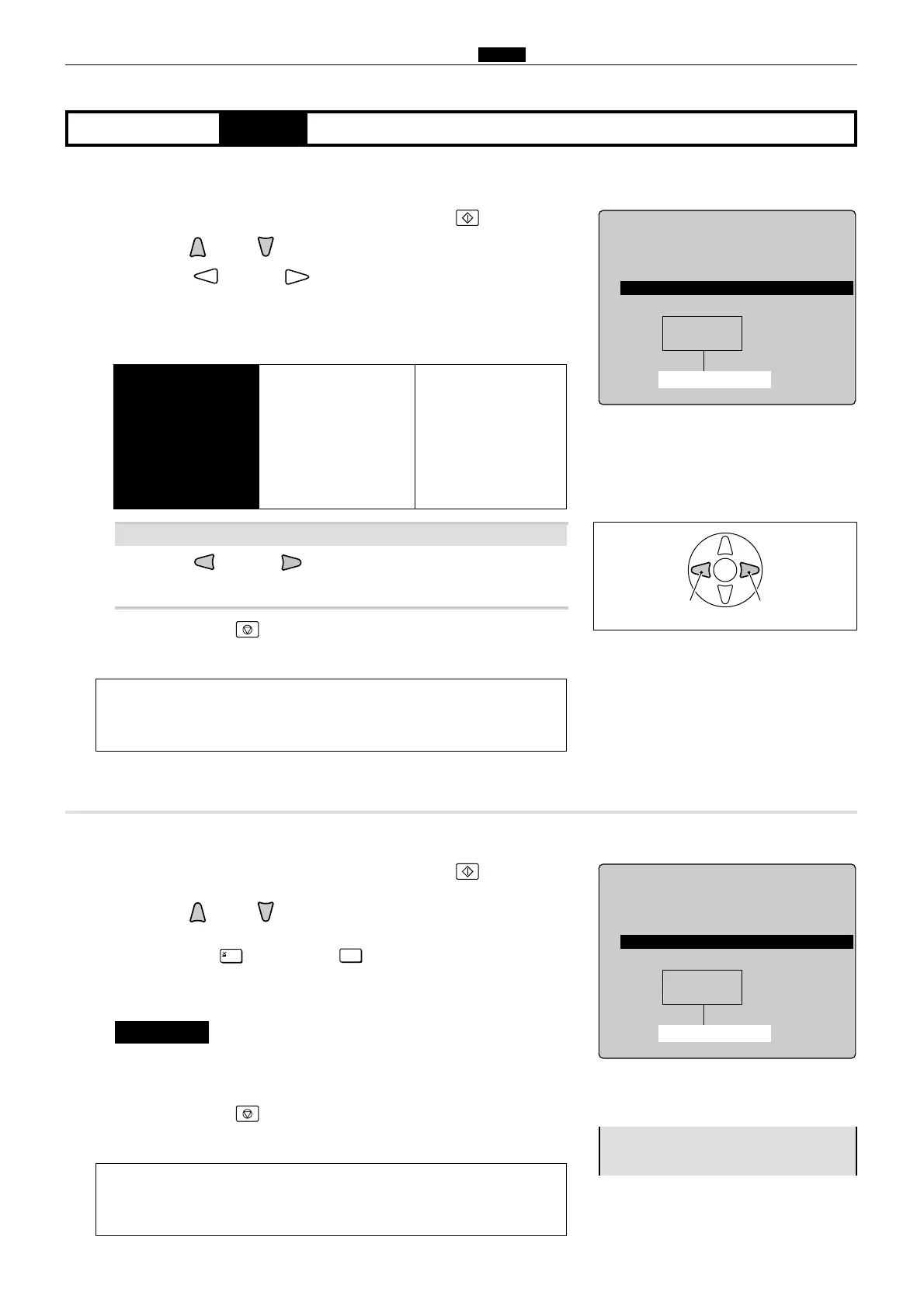
(4) , (5) Adjustment / specification settingHELP mode
(4) Adjustment of Print speeds 1-5
q
Access HELP mode H-01, and press the PRINT key.
wPress the and/or key to select the Print speed item.
ePress the and/or PRINTING SPEED ADJUSTMENT
key to select the Print speed item.
a
To exit the HELP mode
: Turn the power switch OFF.
a
To access another HELP mode
:
Enter the desired mode number
using the numeric keys.
tPress the STOP key.
The HELP mode selection display will reappear.
rCheck the indicated speed level.
Speed level (rpm)
2
Use the and/or key to adjust the displayed value to
within the recommendation.
If the indicated value does not accord with the recommended value above ?
(5) Initialization of print speeds
q
Access HELP mode H-01, and press the PRINT key.
wPress the and/or key to select the Print speed item.
a
To exit the HELP mode
: Turn the power switch OFF.
a
To access another HELP mode
:
Enter the desired mode number
using the numeric keys.
rPress the STOP key.
The HELP mode selection display will reappear.
ePress the [=] and CLEAR keys.
The settings will be initialized.
¡After initialization, the speeds 1-5 must be readjusted.
IMPORTANT :










 To Next Page