221
c HELP Mode Function and Operation Procedures
chap.7
1. Functions
For electrical parts layout
a
See page 301
H-02
(1) Function testingHELP mode
(1) Motor function testing
¡Following items are tested.
1. Elevator motor
2. Top/bottom motor
3. Cutter motor
4. Clump motor
5. Pressure motor
6. Ink roller up/down motor
7. Thermal head up/down motor
8. Master feed stepping motor
9. Ink motor
10. Drum shift stepping motor
11. Master ejection motor
12. Paper feed stepping motor
13. G-roller motor
14. Tape cluster motor
2. Operation procedure
Accessing HELP modes
a
See page 213
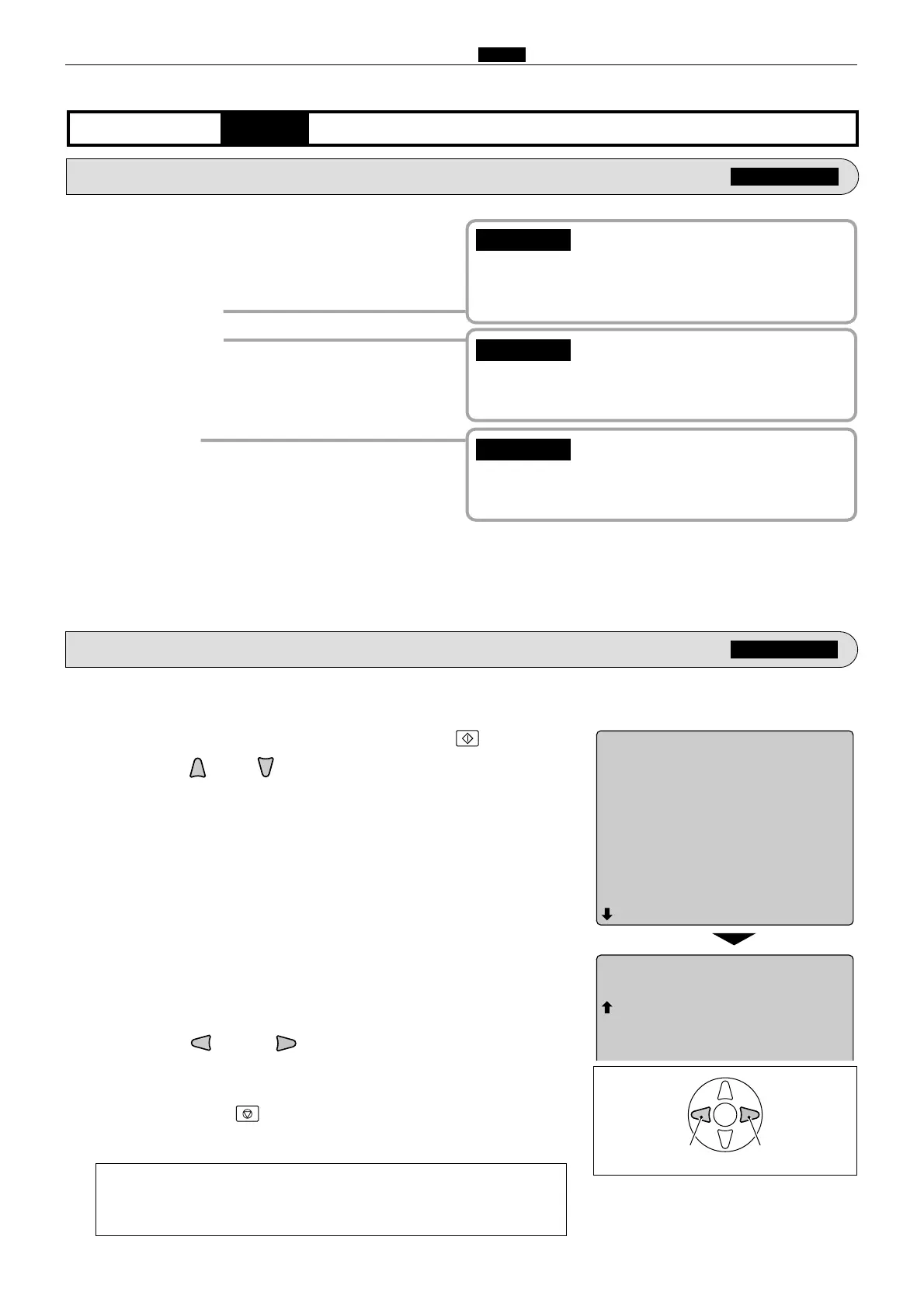
(1) Motor function testing
q
Access HELP mode H-02, and press the PRINT key.
wPress the and/or key to select the motor item.
ePress the and/or key to test the motor's functioning.
a
To exit the HELP mode
: Turn the power switch OFF.
a
To access another HELP mode
:
Enter the desired mode number
using the numeric keys.
rPress the STOP key.
The HELP mode selection display will reappear.
HELP-002
1 Elevator motor
2 Top/bottom motor
3 Cutter motor
4 Clump motor
5 Pressure motor
6 Ink roller up/down motor
7 Thermal head up/down motor
8 Master feed stepping motor
9 Ink motor
10 Drum shift motor
Motor test
CCW CW
¡
After executing the cutter motor test, be sure to
return the cutter blade to the original position
(operation side).
IMPORTANT :
¡ Remember that ink will be delivered when the
ink motor runs.Take any precautions necessary.
IMPORTANT :
¡ When operating the clump motor, be careful
with the drum (master clump).
IMPORTANT :










 To Next Page