232
c HELP Mode Function and Operation Procedures
chap.7
H-10
(1) Function testingHELP mode
(1)
Lamp(ON/OFF),Motor(Scanner/ADF) function testing
¡
Following items are tested.
1. Stepping motor (Scanner)
2. Stepping motor (ADF)
2. Operation procedure
Accessing HELP modes
a
See page 213
(1) Testing the lamp/motor's functioning
q
Access HELP mode H-10, and press the PRINT key.
¡When the PRINT key is pressed, the indicators will
light.
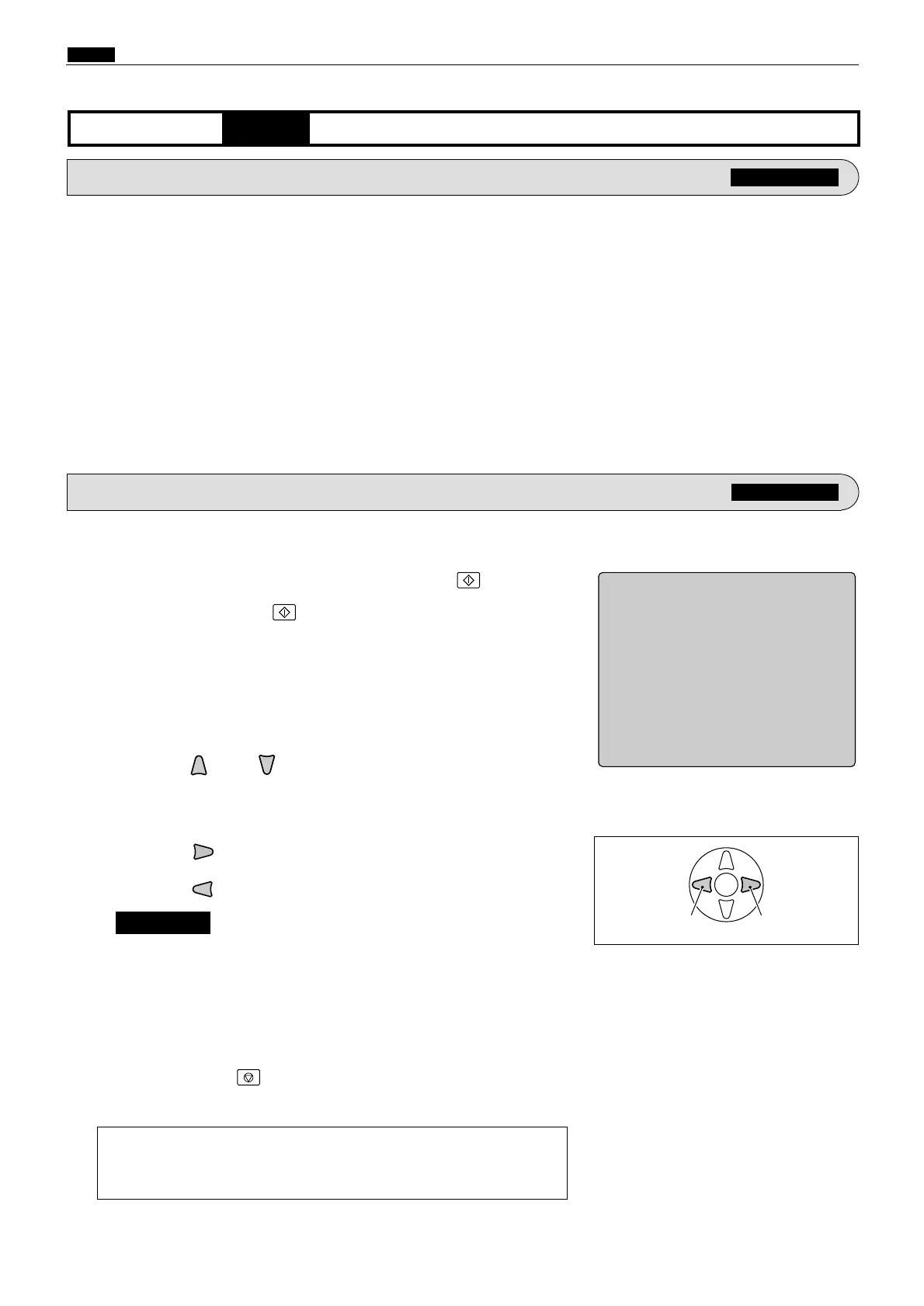
HELP-010
1 Stepping motor (Scanner)
2 Stepping motor (ADF)
Movement test
ePress the key to test the motor's functioning(to right).
rPress the key to test the motor's functioning(to left).
a
To exit the HELP mode
: Turn the power switch OFF.
a
To access another HELP mode
:
Enter the desired mode number
using the numeric keys.
tPress the STOP key.
The HELP mode selection display will reappear.
Left Right
wPress the and/or key to check the motor item.
1. Functions
For electrical parts layout
a
See page 301
¡ Be sure to release the key before the optical system
reaches the rightward limit. The motor will NOT stop
automatically when the system reaches that limit.
IMPORTANT :










 To Next Page