DuraLabel.com | 800.788.5572
2.5 Installing Tape Guides | 15
LOADING THE PRINTER
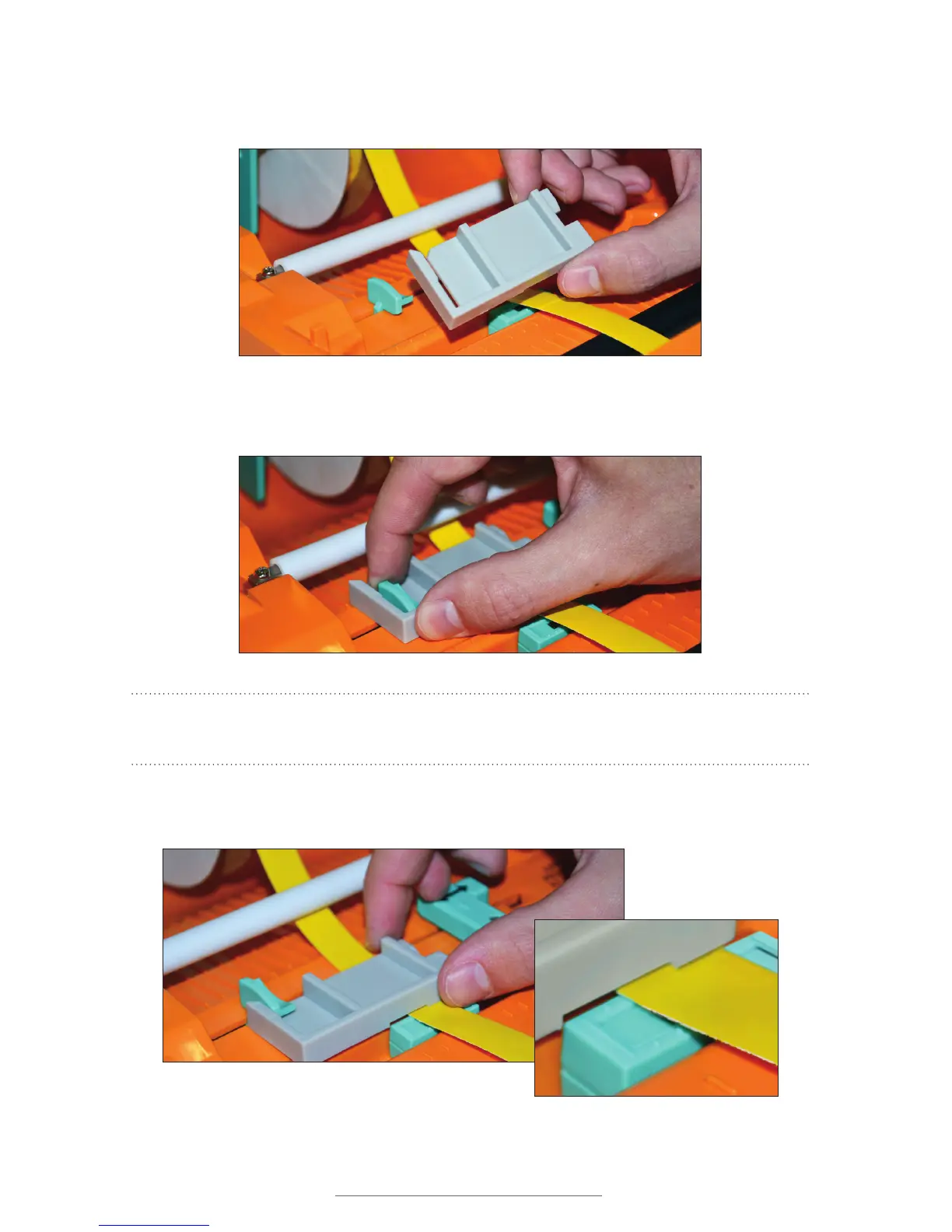
C. While facing the front of the printer, hold the tape guide with the grooved side
facing down and the cutout opening facing up.
D. Slip the cutout opening into the left adjustable label guide, opening slightly. Do not
press all the way into place.
NOTE: You may need to move the supply slightly to allow it to move freely in the
grooved section of the tape guide.
E. Align the label supply under the tape guide, fitting it in the grooved section and
then pressing the tape guide into place.
)LJXUH 7DSHJXLGHEHLQJÀWWHGLQWRWKHOHIWDGMXVWDEOHODEHOJXLGH
Figure 5 Position tape guide with grooved section facing down
)LJXUH 0RYHODEHOVXSSO\WRÀWLQWKLV
grooved section.
Figure 7 Align supply in the grooved section for easy movement.



 To Next Page