SkyView Touch (SV-D1000T) Operation
SkyView Classic Pilot’s User Guide – Revision Z 9-2
b. When the Autopilot is configured with Expert controls the left half of the status bar
will short cut to AUTOPILOT > ROLL and the right half of the status bar will shortcut
to AUTOPILOT > PITCH.
2. MAIN MENU > XPNDR.
3. MAIN MENU > TOOLS > TIMER.
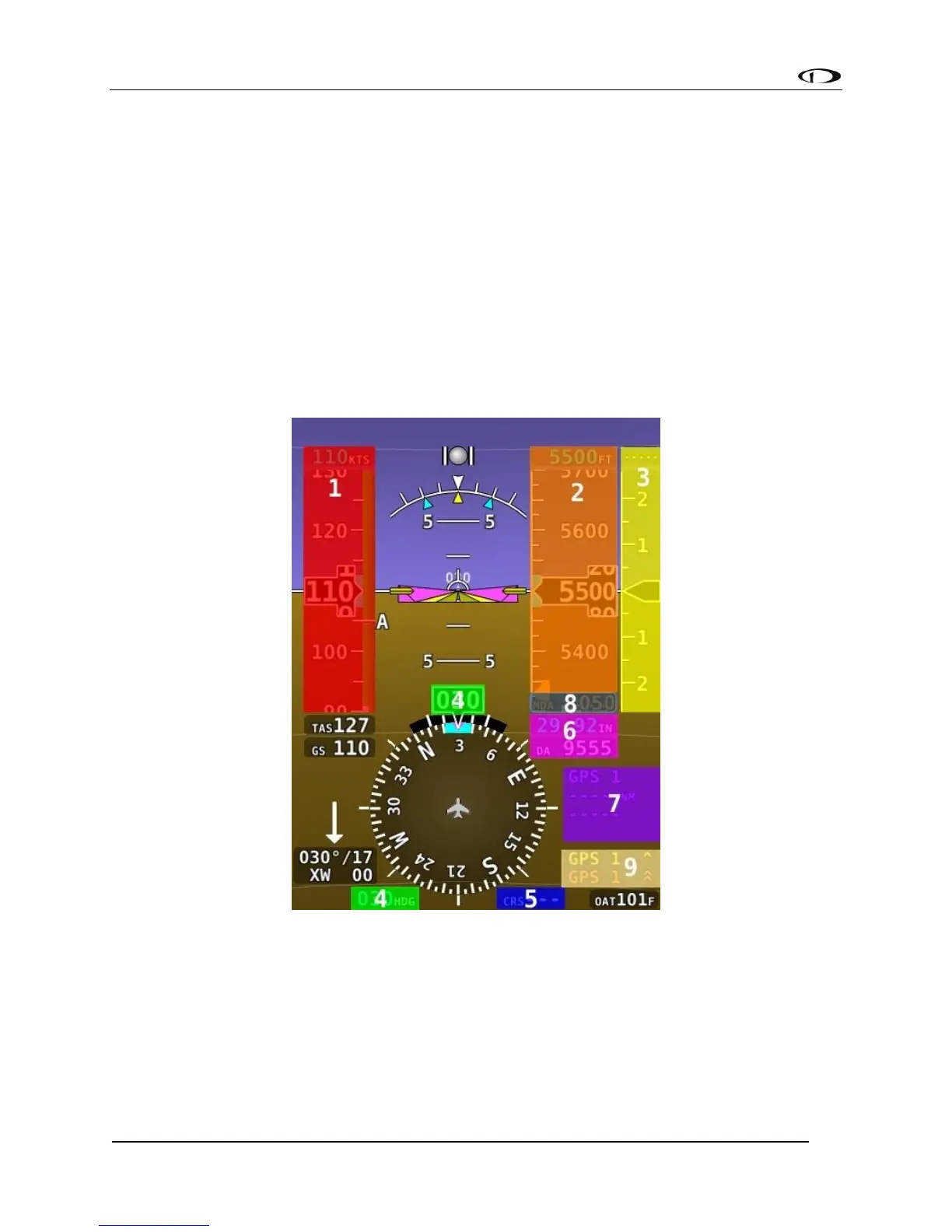
PFD Operations
Touching a PFD item that has an adjustable bug instantly re-assigns a SkyView PFD joystick knob
to that touched item, eliminating the need to manually reassign a joystick knob. When multiple
pages are up on the display the joystick knob closest to the PFD page is assigned, when 100%
PFD is shown it will assign the left knob.
Figure 218 - EFIS Touch Regions



 To Next Page