SV-D700, SV-D1000 and SV-D1000T Operation
SkyView Classic Pilot’s User Guide – Revision Z 4-31
PFD Menu
The PFD Menu is accessible from the Main Menu by pressing PFD (MAIN MENU > PFD). Users
can reset the baro, toggle Synthetic Vision on or off, and configure the bearing and NAV
sources.
Back
Press BACK to return to the Main Menu.
G Meter
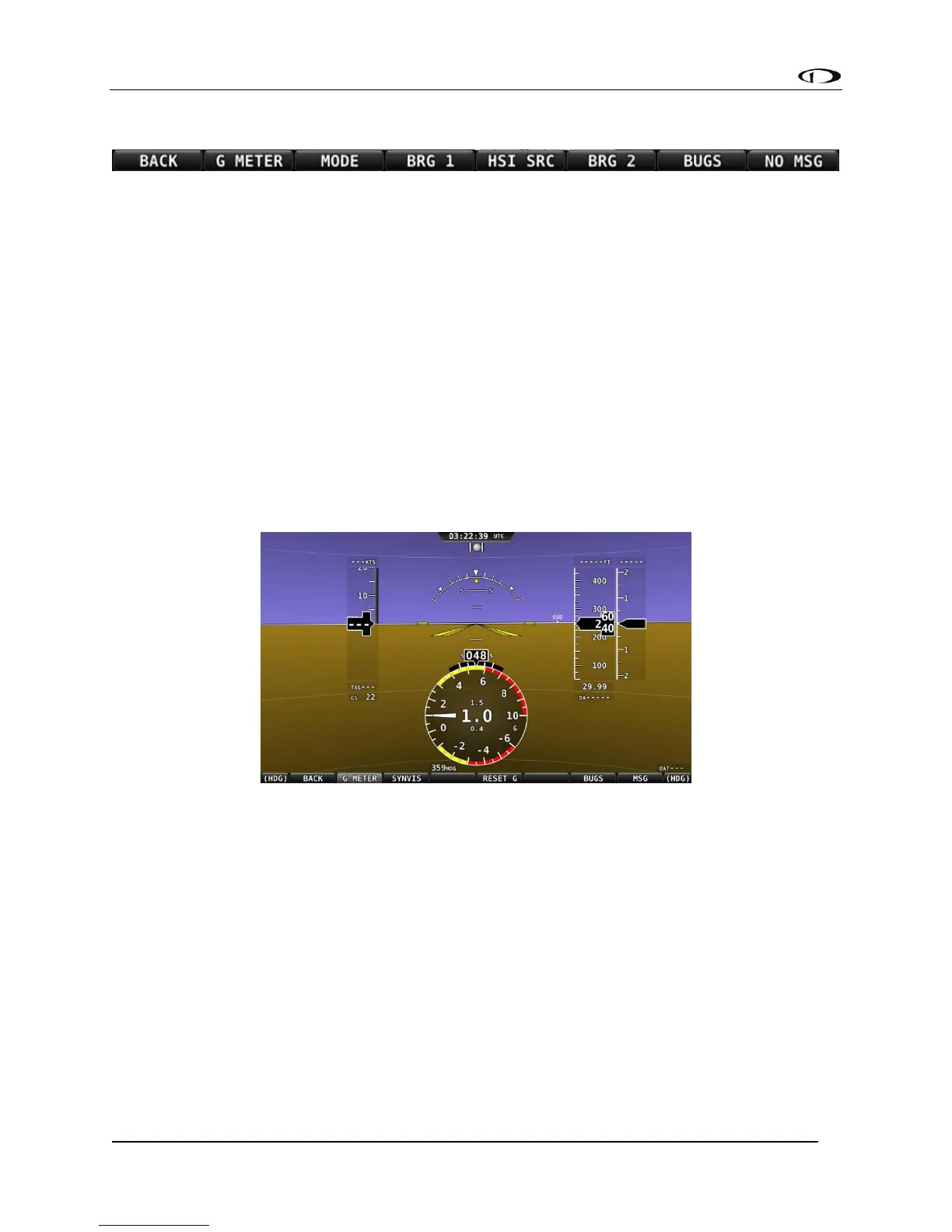
Press G METER to toggle the G Meter on and off. When the G Meter is displayed, it replaces the
HSI/Compass Rose, though numerical magnetic heading above the HSI area remains. The G
Meter shows an analog “needle” that indicates the instantaneous G loading of the aircraft.
Depending on how the G Meter is configured, the analog range may have yellow and/or red
caution ranges configured to visually indicate aircraft G limits are being approached.
Instantaneous G information is also shown digitally in the center of the gauge.
Figure 60 - G Meter on PFD
The smaller digital numbers above and below the larger instantaneous G number are the
maximum and minimum Gs that the aircraft has experienced since the G Meter was last reset.
Press PFD > RESET G to manually reset the G Meter. The G Meter may also be set up to
automatically reset the min/max G readings every time SkyView starts up.
The G Meter can also be configured to “pop up” automatically under certain conditions. When
configured this way, the G Meter will appear automatically when the aircraft’s instantaneous G
loads exceed thresholds that have been selected. Once the G Meter has appeared, it will
remain on the display until the instantaneous aircraft G loading falls back below those
thresholds.
See the SkyView System Installation Guide for further information about G Meter configuration.



 To Next Page