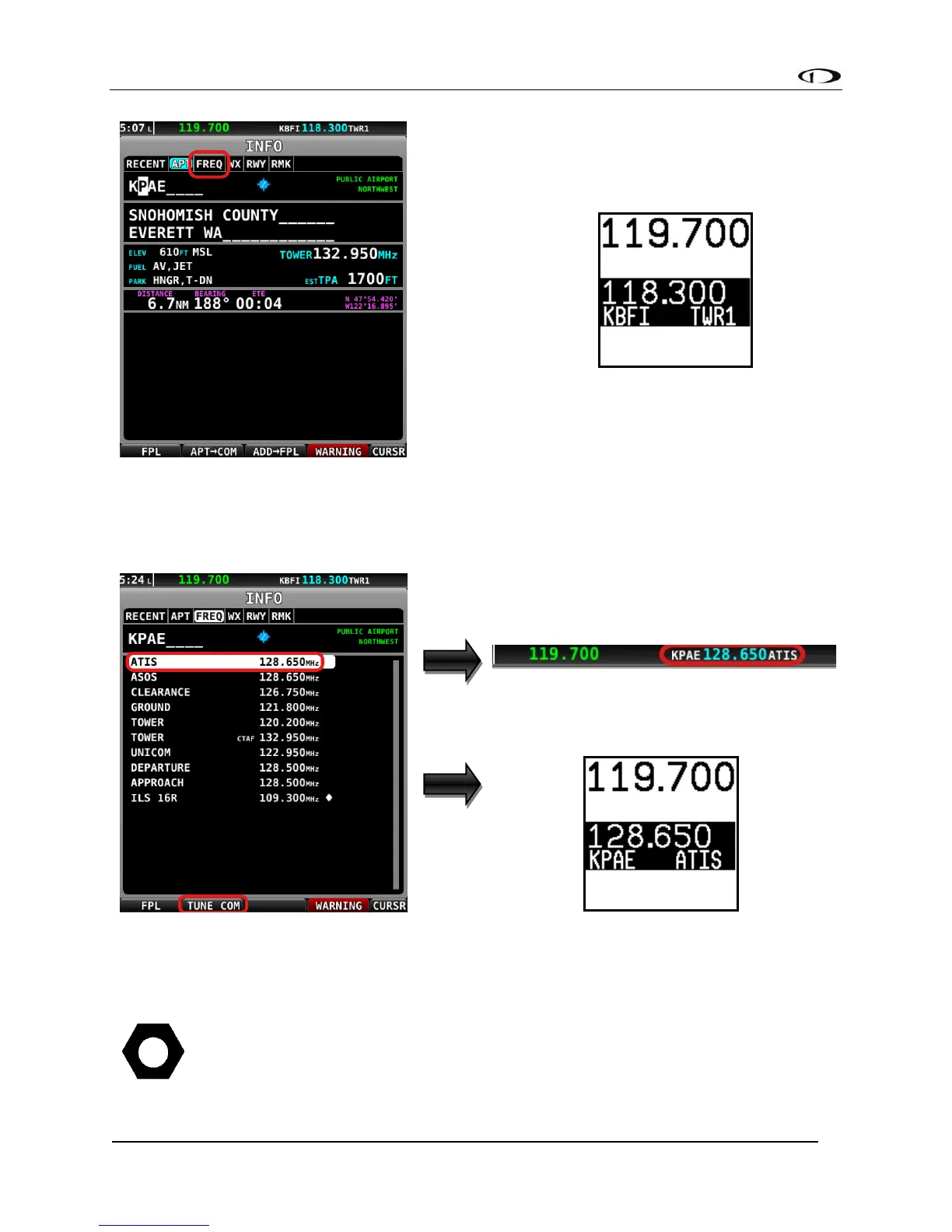
• With a valid COM frequency highlighted, (a 25kHz frequency on the SV-COM-C25 and an
8.33kHz on the SV-COM-X83) press the TUNE COM button to send the frequency to the
standby frequency:
• Press the dual concentric knob on the control panel to flip/flop the chosen frequency
from the standby frequency to the active frequency.
This feature also works when a Garmin SL30, SL40, GTR 225, GNC 255, MGL V6,
MGL V10, Trig TY91, Val NAV 2000, and f.u.n.k.e. ATR833 or Icom A210 (with Icom
software version 1.53 or newer) is appropriately configured. The SL30 and GNC
255 can additionally receive NAV radio frequencies by selecting VOR, ILS and LOC



 To Next Page