| 65
65 User Manual
Troubleshooting
To determine whether high frequency vibration is affecting the product or the printhead, simply pass a
piece of paper under the printhead and trigger the print. Take care to move the paper at a steady speed.
If it is the product which is vibrating, then the print quality will be good. If the print quality is poor, the
vibration is likely to be coming from the printhead.
To test for printhead vibration, pass a piece of paper under the printhead in the same way as described
above, but this time hold the printhead with your other hand to dampen any vibration in it. If print quality
improves as a result, then the printhead is suffering from the effects of vibration.
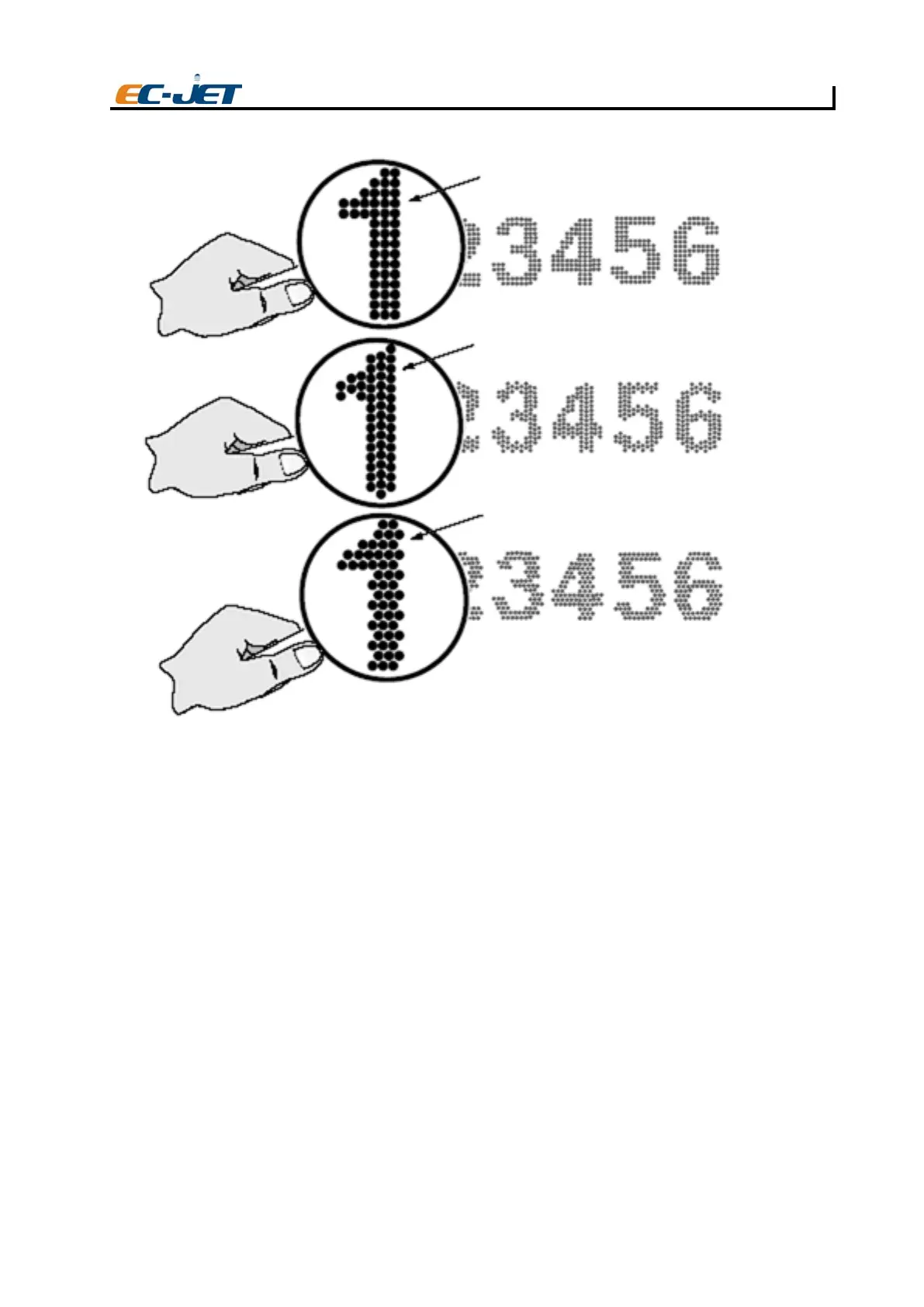
The following illustrates these tests:
Character without high frequency vibration
Character with high frequency vibration across the conveyor
Character with high frequency vibration in direction of conveyor travel
EJ104



 To Next Page