INSTRUCTIONS MANUAL
-35-
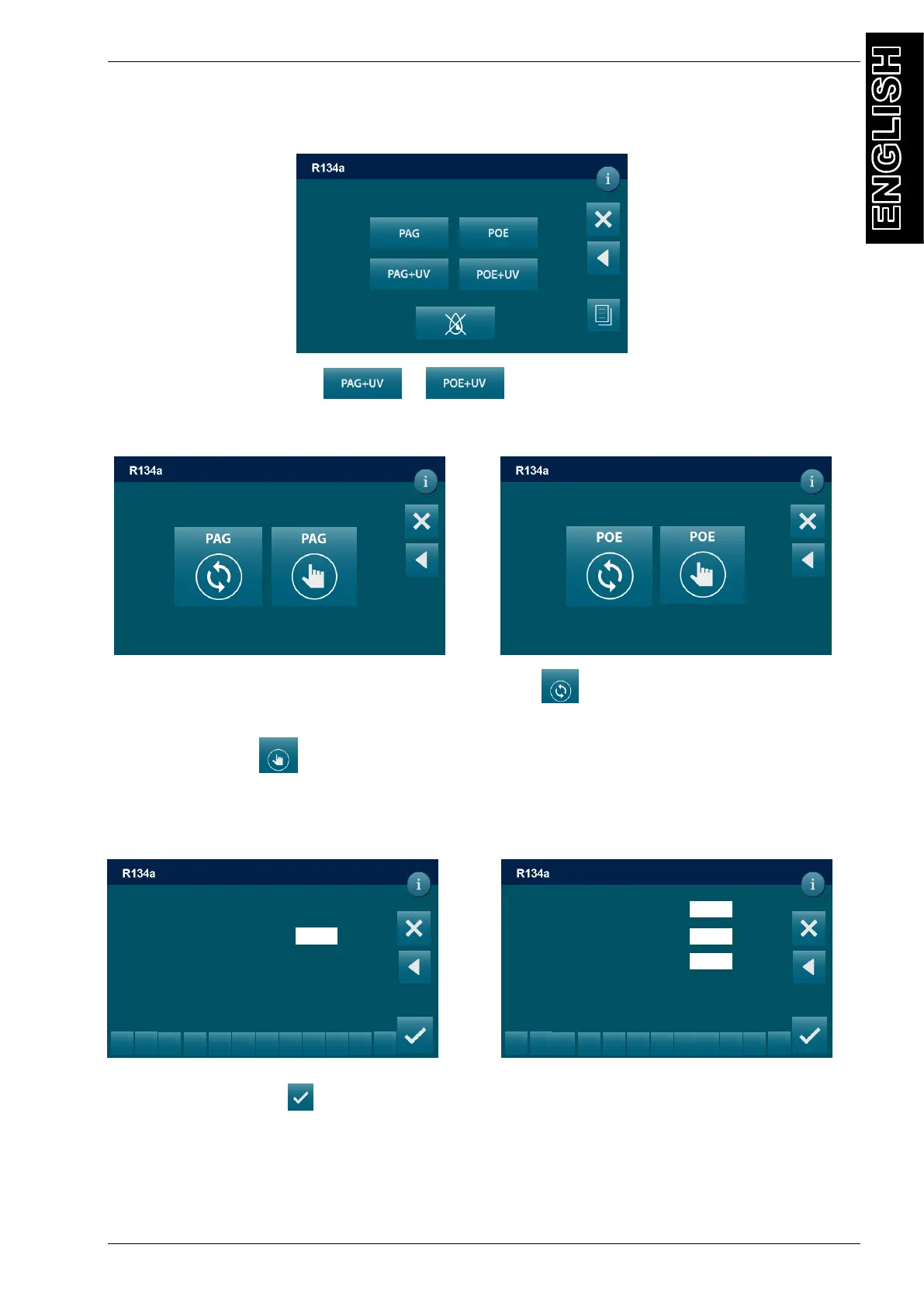
Edit UV data:
In the OIL-UV INJECTION sequence press the oil type required PAG+UV or POE+UV
By selecting oil+uv symbol or the following screen will be displayed:
PAG OIL injection setting POE OIL injection setting
Select PAG/POE oil symbol AUTOMATIC injection for insert the gas quantities and
reintegrate the same quantity of oil extracted during recovery. Select PAG/POE oil symbol
MANUAL injection for insert the gas quantities manually.
Automatic oil injection Manual oil injection
Press ENTER symbol
Use the keys 0 to 9 to type the volume of UV to be injected
* UV is disabled while servicing HYBRID VEHICLE
0
ml
UV H
Injection setting
DD/MM/YY XX:XX PM
AUTOMATIC / OIL-UV INJECTION
Injection setting
AUTOMATIC / SETTING
Injection setting
DD/MM/YY XX:XX PM
AUTOMATIC / SETTING
DD/MM/YY XX:XX PM
AUTOMATIC / SETTING
REFRIGERANT FILLING
0
g
1
2
3
5
6
8
9
0
.
<
g
DD/MM/YY XX:XX PM
AUTOMATIC / SETTING
0
ml
2
3
5
6
8
9
0
.
<
0
ml
0



 To Next Page