INSTRUCTIONS MANUAL
-49-
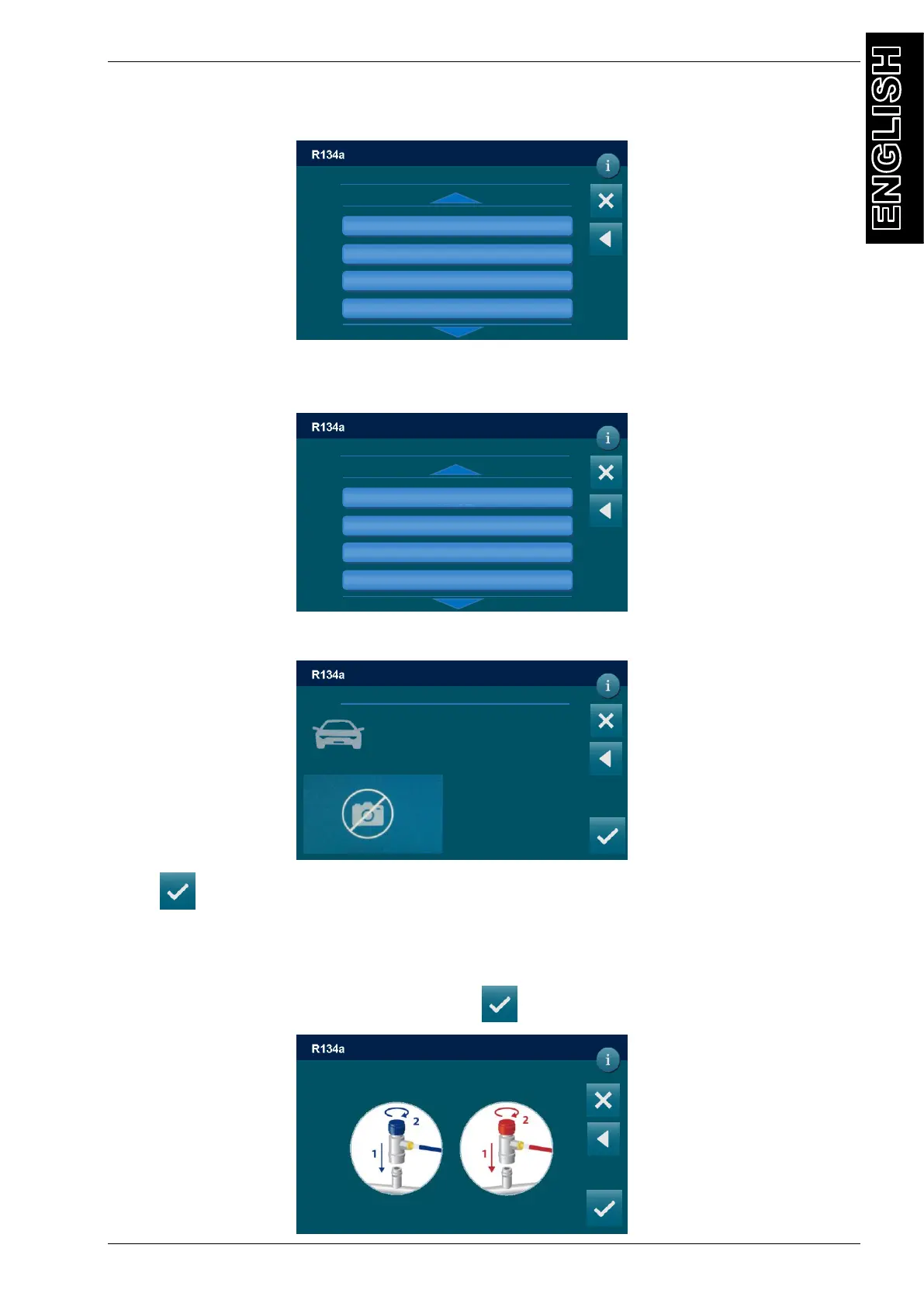
Select the vehicle typology, the following screen will be displayed:
Select the brand of vehicle you are servicing, (use the arrow keys to change page if
necessary), the following screen is displayed (i.e. for BMW):
Select the model of vehicle you are servicing. (If you wish to install DATABASE contact the
machine dealer.), all the information about this model is displayed:
Press to confirm, and insert the value into the GAS FILLING field.
START PROCEDURE
After selected all the procedure data, press to continue, the following screen will be
displayed:
Connect and open HP and LP couplings
To A/C system and press to continue
DD/MM/YY XX:XX PM
MANUAL / CHARGE
DD/MM/YY XX:XX PM
MANUAL / DATABASE
ABARTH
ALFA ROMEO
ASTON MARTIN
AUDI
Choose brand
i3 (I01)
i8 (l12)
Serie 1 (E81-E87)
Serie 1 (E82) Coupè
Choose brand
DD/MM/YY XX:XX PM
MANUAL / DATABASE
BMW / i3 (l01) / “ALL;3447” / 2013- / 3447
REFRIGERANT OIL ISO
R134a PAG *
750 g *
*
INFO
*



 To Next Page