INSTRUCTIONS MANUAL
-68-
SETUP HEADER PRINT
The printout can be personalized by entering 4 lines containing the workshop’s details (e.g.
Name, address, telephone n° and e-mail).
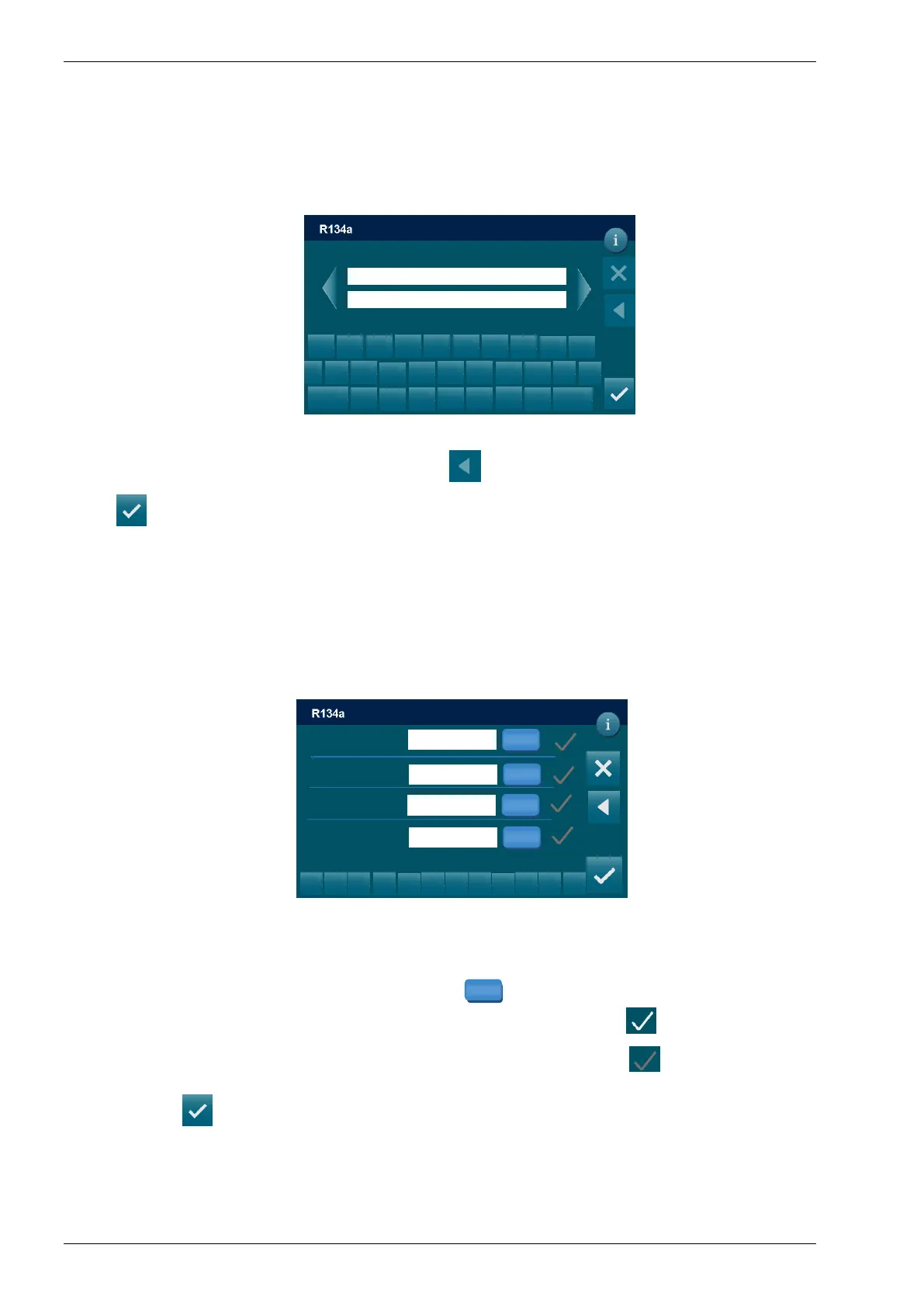
From the SETUP, select SETUP HEADER PRINT and the following screen is displayed:
Use the keypad to modify the 4 lines, then press return to SETUP menu.
Press to SAVE and return to the SETUP MENU
OPERATOR CODE
From the SETUP, select INSERT OPERATOR CODE and the following screen is displayed:
It is possible to enter an alphanumeric code of 10 symbols to indicate the habilitation nr of the
operator. This number will be indicated in all printouts.
Use the keypad to modify operator number, press to save.
NOTE: -The checkmark on indicates that the operator code is saved
-The checkmark off indicates that the operator code isn’t saved
Finally press to SAVE and return to the SETUP MENU
I____I
z
< x I
x
c
v b
n
SETUP / OPERATOR CODE
1
2
3
5
6
8
9
0
.
<
DD/MM/YY XX:XX PM
Operator
SET
Operator
SET
Operator
SET
SET
DD/MM/YY XX:XX PM
SETUP / SETUP HEADER PRINT
Field 1
Field 2
s
d
f
g h
j k
a l
^
123
q
w
e
r t
y u
i
o p
Setting header printer 4 fields available
I____I
z
< x I
x
c
v b
n



 To Next Page