25
Installation and settings (Windows)
■
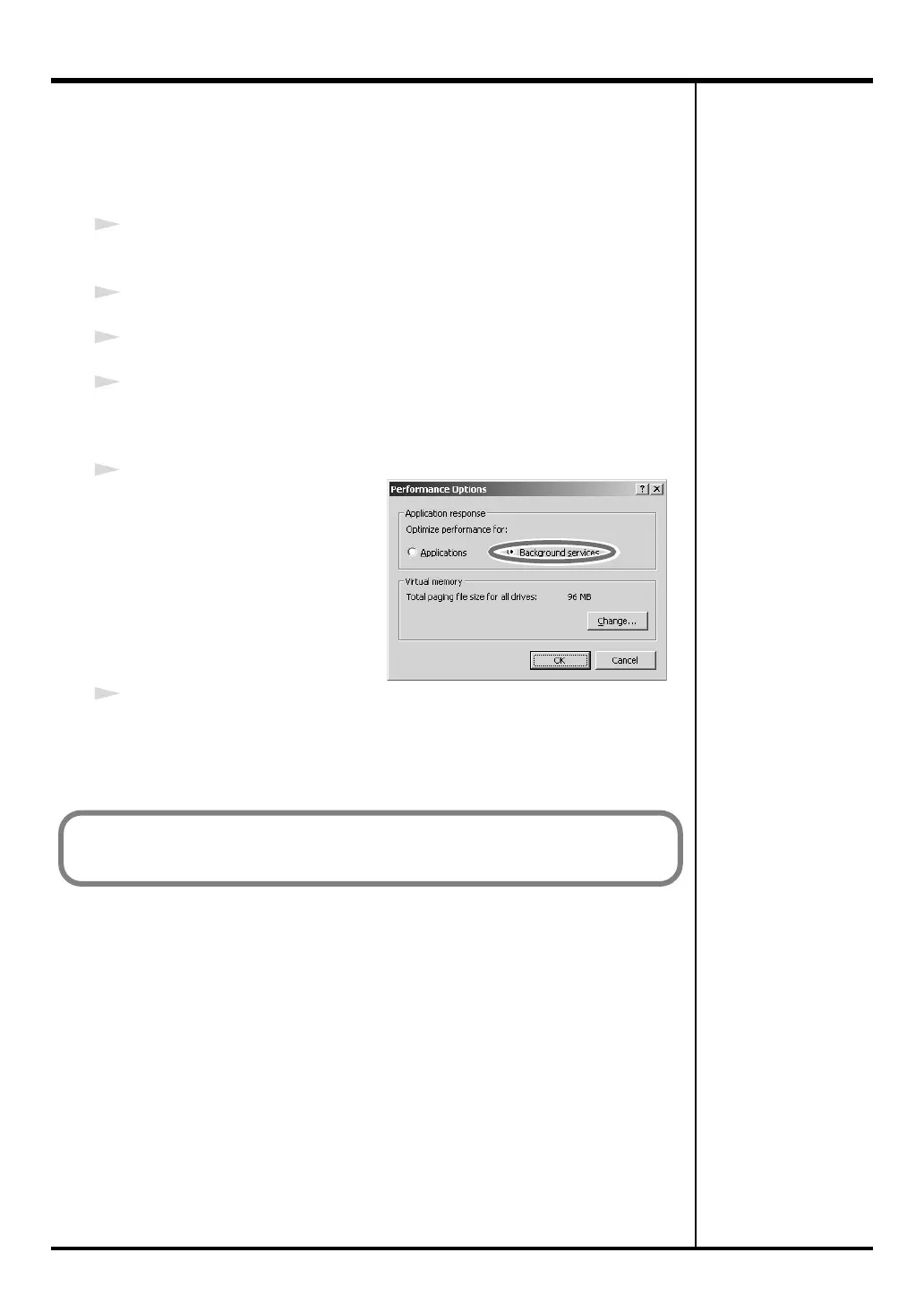
Giving priority to background services
If you don’t make this setting, you may experience problems such as clicks or
pops in the sound. To ensure that audio and MIDI data is handled smoothly,
proceed as follows to make this setting.
1
Click the Windows
Start
menu, and from the menu that appears, select
Settings
|
Control Panel
.
2
In
Control Panel
, double-click the
System
icon.
3
Click the
Advanced
tab.
4
At the right of the
Performance
field, click
[Performance Options]
.
The
Performance Options
dialog box will appear.
fig.back2000
5
In the
Application response
field, choose
“Background
services”
and click
[OK]
.
6
Click
[OK]
to close the
System Properties
dialog box.
Next, you need to install the PC-80 software synthesizer.
(➔ “Installing the PC-80 software synthesizer” (p. 26))
PC-80_e.book 25 ページ 2005年11月10日 木曜日 午前11時34分



 To Next Page