41
Playing the PC-80 keyboard
■
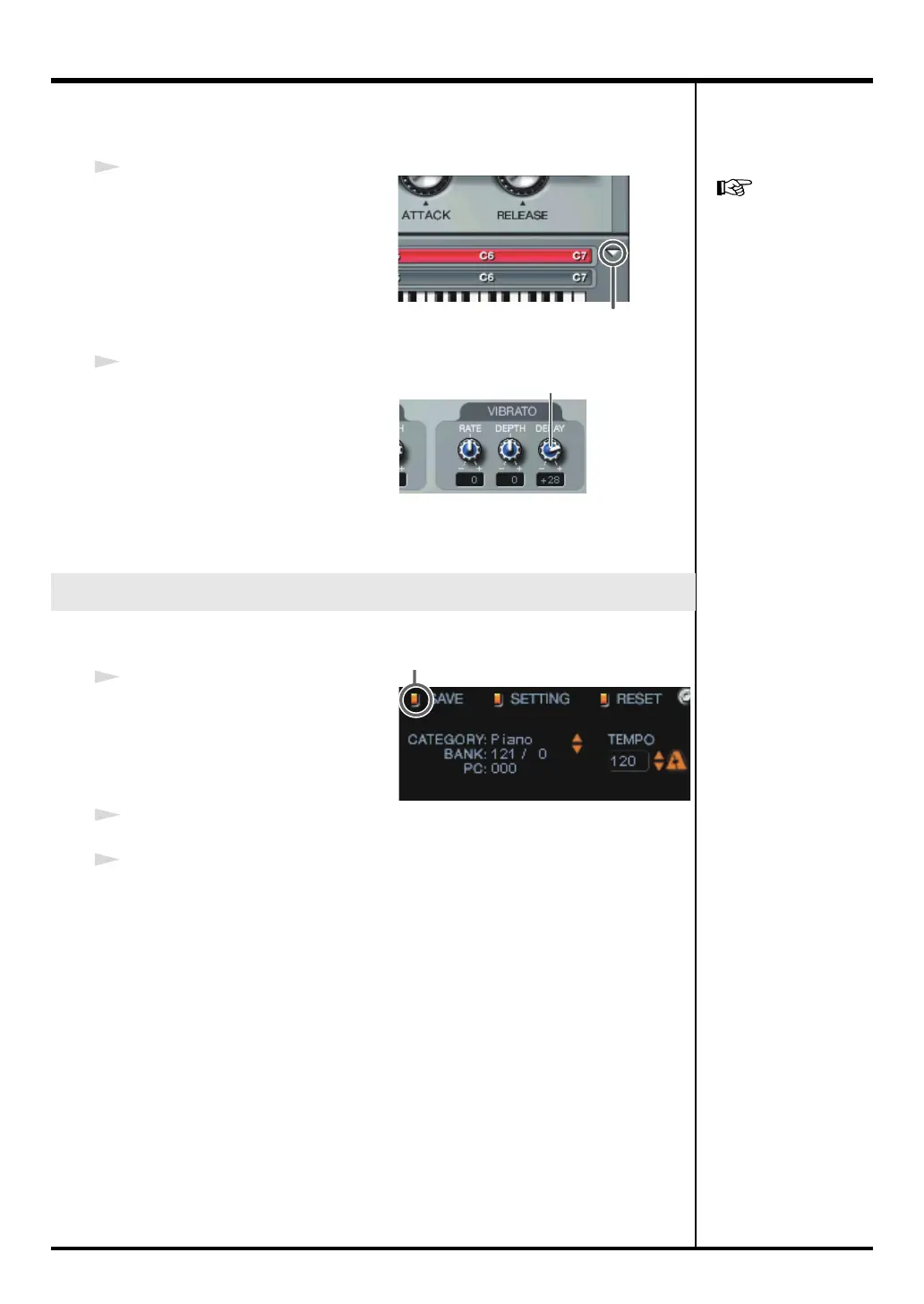
Using the Synth panel to edit the sound
1
Click the
[Normal/Edit screen
select]
button to switch to the
Edit
screen
.
2
Use your mouse to operate the
knobs in the screen.
If you move the mouse over a
parameter knob, the cursor will
change to a shape that indicates the
direction (up/down) in which you
can drag. Drag the mouse up or down.
After editing a sound, you can save it as a “user sound.”
1
In the Synth panel, click the
SAVE
button.
2
Choose one of the categories that appear (U.Patch 1–4).
3
In the menu that appears, select the number at which you want to save the
user sound. The sound you edited will be overwritten onto the selected
number.
Saving an edited sound
[Normal/Edit screen select] button
For details on editing
sounds on the PC-80
software synthesizer, refer
to “Using the mouse”
(online help).
Move mouse up/down
Click
PC-80_e.book 41 ページ 2005年11月10日 木曜日 午前11時34分



 To Next Page