83
Using the PC-80 as an audio interface
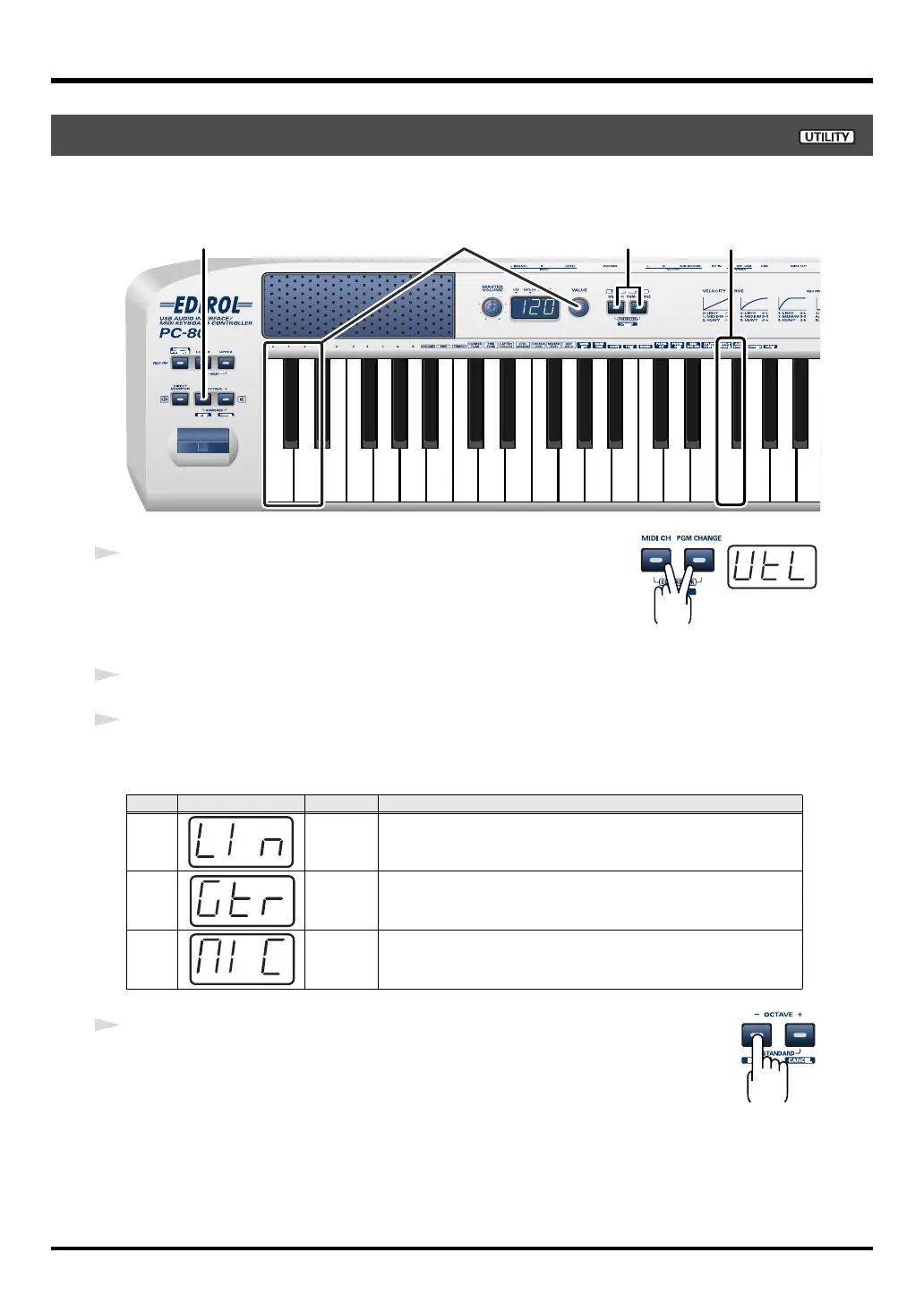
You need to select the Input Mode that is appropriate for the device you’ve connected to the
audio input jacks; either Line, Guitar, or Mic.
fig.util*
1
Simultaneously press the
MIDI CH
button and
PGM CHANGE
button,
and hold them down for a few moments.
The PC-80’s display will indicate “UTL,” and you will be in Utility
mode.
2
Press the
[INPUT MODE]
key on the keyboard.
3
Use the
VALUE encoder
or the [0]–[2] keys of the keyboard to choose the setting that’s
appropriate for the device you’ve connected to the audio input jacks.
fig.enter
4
Press the ENTER button.
* If you press any other button without pressing the ENTER button, the setting you made will
be discarded.
Setting the Input Mode
Key
Indication
Setting Explanation
0 LINE
Choose this if a MIDI sound module or other analog audio device
is connected
1 GUITAR
Choose this if a guitar is connected
2 MIC
Choose this if a dynamic mic is connected
* The PC-80 is not compatible with the miniature mics (condenser mics)
sometimes included with a computer or sound card.
214
3
PC-80_e.book 83 ページ 2005年11月10日 木曜日 午前11時34分



 To Next Page