80
Using the PC-80 as an audio interface
This section explains basic connections and audio signal flow when using the PC-80 as an audio
interface.
You can refer to the block diagram (p. 82) together with this explanation.
* To prevent malfunction and/or damage to speakers or other devices, always turn down the volume, and
turn off the power on all devices before making any connections.
* When connection cables with resistors are used, the volume level of equipment connected to the inputs
(Input jacks) may be low. If this happens, use connection cables that do not contain resistors, such as those
from the Roland PCS series.
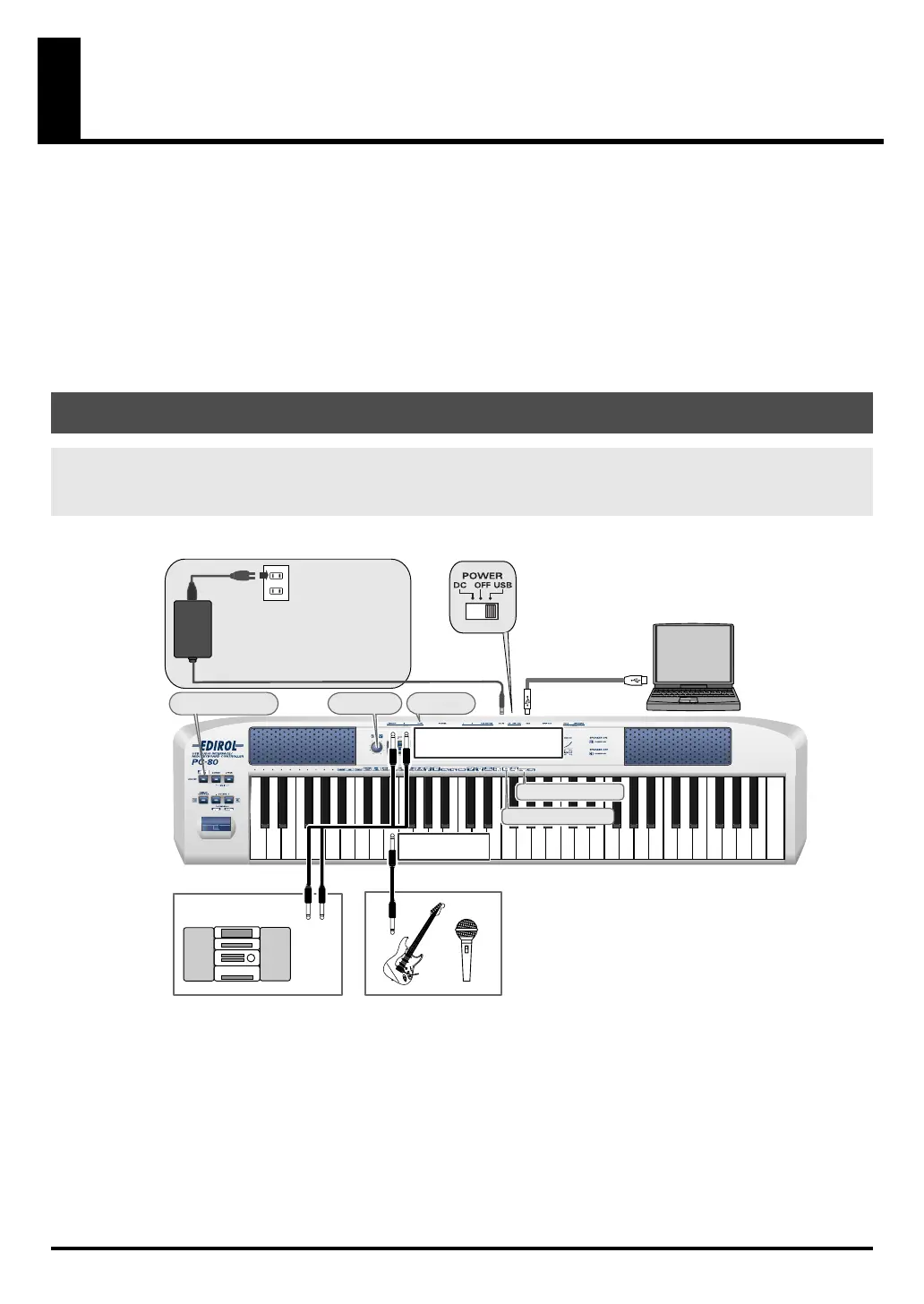
fig.connect-rec1-e
Basic connection example and signal flow
Recording on your computer—Using software to record sound from
a mic, guitar, and external audio device
Stereo set / Cassette deck
Signal flow
⇑
USB cable
Turn Direct Monitor
on/off
Adjust the
monitor level
LINE OUT
Connect to INPUT L (MONO)
and INPUT R
Adjust the
input level
Connect to
INPUT L (MONO)
Sample Rate setting
Input Mode setting
If you re using a USB connection, you
don t have to connect the AC adaptor.
However, on some computers, the PC-
80 may not work on bus power. If so,
set the power switch to DC and
connect the AC adaptor.
AC adaptor
PC-80_e.book 80 ページ 2005年11月10日 木曜日 午前11時34分



 To Next Page