49
Recording your performance in sequencer software (SONAR LE)
4
In the
PC-80 software CD-ROM
, navigate to the
SONAR Instrument
Definition
folder, specify the
“EDIROL PC-80 (.ins)”
instrument definition
file, and click
[Open]
.
5
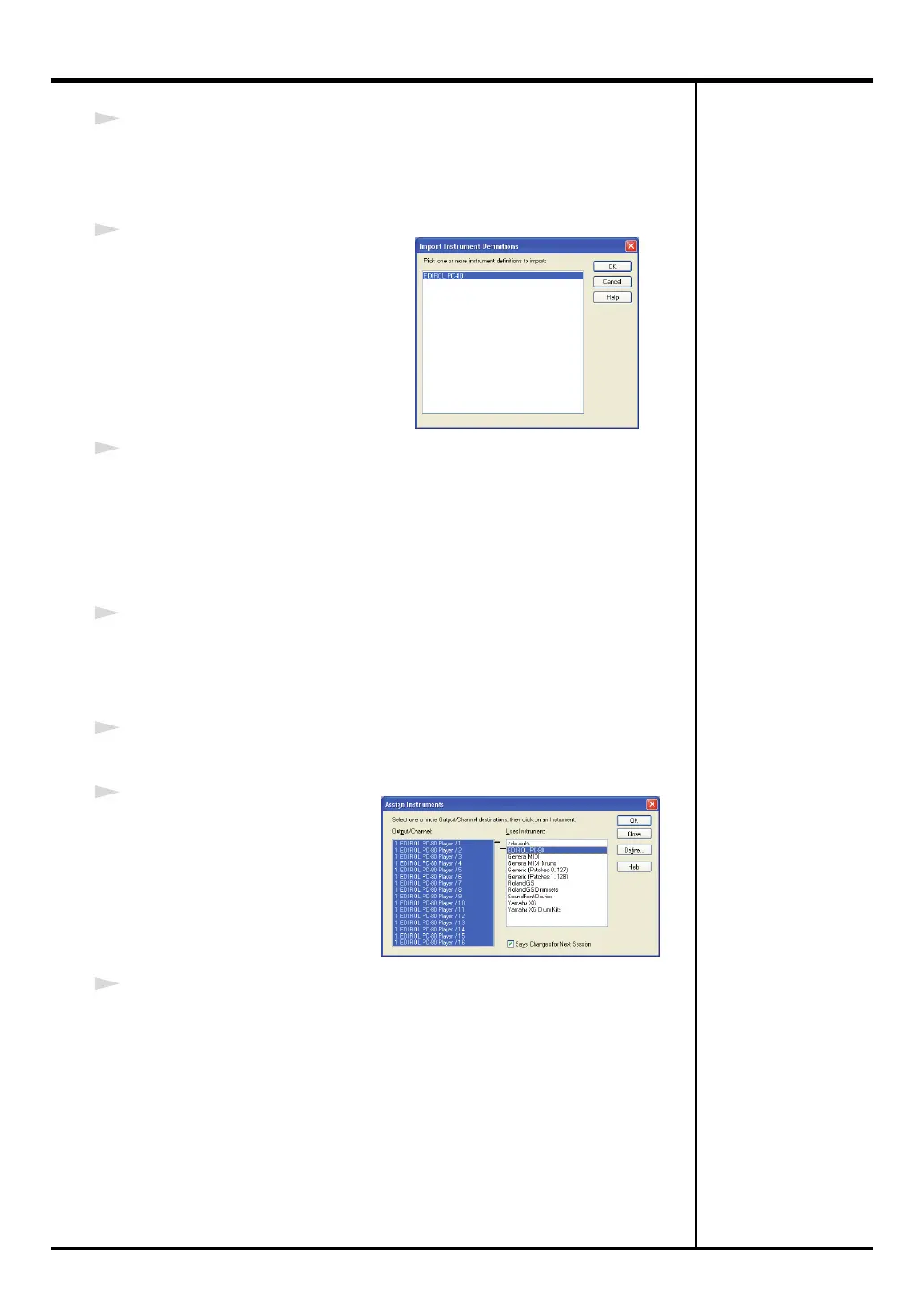
The
Import Instrument Definitions
dialog box will appear, and a list of
the instrument definitions in the
instrument definition file will appear.
In this list, select
“EDIROL PC-80”
and click
[OK]
.
6
In the
Define Instruments and Names
dialog box, click the
[Close]
button
to close the dialog box.
Now the
Assign Instruments
dialog box will show the imported instrument
definitions.
■
Specifying the PC-80 instrument definition
7
In the
Output/Channel
field, select all items from EDIROL PC-80 Player /1
through EDIROL PC-80 Player /16. (To select all of these, click EDIROL PC-
80 Player /1, and then hold down the Shift key and click EDIROL PC-80
Player /16.)
8
In the list of
Uses Instrument
, choose
“EDIROL PC-80.”
9
Click
Output/Channel
and
Uses Instrument
. A black line
will appear, indicating that
these have been associated.
10
Click
[OK]
to close the dialog box.
PC-80_e.book 49 ページ 2005年11月10日 木曜日 午前11時34分



 To Next Page