Functional description
MSM-USM2G-BA-UK-001 Page 15 of 45
3.7.2 Error codes
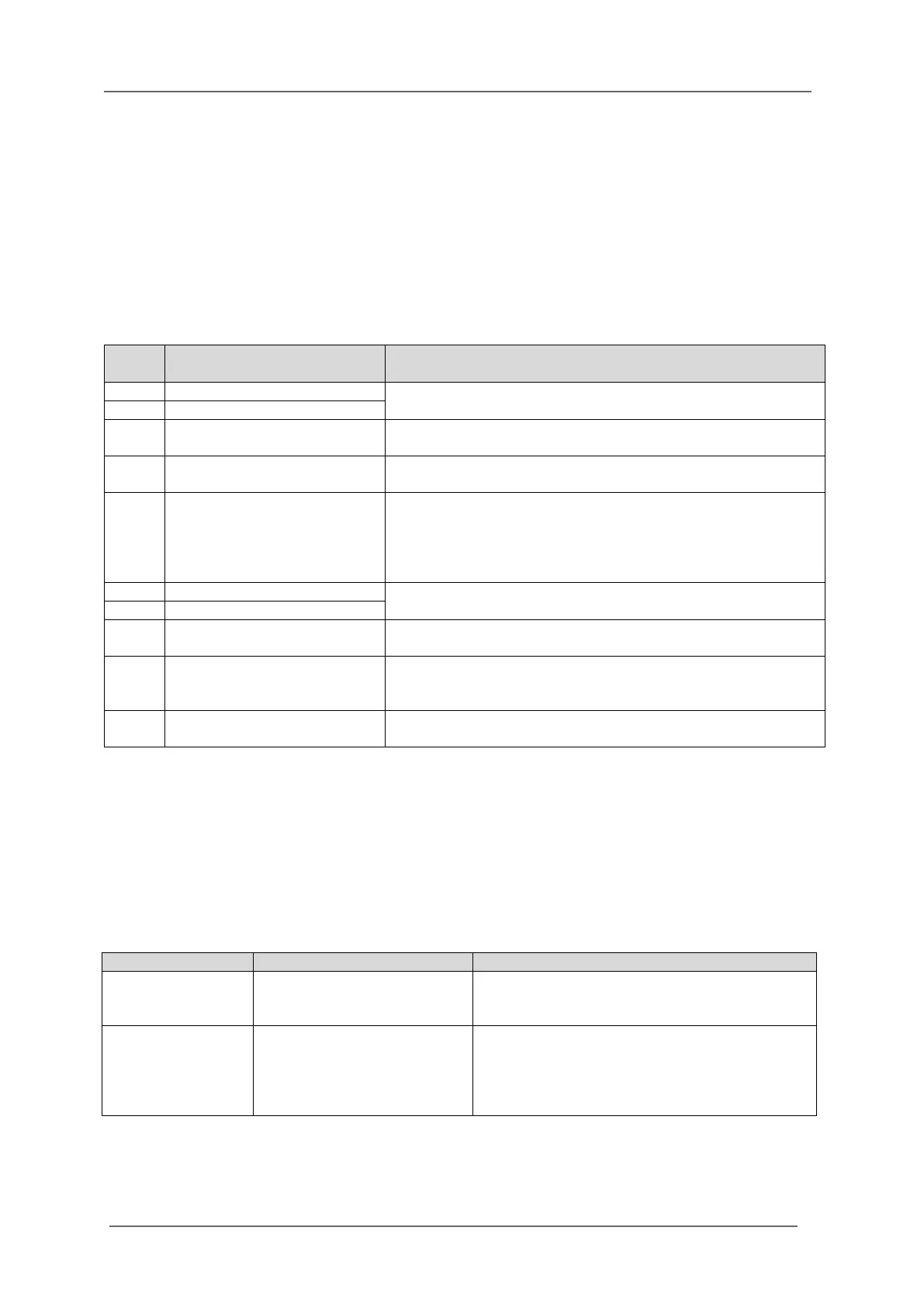
The hexadecimal error codes which are listed in the following table resemble the flashing sequence of
the OK-LED of the BSM.
Example:
Error 15 - Communication within cascaded annunciator system
disturbed
Flashing sequence of OK-LED - long, short, short, short, short, short, pause
In the following table the error codes of the USM are enlisted.
Table 3.1: Error codes of theBSM
3.7.3 Operation modes
By means of a push button or function input, the annunciator can be set to different operation modes.
A currently activated operation mode is indicated by green flashing of the OK-LED with dedicated
flashing sequences as follows:
The horn will be triggered according to
parameterisation in „Horn mute“, as long as
this operation mode is activated.
As long as this operation mode is activated, no
optical or acoustical output of alarms at issue is
triggered. The internal alarm processing as well
as triggering of relays and IEC communication
stays active though.
Table 3.2: Operation modes of the BSM
If the error still is at issue after restart of the device, the device
needs to be returned to EES for inspection.
After a surge of alarms, interstages of alarms can be lost. The
final stages of the alarms are valid.
If the error still is at issue after restart of the device, the device
needs to be returned to EES for inspection.
Communication within
cascaded annunciator system
disturbed
This error can occur in cascaded systems. It will be issued
when the connection between the master BSM and at least
one of the slave BSM is disrupted. Please verify the
configuration of the slave addresses and the connection
cables.
This error can occur in annunciators with dual power supply.
Configuration inconsistent
The downloaded configuration does not match the hardware
of the device (e.g. BSM08 and BSM16).
Restore default settings by parameterisation software and
download the new parameterisation again. If the error
persists, please contact customer service.
Imported configuration is
faulty
Download correct file to the device or restore default setting
by means of the parameterisation software.


 To Next Page