27
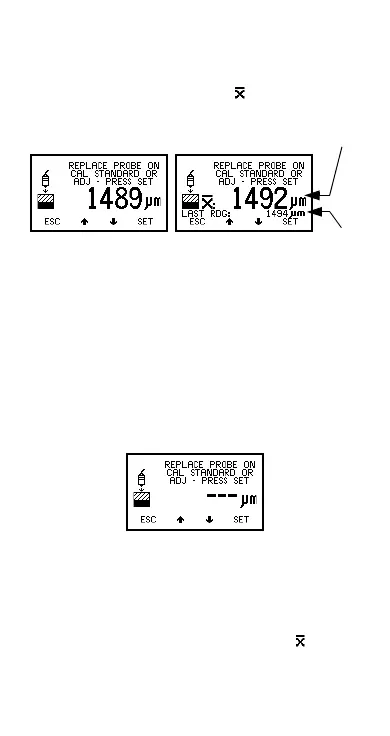
2. Place probe on calibration standard. The gauge will
display a reading.
3. Lift probe and then replace on calibration standard.
Gauge displays the average ( ) of these readings
and the last reading. Repeat this action until a
stable reading is obtained.
Figure 22. Step 1 - Calibration adjustment on
thickness standard
To reject the displayed reading and start the
calibration procedure again, press both the Up and
Down softkeys at the same time.
To adjust the displayed reading until it is correct
relative to the thickness standard use the Up/Down
softkeys.
4. Press SET softkey to accept the value.
Note: - - - indicates over-range (Figure 23). Taking a
reading within range clears this screen.
Figure 23. Over-range reading
Step 2
1. Place probe on uncoated standard or zero plate.
The gauge will take and display a reading.
2. Lift probe and then replace on uncoated standard or
zero plate. Gauge displays the average ( ) of these
First reading Second reading
Average
Last
Op_456_2_English.book Page 27 Friday, February 17, 2006 3:35 PM



 To Next Page