Use and maintenance manual
Page 12
Engineering Department PHONE: +39 0532 829 965 - FAX: +39 0532 829 177
E-Mail: support@elenos.com
3. USER INSTRUCTIONS
3.2.
Telemetry
Connection
and operation
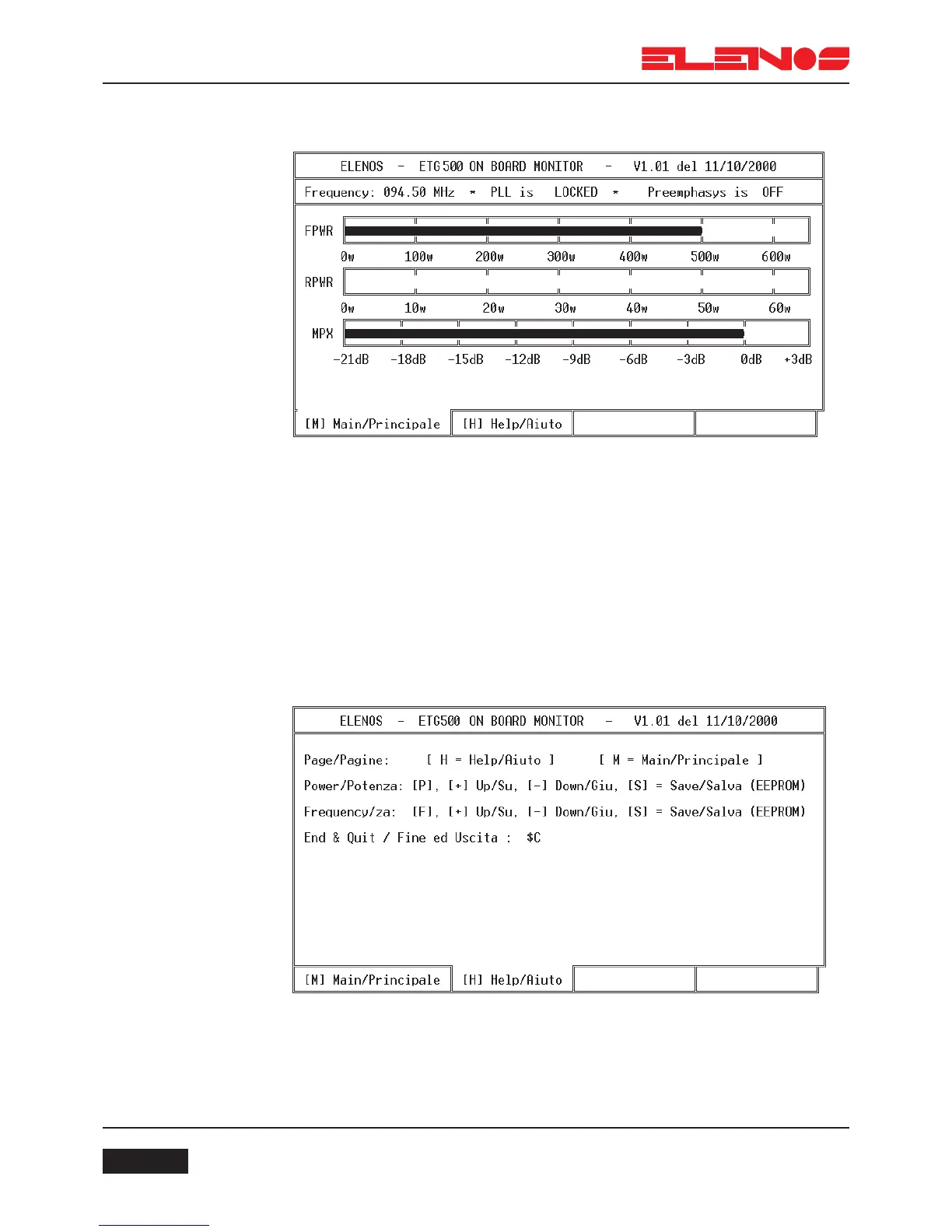
Main Screen
The following parameters can viewed on the main screen: the programmed fre-
quency, the status of the PLL, the status of pre-emphasis, the level of direct power, the level
of reflected power and the audio level.
From this screen the output power can be increased or decreased by pressing
the “P” key with either the “+” or “-” keys respectively. Once the desired value has been
reached, it can be saved by pressing the “S” key.
To modify the frequency, press the “F” key with either the “+” or “-” keys to incre-
ase or decrease the frequency respectively. Once the desired frequency has been reached,
it can be saved by pressing the “S” key.
To terminate transmission of data, type “$C”.
Pressing the “H” (help) key will open the help screen where all the above com-
mands are identified (see diagram below).
Press the “M” (Main) key to return to the main screen.



 To Next Page