Use and maintenance manual
Page 14
Engineering Department PHONE: +39 0532 829 965 - FAX: +39 0532 829 177
E-Mail: support@elenos.com
3. USER INSTRUCTIONS
3.4.1.
Main Menu
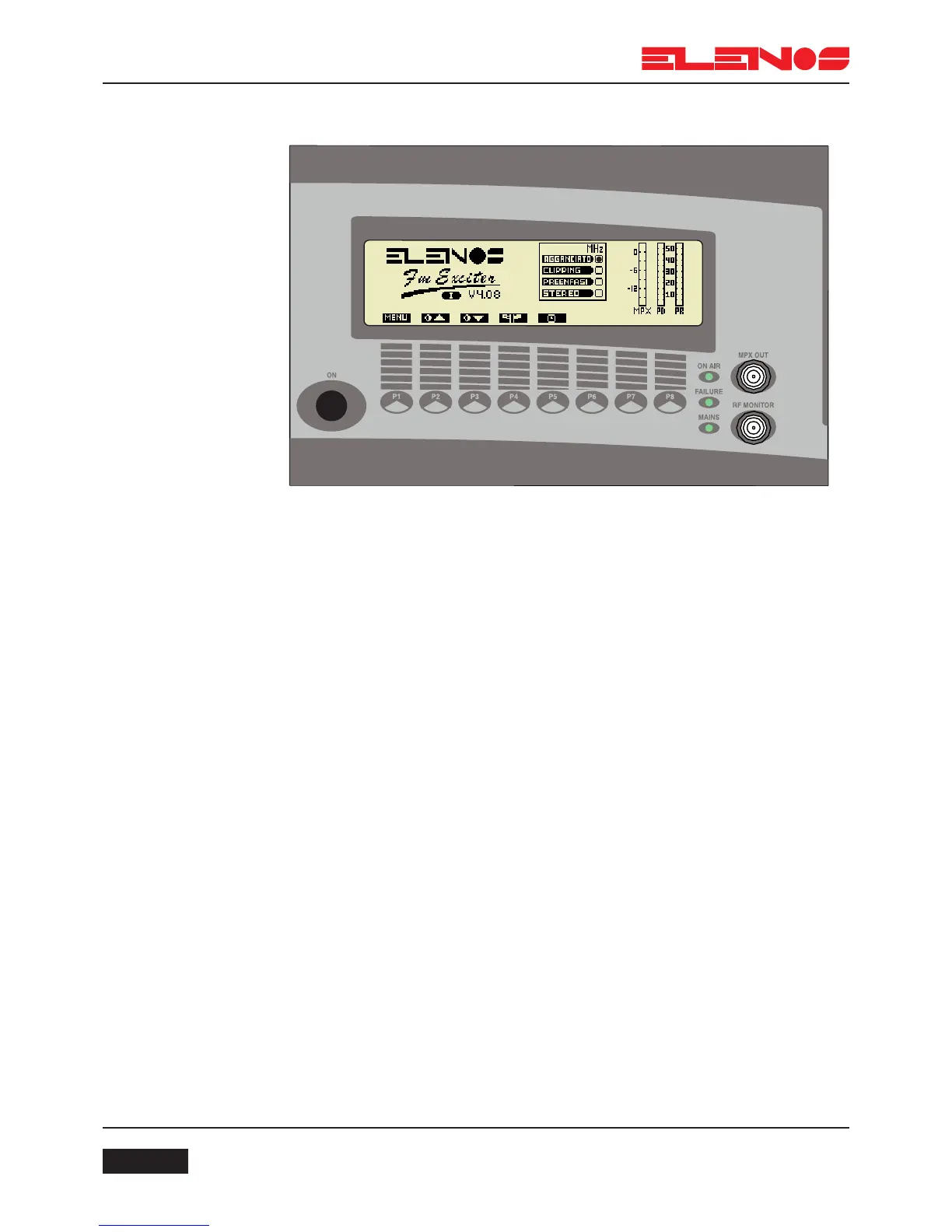
Press key P1 to access the menu functions
Press key P2 to increase the contrast of the display
Press key P3 to reduce the contrast of the display
Press key P4 repetitively to select the desired language
The language of the display will change each time the key is pressed
The language selected will be indicated by a letter under the ELENOS logo.
Press key P5 to display the time for which the unit has been operated.
The main menu displays respectively: MPX level, direct power, reflected power, opera-
ting frequency, PLL lock, clipper operation, insertion of pre-emphasis and insertion of the
stereo encoder.
The logo displayed by the unit can be personalised on the request of the user. The
default logo is that of ELENOS with which is also displayed the version of software instal-
led (e.g. V4.08) and the language selected (e.g. UK)



 To Next Page