Use and maintenance manual
Page 11
Engineering Department PHONE: +39 0532 829 965 - FAX: +39 0532 829 177
E-Mail: support@elenos.com
3. USER INSTRUCTIONS
3.2.
Telemetry
Connection
and operation
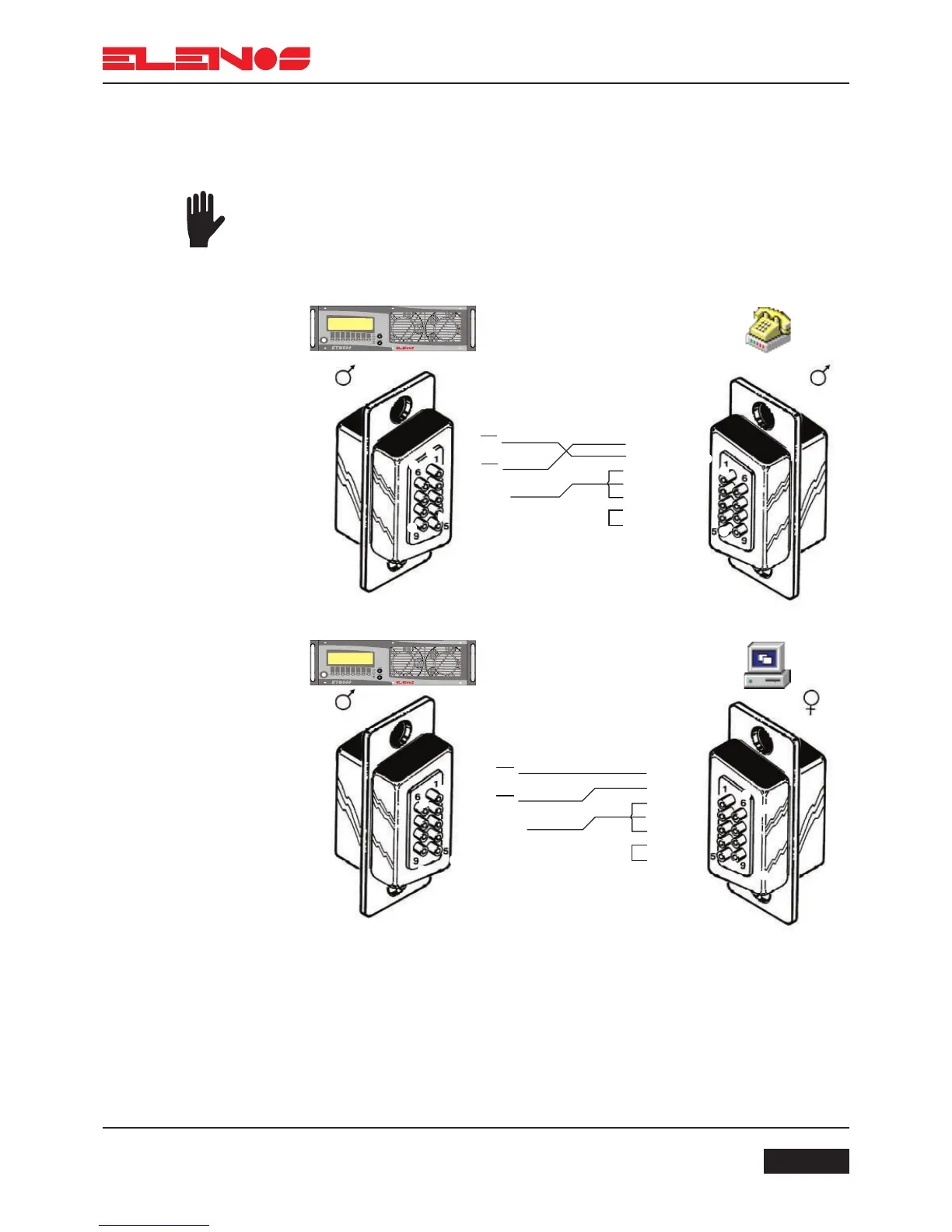
The ETG250’s (ETG300’s) telemetry feature allows an IBM compatible PC to be
connected directly to the unit, or via a GSM modem. The main operational parameters
can be displayed and modified via telemetry using the Hyper Terminal software supplied
with any version of Microsoft Windows (c).
Connect the unit to a GSM modem, or directly to a PC, using the cable supplied
(see diagram below).
Run the Hyper Terminal software supplied with Microsoft Windows.
Enable the connection (to connect via modem, refer to the configuration in the
GSM modem manual).
Telemetry will now be available on the PC, but to transfer data, the code $1111
must be entered; only then may the unit’s parameters be displayed and modified.



 To Next Page