Use and maintenance manual
Page 25
Engineering Department PHONE: +39 0532 829 965 - FAX: +39 0532 829 177
E-Mail: support@elenos.com
3. USER INSTRUCTIONS
3.4.9.
Deviation and Stati-
stics Menu
From the functions menu (page 15)
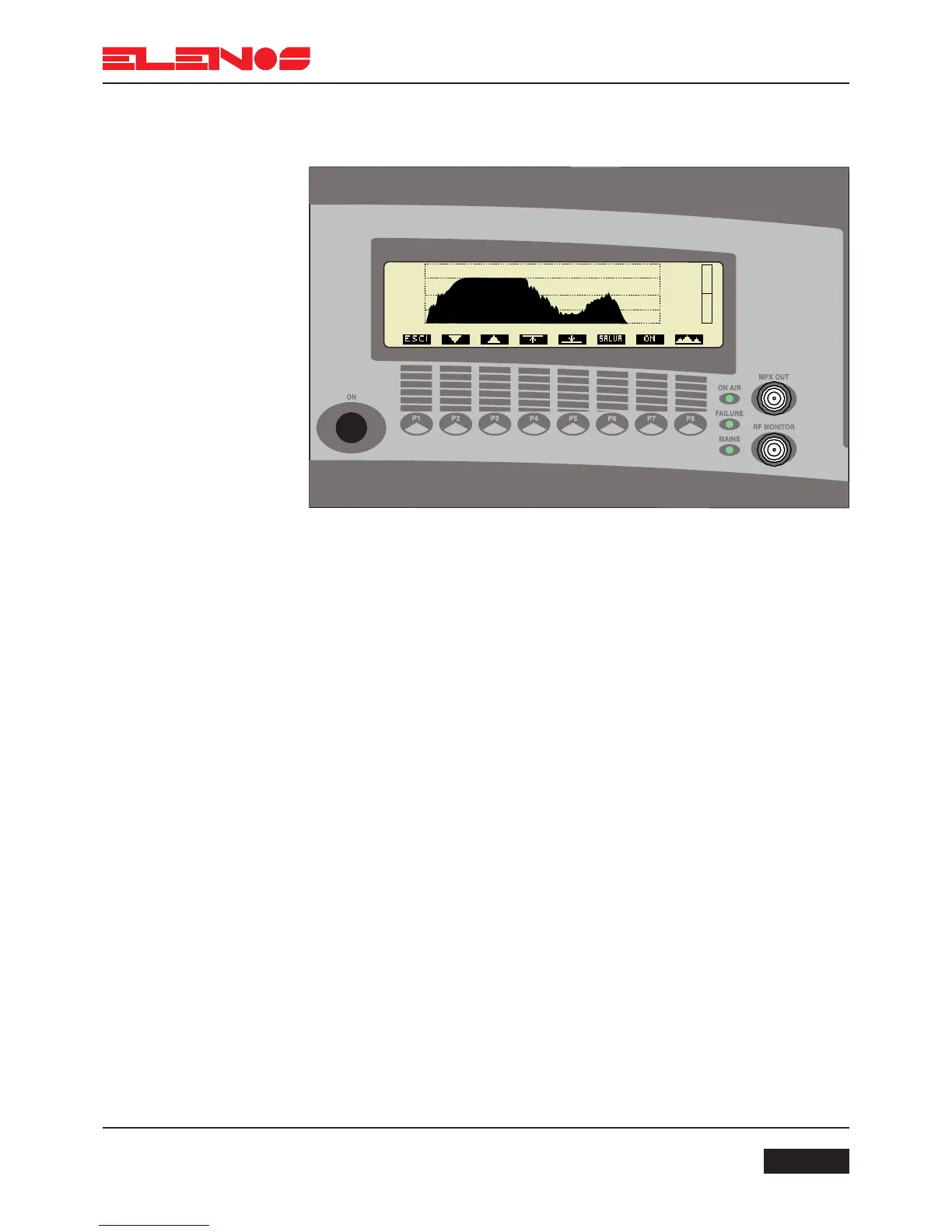
Press key P6 to display Deviation and Statistics
Press key P1 to return to the main menu
Press key P7 to enable or disable audio ALC (Automatic Level Control)
Press key P4 * to set the upper threshold for ALC
Press key P2 to reduce the value of the upper threshold
Press key P3 to increase the value of the upper threshold
Press key P6 to save the changes made
Press key P5 * to set the lower threshold for ALC
Press key P2 to reduce the value of the lower threshold
Press key P3 to increase the value of the lower threshold
Press key P6 to save the changes made
(*) Pressing keys P4 or P5 will cycle through the options to modify the threshold measured
in KHz, in dB, and the response time of the Clipper in seconds.
N.B.
The status of the ALC is diplayed by the right hand bar
Press key P8 to access the statistics menu (see next page)
This window shows the absolute value of modulation (MPX) in time.
The graphics allow the modulation to be displayed over a period of several minutes of
transmission.
To facilitate reading, the display is calibrated at values of 25, 50 and 75KHz.



 To Next Page