Use and maintenance manual
Page 17
Engineering Department PHONE: +39 0532 829 965 - FAX: +39 0532 829 177
E-Mail: support@elenos.com
3. USER INSTRUCTIONS
3.4.4.
RF Menu
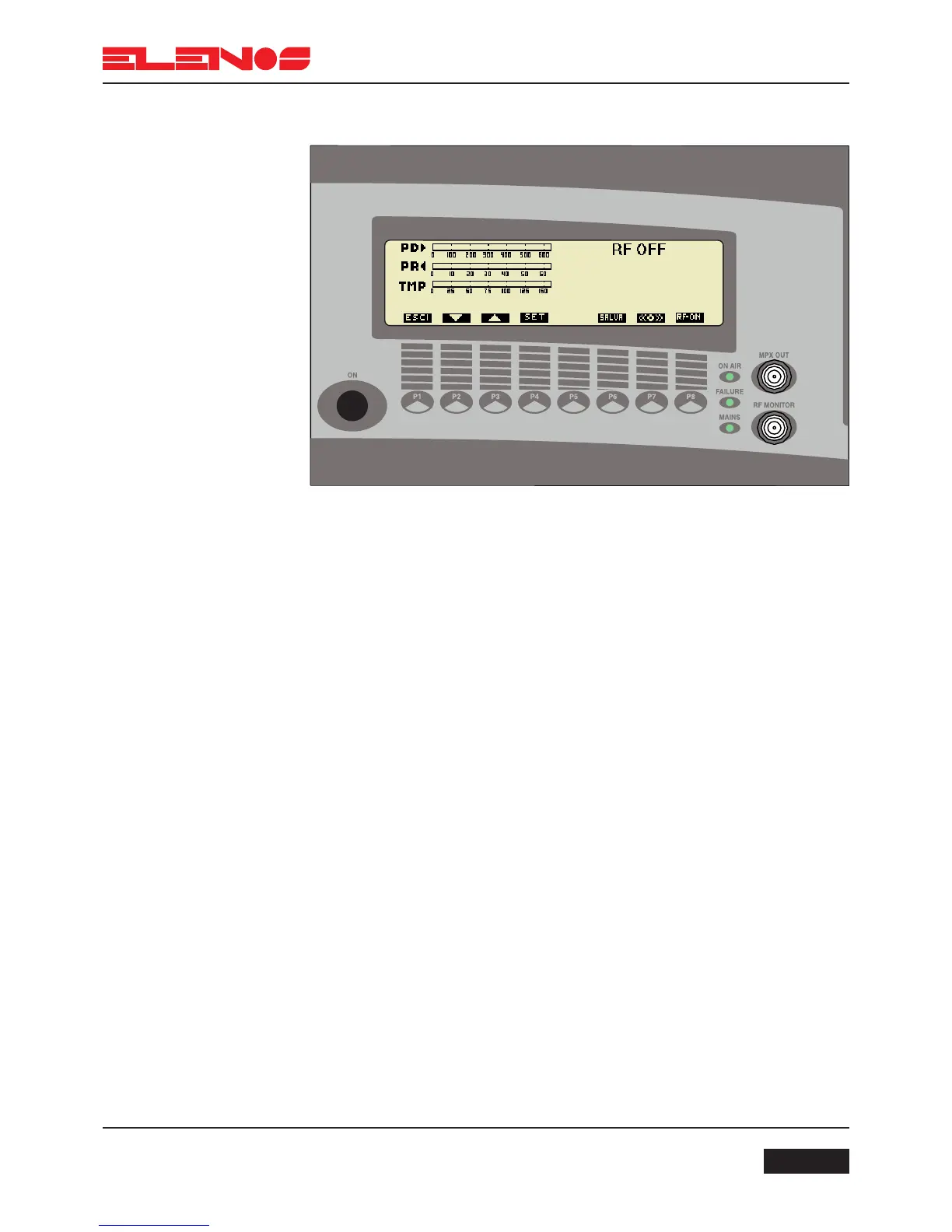
Press key P1 to return to the functions menu
Press key P4 to set the output power level from 0W to a maximum value of 500W
Press key P2 to reduce the output power
Press key P3 to increase the output power
Press key P6 to save the adjustment made
Press key P7 to activate or disactivate the output stage of the amplifier. For example,
in the diagram, output power is disabled.
In the RF menu, the following parameters are displayed: direct power, reflected power
and temperature in both “analog” and numerical form.
Adjustment of output power



 To Next Page