Use and maintenance manual
Page 5
Engineering Department PHONE: +39 0532 829 965 - FAX: +39 0532 829 177
E-Mail: support@elenos.com
1. GENERAL
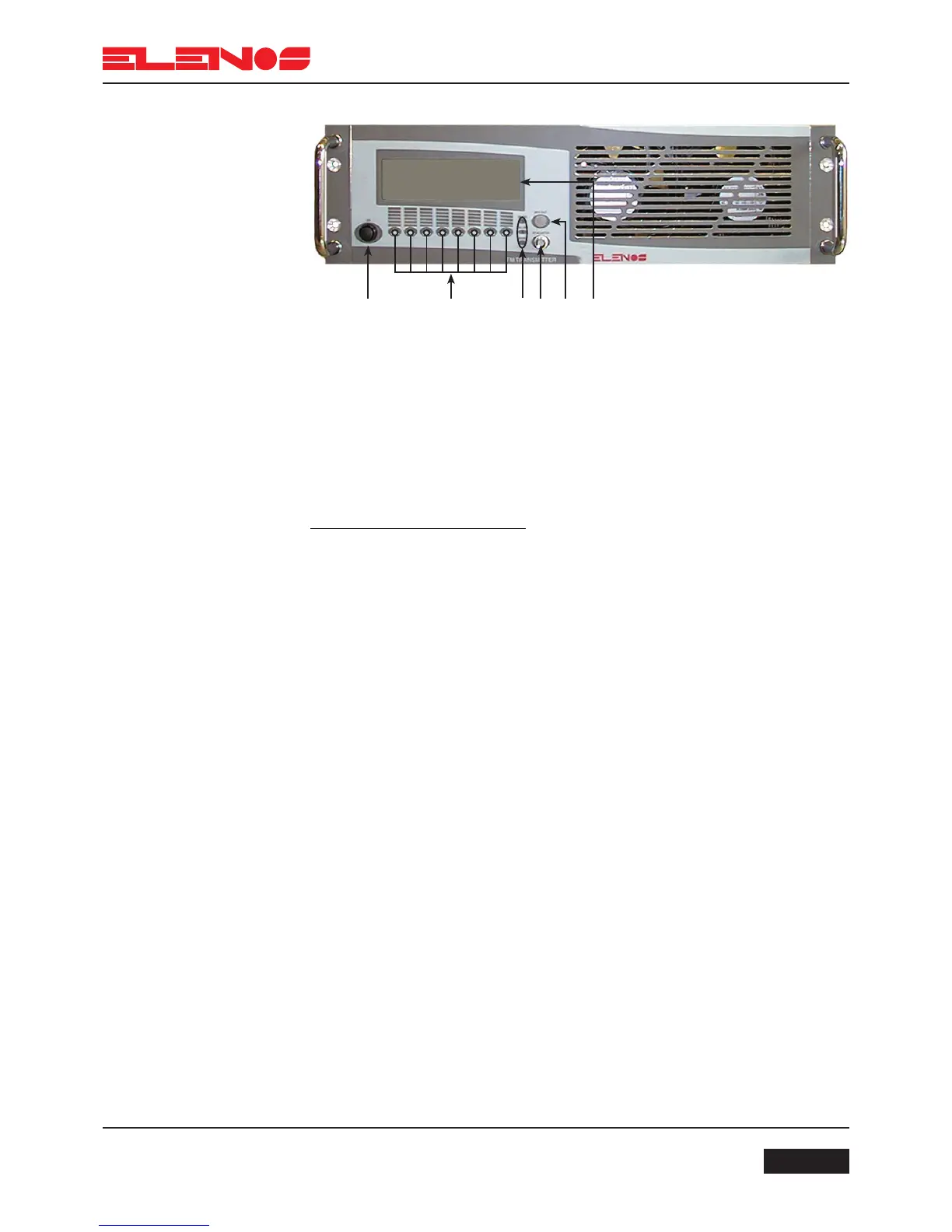
1 5432 6
1.1.
Front view
1) Power on switch
2) Switches for programming operation
3) Led: “ON AIR” lit, indicates the PLL has reached the desired frequency
“FAILURE” lit, indicates the output power is below the preset threshold
“MAINS” lit, indicates the unit is switched on
4) The “RF monitor” connector provides an RF monitor signal
5) The “MPX OUT” connector provides an audio signal
6) Display
N.B.
Do not obstruct the ventilation grills
1.1.1.
Front Panel description



 To Next Page