Use and maintenance manual
Page 27
Engineering Department PHONE: +39 0532 829 965 - FAX: +39 0532 829 177
E-Mail: support@elenos.com
3. USER INSTRUCTIONS
3.4.10.
RDS Encoder
Programming
Each encoder is supplied with a 3.5” disk containing programming software for
an IBM compatibile PC.
Once installed, the software is already operational - just connect the PC to the
encoder and switch it on to start programming it.
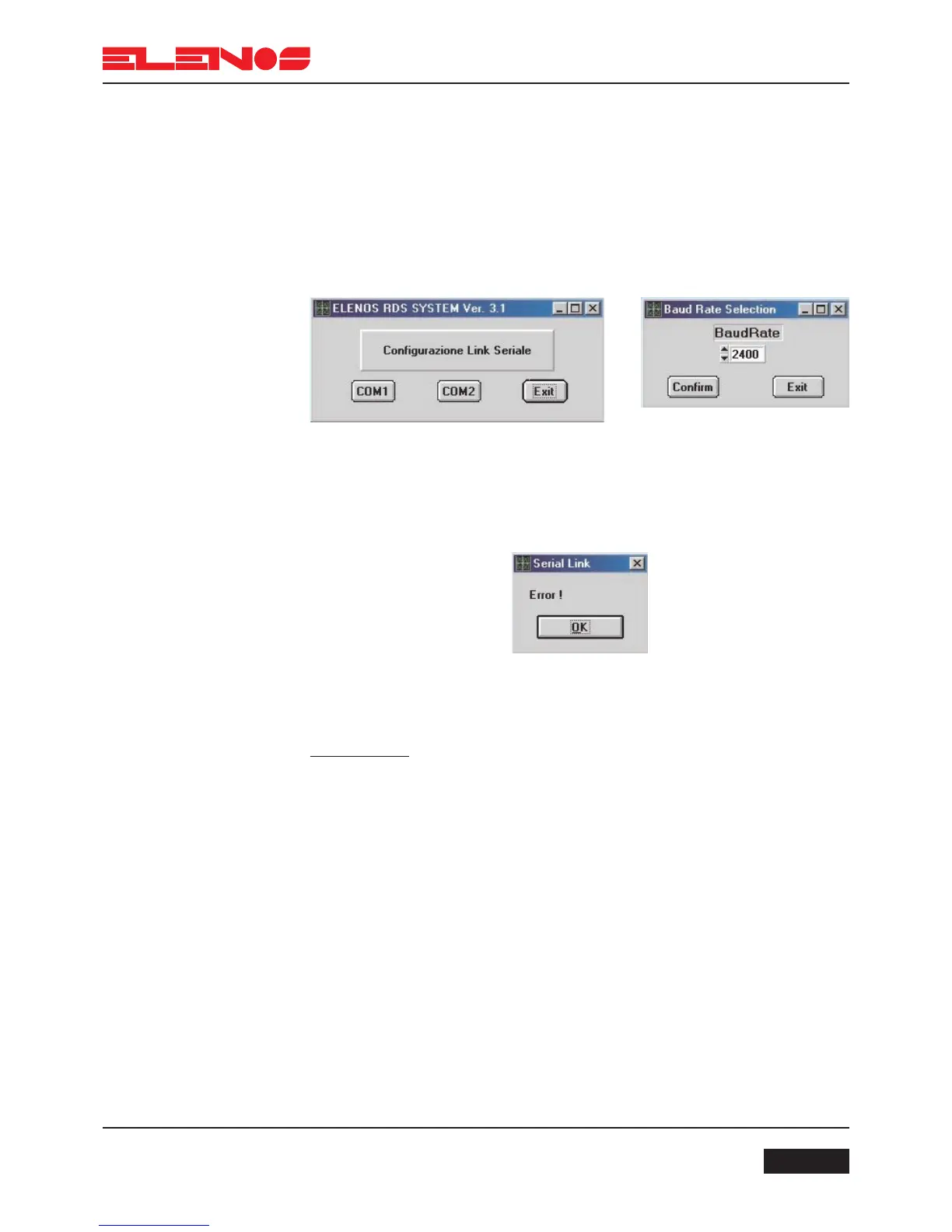
At start up a screen will appear asking whether COM1 or COM2 is used for the
serial connection. A second screen will then appear, “Baud Rate Selection”, which asks for
the speed of the serial connection in baud. Select 2400 as the default.
ATTENTION:
In the event that the correct serial port or baud rate has not been selected, the
following message will appear:
This window will appear whenever an error is detected.
ATTENTION:
Whenever this programme is in use, ensure that you exit any ETG250 (ETG300)
window that corresponds to RDS programming.



 To Next Page